How to configure Elasticsearch shard rebalancing
Configuring shard rebalancing in Elasticsearch controls whether automatic shard moves may happen during maintenance, node changes, or uneven placement checks. Rebalancing moves eligible shards between nodes to improve cluster balance, so changing the rebalance mode can prevent extra recovery traffic while an operational constraint is still being handled.
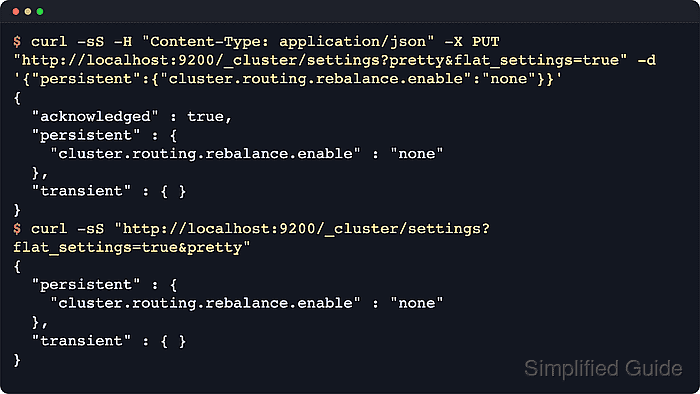
Elasticsearch still obeys allocation filters, forced awareness, disk watermarks, and data tier boundaries when it decides where shards may move. The dynamic setting cluster.routing.rebalance.enable controls whether all shards, only primaries, only replicas, or none are eligible for rebalancing, while cluster.routing.allocation.allow_rebalance can postpone movement until the cluster reaches the required health state.
Elastic documents all as the default and recommends persistent cluster settings for routine operations because transient overrides can clear unexpectedly on unstable clusters. For self-managed clusters, the /_cluster/settings API changes the dynamic setting without restarting nodes. Elastic Cloud Hosted and Elastic Cloud Enterprise deployments are generally safer to manage through deployment user settings, and secured clusters need HTTPS plus credentials with cluster setting privileges.
Steps to configure Elasticsearch shard rebalancing:
- Review the current rebalance mode and the gate that allows rebalancing to start.
$ curl -sS "http://localhost:9200/_cluster/settings?include_defaults=true&filter_path=defaults.cluster.routing.rebalance.enable,defaults.cluster.routing.allocation.allow_rebalance,persistent.cluster.routing.rebalance.enable,persistent.cluster.routing.allocation.allow_rebalance,transient.cluster.routing.rebalance.enable,transient.cluster.routing.allocation.allow_rebalance&pretty"
{
  "defaults" : {
    "cluster" : {
      "routing" : {
        "rebalance" : {
          "enable" : "all"
        },
        "allocation" : {
          "allow_rebalance" : "always"
        }
      }
    }
  }
}
cluster.routing.rebalance.enable controls which shard copies may move, while cluster.routing.allocation.allow_rebalance decides when those moves are permitted to begin.
- Apply a persistent shard rebalancing mode.
$ curl -sS -H "Content-Type: application/json" -X PUT "http://localhost:9200/_cluster/settings?flat_settings=true&pretty" -d '{"persistent":{"cluster.routing.rebalance.enable":"none"}}'
{
  "acknowledged" : true,
  "persistent" : {
    "cluster.routing.rebalance.enable" : "none"
  },
  "transient" : { }
}
Use none only while the maintenance window or placement constraint requires it. Restore all as soon as normal balancing should resume, or use primaries or replicas when only one shard-copy type should continue moving.
- Read back the explicit override to confirm the new mode is active.
$ curl -sS "http://localhost:9200/_cluster/settings?flat_settings=true&pretty"
{
  "persistent" : {
    "cluster.routing.rebalance.enable" : "none"
  },
  "transient" : { }
}
GET /_cluster/settings returns only explicit overrides when include_defaults=true is omitted, and flat_settings=true keeps the response concise for quick checks.
- Clear the override after maintenance to return to the default rebalance policy.
$ curl -sS -H "Content-Type: application/json" -X PUT "http://localhost:9200/_cluster/settings?pretty" -d '{
  "persistent": {
    "cluster.routing.rebalance.enable": null
  }
}'
{
  "acknowledged" : true,
  "persistent" : { },
  "transient" : { }
}
Assigning null removes the explicit override instead of writing the literal string null. Restore the recorded pre-maintenance value instead when the cluster was intentionally using primaries or replicas.
- Confirm that the cluster has returned to the default rebalance mode.
$ curl -sS "http://localhost:9200/_cluster/settings?include_defaults=true&filter_path=defaults.cluster.routing.rebalance.enable,persistent.cluster.routing.rebalance.enable,transient.cluster.routing.rebalance.enable&pretty"
{
  "defaults" : {
    "cluster" : {
      "routing" : {
        "rebalance" : {
          "enable" : "all"
        }
      }
    }
  }
}
When an explicit persistent or transient value still appears here, that override is taking precedence over the built-in default.
- Wait for shard relocations to drain after re-enabling regular balancing.
$ curl -sS "http://localhost:9200/_cluster/health?wait_for_no_relocating_shards=true&timeout=60s&pretty"
{
  "cluster_name" : "elasticsearch",
  "status" : "green",
  "timed_out" : false,
  "number_of_nodes" : 1,
  "number_of_data_nodes" : 1,
  "active_primary_shards" : 2,
  "active_shards" : 2,
  "relocating_shards" : 0,
  "initializing_shards" : 0,
  "unassigned_shards" : 0,
  "unassigned_primary_shards" : 0,
  "delayed_unassigned_shards" : 0,
  "number_of_pending_tasks" : 0,
  "number_of_in_flight_fetch" : 0,
  "task_max_waiting_in_queue_millis" : 0,
  "active_shards_percent_as_number" : 100.0
}
Zero relocating_shards confirms no rebalance moves are still in flight. If the cluster remains uneven, check allocation filters, forced awareness, data tier rules, and cluster.routing.allocation.allow_rebalance.