How to set Elasticsearch node names
Explicit Elasticsearch node names make cluster output easier to read during allocation, recovery, maintenance, and incident response. A name such as es-hot-01 is easier to match to a host, role, or rack than a generic hostname or a transient container identifier.
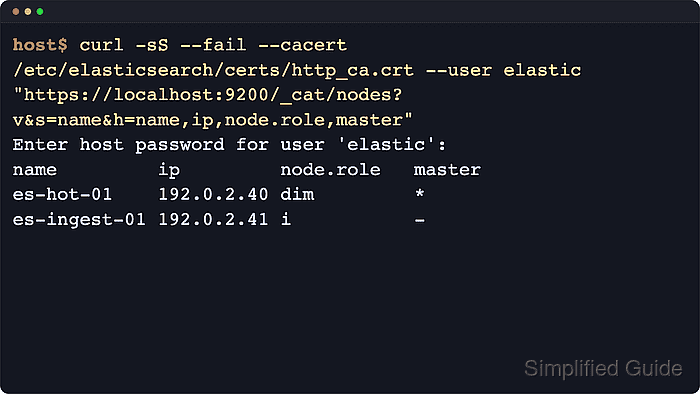
For self-managed package installs, Elasticsearch reads node.name from /etc/elasticsearch/elasticsearch.yml when the process starts. The value appears in APIs such as /_cat/nodes and the Nodes info API, while the persistent node ID remains stored with the node data and is not replaced by renaming the display name.
Use one naming convention across the cluster, keep each name unique, and restart only the node whose name changed. During first cluster formation, any cluster.initial_master_nodes entries must match the final node.name values exactly; after the cluster forms, that bootstrap setting should be removed from every node.
Steps to set Elasticsearch node names:
- Record the current node list before editing the configuration.
$ curl --silent --show-error --fail \
  --cacert /etc/elasticsearch/certs/http_ca.crt \
  --user elastic:$ELASTIC_PASSWORD \
  "https://localhost:9200/_cat/nodes?v=true&s=name&h=name,ip,node.role,master"
name         ip         node.role   master
es-data-01   192.0.2.40 cdfhilmrstw *
es-ingest-01 192.0.2.41 i           -
Clusters with security disabled can use plain HTTP without authentication. Keep the node currently being renamed visible in this output so the final check can show the change.
- Create a backup copy of /etc/elasticsearch/elasticsearch.yml before editing it.
$ sudo cp -a /etc/elasticsearch/elasticsearch.yml /etc/elasticsearch/elasticsearch.yml.bak
- Open /etc/elasticsearch/elasticsearch.yml with sudo privileges.
$ sudoedit /etc/elasticsearch/elasticsearch.yml
- Set a unique node.name value for the local node.
node.name: es-hot-01
Use a name that matches the node's role, tier, location, or host inventory label. Avoid reusing the same name on another running node.
If this node is still listed in cluster.initial_master_nodes while forming a new cluster, update that entry to match node.name exactly. Existing clusters should not keep cluster.initial_master_nodes in the file.
- Restart the Elasticsearch service on this node.
$ sudo systemctl restart elasticsearch.service
Restart one node at a time unless a full-cluster restart is already planned. Restarting several nodes together can interrupt indexing and leave shards unavailable while the cluster recovers.
- Confirm the service returned to a running state.
$ systemctl is-active elasticsearch.service
active
If the unit does not return active, inspect the service status and recent logs before retrying the restart.
- Confirm the local node loaded the saved node.name setting.
$ curl --silent --show-error --fail \
  --cacert /etc/elasticsearch/certs/http_ca.crt \
  --user elastic:$ELASTIC_PASSWORD \
  "https://localhost:9200/_nodes/_local/settings?filter_path=nodes.*.name,nodes.*.settings.node.name&pretty"
{
  "nodes" : {
    "Qx5fY8qTQ2yGZ8NmZ9Jv8A" : {
      "name" : "es-hot-01",
      "settings" : {
        "node" : {
          "name" : "es-hot-01"
        }
      }
    }
  }
}
The Nodes info API shows the full configured setting, which is useful when the CAT output is too compact for an audit record.
- Verify the cluster-wide node list shows the new name.
$ curl --silent --show-error --fail \
  --cacert /etc/elasticsearch/certs/http_ca.crt \
  --user elastic:$ELASTIC_PASSWORD \
  "https://localhost:9200/_cat/nodes?v=true&s=name&h=name,ip,node.role,master"
name         ip         node.role   master
es-hot-01    192.0.2.40 cdfhilmrstw *
es-ingest-01 192.0.2.41 i           -
Renaming a node changes the human-readable display name. The persistent node ID and data path remain tied to the existing node data.