How to configure an Elasticsearch remote cluster connection
Configuring a remote cluster connection in Elasticsearch allows cross-cluster search and cross-cluster replication to reach data in another deployment without copying indices or widening trust between clusters.
On current self-managed clusters, the recommended model is to authenticate the local cluster with a cross-cluster API key over the dedicated remote cluster interface, which defaults to port 9443. The local cluster stores that credential in its keystore, trusts the remote cluster server certificate, and registers the remote alias through the cluster update settings API in either sniff mode or proxy mode.
The remote cluster server interface is disabled by default on self-managed remotes, so it must be enabled before the alias can connect. Nodes that originate CCS or CCR traffic must keep the remote_cluster_client role, sniff mode requires the remote publish addresses to be reachable from the local cluster, and from Elasticsearch 8.15 onward the default for skip_unavailable changed to true, so set it explicitly when the remote must be treated as required.
Steps to configure an Elasticsearch remote cluster connection:
- Confirm the local and remote clusters meet the current remote-cluster prerequisites.
API-key authentication for self-managed remote clusters requires Elasticsearch security to be enabled on both clusters, nodes on both sides to run Elastic Stack 8.14 or later, the cluster versions to remain mutually compatible, and a license that covers the intended cross-cluster feature.
- Generate a TLS certificate for the remote cluster server interface from an existing certificate authority.
$ sudo /usr/share/elasticsearch/bin/elasticsearch-certutil cert --out /tmp/cross-cluster.p12 --pass=CERT_PASSWORD --ca-cert /tmp/ca/ca.crt --ca-key /tmp/ca/ca.key --dns remote-es.example.net --ip 198.51.100.20
If no CA exists yet, create one first with elasticsearch-certutil ca, or use an equivalent certificate and key pair issued by the PKI already trusted in the environment. The certificate must cover the DNS name or IP that the local cluster will use for the remote-cluster endpoint.
- Install the remote-cluster server certificate on every remote-cluster node and enable the remote cluster server settings in /etc/elasticsearch/elasticsearch.yml.
$ sudo install -o root -g elasticsearch -m 640 /tmp/cross-cluster.p12 /etc/elasticsearch/certs/cross-cluster.p12
remote_cluster_server.enabled: true
remote_cluster.host: 198.51.100.20
remote_cluster.port: 9443
xpack.security.remote_cluster_server.ssl.enabled: true
xpack.security.remote_cluster_server.ssl.keystore.path: certs/cross-cluster.p12
Do not leave remote_cluster.host on loopback or another unroutable publish address, or the local cluster will fail to connect even when the alias is accepted by the settings API.
- Store the remote-cluster server keystore password in the Elasticsearch keystore.
$ sudo /usr/share/elasticsearch/bin/elasticsearch-keystore add xpack.security.remote_cluster_server.ssl.keystore.secure_password
Enter value for xpack.security.remote_cluster_server.ssl.keystore.secure_password:
- Restart the remote-cluster nodes to load the remote-cluster server settings.
$ sudo systemctl restart elasticsearch
- Create a cross-cluster API key on the remote cluster with only the index access needed for search or replication.
$ curl --silent --show-error --user elastic:strong-password --header "Content-Type: application/json" --request POST "https://remote-es.example.net:9200/_security/cross_cluster/api_key?pretty" --data '{
  "name": "dr-site-ccs",
  "access": {
    "search": [
      {
        "names": ["logs-*", "metrics-*"]
      }
    ]
  }
}'
{
  "id" : "VuaCfGcBCdbkQm-e5aOx",
  "name" : "dr-site-ccs",
  "expiration" : null,
  "api_key" : "VuaC...",
  "encoded" : "VnVhQ2ZHY0JDZGJrUW0tZTVhT3g6VnVhQy4uLg=="
}
Authenticate this request with a user or credential that can manage security on the remote cluster, not with an API key. Save the encoded value for the local-cluster keystore step.
- Install the remote cluster CA certificate on every local-cluster node and enable the remote-cluster client TLS settings in /etc/elasticsearch/elasticsearch.yml.
$ sudo install -o root -g elasticsearch -m 644 /tmp/ca/ca.crt /etc/elasticsearch/remote-cluster-ca.crt
xpack.security.remote_cluster_client.ssl.enabled: true
xpack.security.remote_cluster_client.ssl.certificate_authorities: ["remote-cluster-ca.crt"]
If the remote cluster server uses a publicly trusted certificate, omit the certificate_authorities line and rely on the system CA bundle instead.
- Add the encoded cross-cluster API key to the local-cluster keystore under the same alias that will be used for the remote cluster entry.
$ sudo /usr/share/elasticsearch/bin/elasticsearch-keystore add cluster.remote.dr-site.credentials
Enter value for cluster.remote.dr-site.credentials:
VnVhQ2ZHY0JDZGJrUW0tZTVhT3g6VnVhQy4uLg==
The alias in the secure setting name (dr-site in this example) must match the alias configured later in cluster.remote.dr-site.* settings.
- Restart the local-cluster nodes so the new remote-cluster client TLS settings and secure credential are loaded.
$ sudo systemctl restart elasticsearch
If only the API key value changes later and the TLS client settings are already in place, use POST /_nodes/reload_secure_settings instead of restarting the cluster.
- Register the remote-cluster alias from the local cluster with the current remote-cluster endpoint.
$ curl --silent --show-error --user elastic:strong-password --header "Content-Type: application/json" --request PUT "https://local-es.example.net:9200/_cluster/settings?pretty" --data '{
  "persistent": {
    "cluster": {
      "remote": {
        "dr-site": {
          "mode": "sniff",
          "seeds": [
            "remote-es.example.net:9443"
          ],
          "skip_unavailable": false
        }
      }
    }
  }
}'
{
  "acknowledged" : true,
  "persistent" : {
    "cluster" : {
      "remote" : {
        "dr-site" : {
          "mode" : "sniff",
          "seeds" : [
            "remote-es.example.net:9443"
          ],
          "skip_unavailable" : "false"
        }
      }
    }
  },
  "transient" : { }
}
The account calling _cluster/settings needs the cluster manage privilege. Set skip_unavailable to true only when the remote should be optional for cross-cluster search.
Use proxy mode with proxy_address instead of sniff mode when the remote cluster is behind Elastic Cloud, ECE, ECK, NAT, or any network path where the remote nodes' publish addresses are not directly reachable from the local cluster.
- Verify the alias is connected from the local cluster.
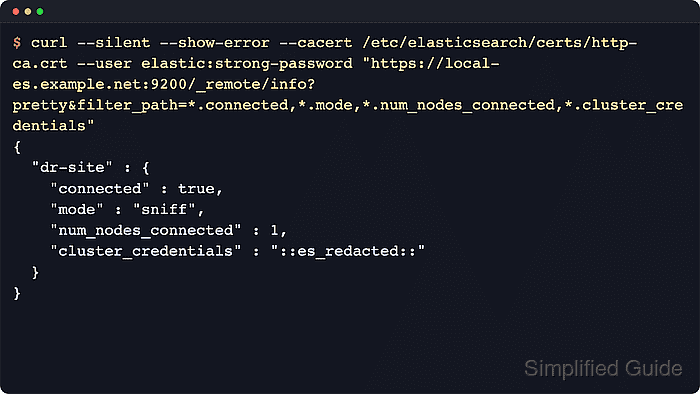
$ curl --silent --show-error --user elastic:strong-password "https://local-es.example.net:9200/_remote/info?pretty&filter_path=*.connected,*.mode,*.num_nodes_connected,*.cluster_credentials"
{
  "dr-site" : {
    "connected" : true,
    "mode" : "sniff",
    "num_nodes_connected" : 1,
    "cluster_credentials" : "::es_redacted::"
  }
}
connected must be true, and cluster_credentials confirms the alias is using API-key authentication. Send CCS or CCR requests to nodes that keep the remote_cluster_client role. A connected alias still needs local roles with matching remote_indices or remote_cluster privileges for the actual cross-cluster request. If the alias stays disconnected, confirm the remote cluster server is enabled, the endpoint and port are correct, and the local cluster trusts the remote server certificate.