How to upgrade Elastic Agents from Fleet
Upgrading Elastic Agent from Fleet lets Kibana ask eligible enrolled agents to download and install a newer binary without logging in to every host. It is the normal path for Fleet-managed tarball, zip, macOS, and Windows installs that Fleet can upgrade directly.
Fleet marks agents with Upgrade available when a newer compatible version can be selected. The upgrade action can run immediately, spread across a maintenance window, or start at a scheduled time when the subscription supports scheduled agent binary upgrades.
During the rollout, agents report Updating and then return to Healthy after the upgraded binary checks in. Upgrade agents that run Fleet Server before regular collection agents when moving to a newer minor version, and use package or deployment tooling for DEB, RPM, Docker, and Kubernetes agents because Fleet does not upgrade those installation types.
Steps to upgrade Elastic Agents from Fleet:
- Open Kibana → Management → Fleet → Agents.
- Filter the table to agents with Upgrade available.
- Select one pilot agent or a small agent group for the first rollout.
Upgrade Fleet Server agents first before moving regular agents to a newer minor version. Fleet blocks agents from upgrading to a minor version higher than the currently installed Fleet Server minor version.
- Open Actions and choose Upgrade agent or Upgrade agents.
- Select the target Elastic Agent version in the upgrade window.
If the intended version is not listed, enter it in the Upgrade version field only after confirming the version is compatible with the installed Kibana and Fleet Server versions.
- Choose a maintenance window for a multi-agent rollout.
Use Immediately only for a pilot or small batch. Elastic recommends avoiding immediate upgrades for batches of more than 10 agents because every selected agent starts the binary download at once.
- Click Upgrade agent or Upgrade agents.
- Watch the selected rows until Status changes from Updating back to Healthy.
Recent agents can show intermediate states such as Upgrade downloading, Upgrade replacing, Upgrade restarting, and Upgrade monitoring. A stalled upgrade can be restarted from the agent Actions menu after the Fleet cooldown period.
- Open one upgraded agent and confirm the Agent version field matches the target version.
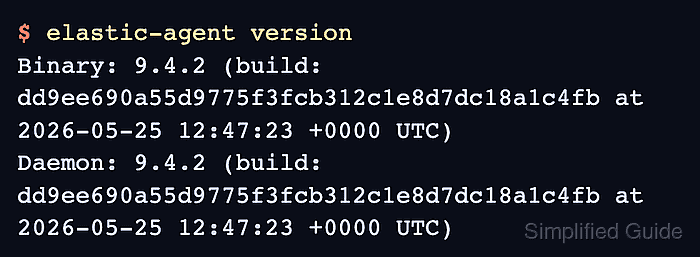
- Confirm the binary version on a test host after Fleet reports the agent as Healthy.
$ elastic-agent version
Binary: 9.4.2 (build: dd9ee690a55d9775f3fcb312c1e8d7dc18a1c4fb at 2026-05-25 12:47:23 +0000 UTC)
Daemon: 9.4.2 (build: dd9ee690a55d9775f3fcb312c1e8d7dc18a1c4fb at 2026-05-25 12:47:23 +0000 UTC)
The exact version and build hash vary by target release. The host-side check confirms the installed binary after Fleet reports Healthy.