How to back up DRBD metadata before a change
Backing up DRBD metadata before a resize, disk replacement, or resource maintenance change gives each node its own rollback file for the metadata that DRBD keeps with the replicated device. The backup belongs in the same maintenance window as the change, before any operation that can move, recreate, or overwrite metadata.
DRBD metadata is node-specific, so a dump from one node cannot replace the dump from another node. Pair the metadata dump with a parsed configuration dump and checksum proof so recovery work has the resource definition, the lower-level metadata command, and a way to detect a damaged backup file.
Plan the backup for a point when the affected workload is stopped and the resource can be taken down safely on each configured node. Keep the backup archive on storage that is not the DRBD device being changed, and repeat the same node-local capture on every node that belongs to the resource.
Related: How to back up and restore DRBD metadata
Related: How to check DRBD resource status
Steps to back up DRBD metadata before a change:
- Create a node-specific backup directory on the current node.
$ sudo install -d -m 700 /var/backups/drbd-prechange/r0-node-a
Replace r0 with the real DRBD resource name and node-a with the current node name. Use a different directory on each node.
- Check the resource state before the maintenance window changes it.
$ sudo drbdadm status r0
r0 role:Primary
  disk:UpToDate
  node-b role:Secondary
    peer-disk:UpToDate
The resource should be in the expected role and disk state before the backup is taken. Investigate unexpected Inconsistent, Outdated, or disconnected peer states before changing metadata or backing storage.
Related: How to check DRBD resource status - Save the parsed DRBD configuration for the resource.
$ sudo drbdadm dump r0 > /var/backups/drbd-prechange/r0-node-a/r0.config
drbdadm dump parses the active DRBD configuration and writes the expanded resource definition that the node is using.
- Save the lower-level metadata command that drbdadm would run.
$ sudo drbdadm --dry-run dump-md r0 > /var/backups/drbd-prechange/r0-node-a/r0.dump-md-command
The dry run records the drbdmeta target, metadata version, metadata device, and metadata index for the current resource without reading or writing metadata.
- Stop the workload that uses the DRBD device.
Application writes, mounted file systems, or cluster managers can make a metadata backup unsafe or prevent the resource from being taken down. Use the service-specific stop or failover process for the workload before continuing.
- Take the DRBD resource down on the current node.
$ sudo drbdadm down r0
drbdadm down removes the local DRBD device, lower-level device attachment, and peer connection for the resource. Run it only during an approved maintenance window.
- Dump the DRBD metadata into the node-specific backup directory.
$ sudo drbdadm dump-md r0 > /var/backups/drbd-prechange/r0-node-a/r0.metadata
If dump-md reports unclean metadata, run sudo drbdadm apply-al r0, then retry the dump. The activity log must be applied before the metadata can be exported cleanly.
Run dump-md separately on every configured node. Do not copy one node's metadata dump to a peer node.
- Write a checksum manifest for the saved files.
$ sudo sha256sum \
  /var/backups/drbd-prechange/r0-node-a/r0.config \
  /var/backups/drbd-prechange/r0-node-a/r0.dump-md-command \
  /var/backups/drbd-prechange/r0-node-a/r0.metadata \
  > /var/backups/drbd-prechange/r0-node-a/SHA256SUMS
- Verify the checksum manifest before archiving the backup.
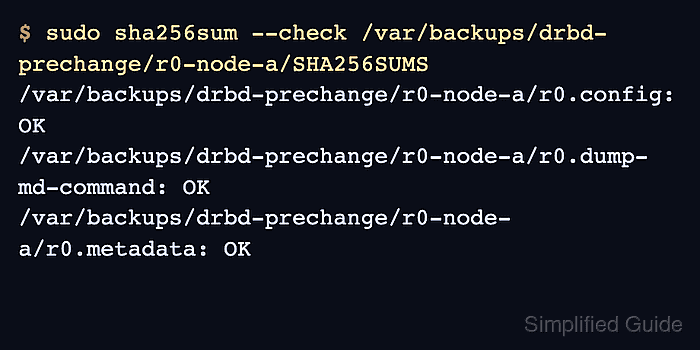
$ sudo sha256sum --check /var/backups/drbd-prechange/r0-node-a/SHA256SUMS
/var/backups/drbd-prechange/r0-node-a/r0.config: OK
/var/backups/drbd-prechange/r0-node-a/r0.dump-md-command: OK
/var/backups/drbd-prechange/r0-node-a/r0.metadata: OK
- Create an archive of the node-local backup directory.
$ sudo tar -czf /var/backups/drbd-prechange/r0-node-a.tar.gz -C /var/backups/drbd-prechange r0-node-a
- List the archive contents before moving it off the node.
$ sudo tar -tzf /var/backups/drbd-prechange/r0-node-a.tar.gz
r0-node-a/
r0-node-a/r0.config
r0-node-a/r0.dump-md-command
r0-node-a/r0.metadata
r0-node-a/SHA256SUMS
- Copy the archive to backup storage outside the affected DRBD device.
$ sudo install -m 600 /var/backups/drbd-prechange/r0-node-a.tar.gz /mnt/backup/drbd-prechange/
Use the backup transport already approved for the environment. The backup is not complete while the only copy remains on the node or on storage involved in the planned change.
- Verify that the archive exists on the backup storage.
$ sudo ls -lh /mnt/backup/drbd-prechange/r0-node-a.tar.gz
-rw------- 1 root root 12K Jun 19 12:15 /mnt/backup/drbd-prechange/r0-node-a.tar.gz