Table of Contents
How to create a Docker bridge network
Creating a user-defined Docker bridge network gives related containers a private software network that stays separate from unrelated workloads on the same host. It is the normal way to group an application stack so the web tier, API, and database can talk to each other without placing every container on Docker's default bridge network.
A custom bridge network exists on one Docker daemon host and Docker manages the subnet, gateway, and embedded DNS for it. Containers attached to that network can reach each other by container name or network alias, which is the main operational difference from the default bridge network where automatic name resolution is not available by default.
The same workflow works on Linux hosts and Docker Desktop, but the chosen subnet and gateway vary by host and by the Docker networks that already exist. Pick a unique network name, and add --subnet only when an application, route, or firewall rule requires a fixed CIDR that does not overlap another Docker or host network.
Steps to create a Docker bridge network:
- Create the user-defined bridge network.
$ docker network create --driver bridge app-net
c2e59ca652e29c32a1bff0d0c06ad43a61721245e5581a258a8841edb48d9a1d
The returned ID confirms that Docker created the network object. If you omit --driver bridge, Docker still creates a bridge network by default, but keeping the driver visible makes the network type explicit.
- Inspect the new network to confirm the driver, scope, and allocated subnet.
$ docker network inspect app-net
[
    {
        "Name": "app-net",
        "Scope": "local",
        "Driver": "bridge",
        "IPAM": {
            "Config": [
                {
                    "Subnet": "172.26.0.0/16",
                    "Gateway": "172.26.0.1"
                }
            ]
        },
        "Containers": {}
##### snipped #####
    }
]
The empty Containers object means the network exists but no container has joined it yet. Add --subnet 172.28.0.0/16 or another non-overlapping CIDR to the create command only when the bridge must use a fixed address range.
- Start a long-running container on the new bridge so Docker can assign it an address and a DNS name on that network.
$ docker run -d --name web --network app-net alpine:3.22 sleep 600
db5c16b776164dd1b9eaef12913e8b08f3e809208908ad44866b5cfd396cb25a
Replace the example image and command with the real service that should stay on the network. The important part is attaching the container with --network app-net when it starts.
- Verify that another container on the same bridge can resolve and reach the attached container by name.
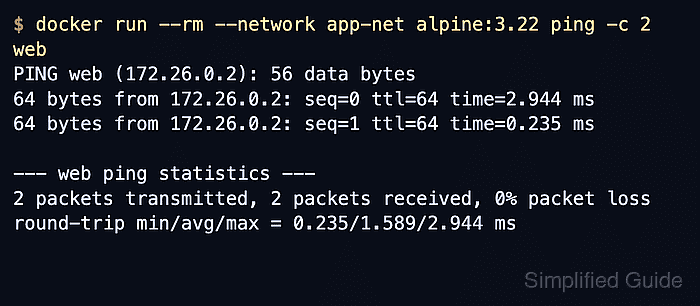
$ docker run --rm --network app-net alpine:3.22 ping -c 2 web
PING web (172.26.0.2): 56 data bytes
64 bytes from 172.26.0.2: seq=0 ttl=64 time=2.944 ms
64 bytes from 172.26.0.2: seq=1 ttl=64 time=0.235 ms

--- web ping statistics ---
2 packets transmitted, 2 packets received, 0% packet loss
round-trip min/avg/max = 0.235/1.589/2.944 ms
A successful ping proves that the second container can resolve web through Docker's embedded DNS and reach it on the custom bridge. --rm removes the temporary client container as soon as the check finishes.
Tool: Ping Results Analyzer
- Reinspect the network when you need to confirm which containers are currently attached and what addresses Docker assigned on that bridge.
$ docker network inspect app-net
[
    {
        "Name": "app-net",
        "Scope": "local",
        "Driver": "bridge",
##### snipped #####
        "Containers": {
            "db5c16b776164dd1b9eaef12913e8b08f3e809208908ad44866b5cfd396cb25a": {
                "Name": "web",
                "IPv4Address": "172.26.0.2/16",
                "IPv6Address": ""
            }
        }
##### snipped #####
    }
]
The attached container list is the fastest way to confirm bridge membership from Docker's point of view before adding more services or troubleshooting a missing peer.
Notes
- User-defined bridge networks apply to one Docker host. Use an overlay network instead when containers on different Docker hosts must share the same Docker-managed network.
- Docker chooses a non-overlapping subnet automatically for a new bridge network, so the exact gateway and container addresses differ across hosts unless you set --subnet and --gateway yourself.
- Remove only disposable test resources after validation, and remove the network itself with docker network rm app-net only after every attached container has been disconnected or removed.