How to save a Docker image to a tarball
Saving a Docker image to a tarball gives you a portable copy that can be moved to another host, attached to a release bundle, or kept as an offline rollback artifact when a registry is unavailable or intentionally bypassed.
The docker image save command exports one or more local images into a tar archive. Using --output writes that archive directly to a named file instead of streaming it to standard output, which is the cleaner path when you want a reusable artifact on disk.
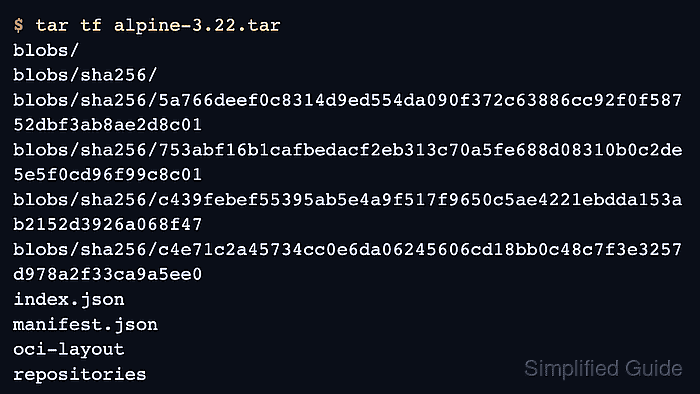
The successful end state is a tarball at the path you chose, with Docker image metadata such as manifest.json, repositories, and the blobs/ tree inside it. That archive can then be copied elsewhere and imported with docker image load.
Steps to save a Docker image to a tarball:
- Save the local image to a tarball in the current directory.
$ docker image save --output alpine-3.22.tar alpine:3.22
Replace alpine:3.22 with the repository and tag you already have locally. The archive path can be relative or absolute, and you can add --platform linux/arm64/v8 or another platform only when you need to export one locally stored variant instead of every stored variant for that image reference.
docker image save does not pull missing images for you. If the image is not in the local image store yet, pull it or build it first and then rerun the export.
- Confirm that Docker wrote the archive file.
$ ls -lh alpine-3.22.tar
-rw-------  1 operator  staff   8.5M Apr 16 16:56 alpine-3.22.tar
The archive size depends on the image layers and the number of image tags included in the export.
- List the tarball contents to verify that the export includes image metadata and blobs.
$ tar tf alpine-3.22.tar
blobs/
blobs/sha256/
blobs/sha256/5a766deef0c8314d9ed554da090f372c63886cc92f0f58752dbf3ab8ae2d8c01
blobs/sha256/753abf16b1cafbedacf2eb313c70a5fe688d08310b0c2de5e5f0cd96f99c8c01
blobs/sha256/c439febef55395ab5e4a9f517f9650c5ae4221ebdda153ab2152d3926a068f47
blobs/sha256/c4e71c2a45734cc0e6da06245606cd18bb0c48c7f3e3257d978a2f33ca9a5ee0
index.json
manifest.json
oci-layout
repositories
When manifest.json, repositories, and the layer blobs are present, the archive is ready for transfer or a later docker image load --input alpine-3.22.tar workflow. Related: How to load a Docker image from a tarball