Table of Contents
How to copy files between a Docker container and the host
Copying a file between a Docker container and the host is useful when a running workload produces logs, reports, or generated assets that need to leave the container, or when a local file must be placed inside the container without rebuilding the image.
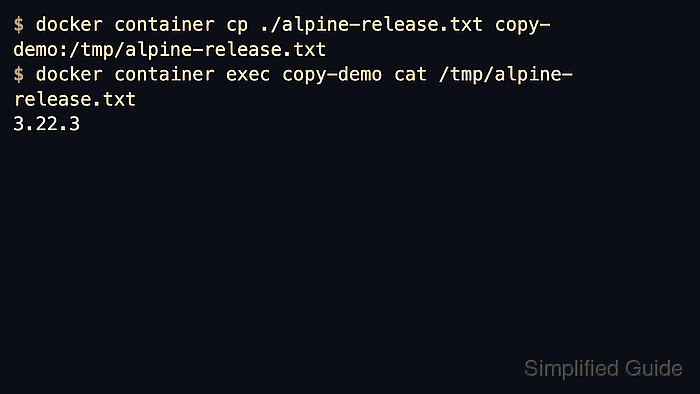
docker container cp copies files or directories in either direction between the local filesystem and a container path, and the shorter docker cp form is the same command. It works with running or stopped containers, so it fits one-off retrieval, quick inspection, and small handoffs without changing the image or mount layout.
Container paths are resolved from /, destination parent directories must already exist, and verification should happen on the side that received the file before the next step. When the same data needs to stay in sync over time, a bind mount or named volume is usually a better Docker workflow than repeated manual copies.
Steps to copy files between a Docker container and the host:
- List the containers and note the exact target name before copying any path.
$ docker container ls -a
CONTAINER ID   IMAGE         COMMAND       CREATED         STATUS         PORTS     NAMES
7a39656061d6   alpine:3.22   "sleep 600"   2 minutes ago   Up 2 minutes             copy-demo
Use docker container ls -a when the target may be stopped, because docker container cp can copy from or to a stopped container as well.
- Copy the file from the container to the current directory.
$ docker container cp copy-demo:/etc/alpine-release ./alpine-release.txt
Container paths are resolved from the container root, so copy-demo:/etc/alpine-release and copy-demo:etc/alpine-release point to the same file, but keeping the leading slash is clearer.
- Read the copied file on the host to confirm that it arrived at the expected path.
$ cat ./alpine-release.txt
3.22.3
If the filename should stay the same but land in a different directory, make the destination an existing directory path instead of a new filename.
- Copy the host file back into the container at the destination path.
$ docker container cp ./alpine-release.txt copy-demo:/tmp/alpine-release.txt
docker container cp does not create missing parent directories, so copy into an existing directory such as /tmp or create the target directory first.
- Verify the transferred file inside the container.
$ docker container exec copy-demo cat /tmp/alpine-release.txt
3.22.3
docker container exec is only needed for the verification step here; the copy itself does not require an interactive shell inside the container.
Notes
- docker container cp and docker cp are the same command, so either form works if the team already standardizes on one style.
- Copying to a directory uses the source basename automatically, while copying to a full destination filename writes the file under that new name.
- Use --archive when the original UID and GID should be preserved, and use --follow-link when the source path is a symbolic link but the target file should be copied instead of the link itself.
- Repeated file exchange is usually a sign that a bind mount or named volume is a better fit than manual copies.