How to deploy an app stack with Docker Compose
Deploying an application stack with Docker Compose turns multiple containers into one repeatable project. A single compose.yaml file can define the web tier, the database, the shared network, the persistent storage, and the command that starts the whole stack together.
A practical deployment baseline uses one application service, one data service, a named volume, and an explicit startup dependency. The example below uses Adminer as the web app and MariaDB as the database so the stack remains small while still exercising the parts that matter in a real Compose deployment.
Published ports, passwords, and image tags need deliberate choices before a production rollout. Compose can wait for services to be running or healthy, but it only knows what the file defines, so health checks, secret handling, and application-specific validation still need to be planned explicitly.
Steps to deploy an app stack with Docker Compose:
- Create a project directory for the stack.
$ mkdir app-stack
The directory name becomes the default Compose project name, so the generated container, network, and volume names inherit the app-stack prefix.
- Change into the project directory.
$ cd app-stack
- Save the Compose definition as compose.yaml.
services:
  db:
    image: mariadb:11
    restart: unless-stopped
    environment:
      MARIADB_DATABASE: appdb
      MARIADB_USER: appuser
      MARIADB_PASSWORD: change-this-app-password
      MARIADB_ROOT_PASSWORD: change-this-root-password
    healthcheck:
      test: ["CMD-SHELL", "mariadb-admin ping --host=127.0.0.1 --user=root --password=$$MARIADB_ROOT_PASSWORD"]
      interval: 10s
      timeout: 5s
      retries: 10
      start_period: 20s
    volumes:
      - db_data:/var/lib/mysql

  app:
    image: adminer:4
    restart: unless-stopped
    depends_on:
      db:
        condition: service_healthy
    ports:
      - "8080:8080"

volumes:
  db_data:
The named volume db_data keeps the database files outside the container lifecycle, and the depends_on condition delays the web service until the database health check passes.
Replace the example passwords before exposing the stack outside a disposable test host.
- Validate the Compose file before creating containers.
$ docker compose config --quiet
No output means the Compose model parsed successfully.
- Start the stack in the background and wait for the services to reach their running or healthy state.
$ docker compose up -d --wait
 Network app-stack_default  Creating
 Network app-stack_default  Created
 Container app-stack-db-1  Creating
 Container app-stack-db-1  Created
 Container app-stack-app-1  Creating
 Container app-stack-app-1  Created
 Container app-stack-db-1  Starting
 Container app-stack-db-1  Started
 Container app-stack-db-1  Waiting
 Container app-stack-db-1  Healthy
 Container app-stack-app-1  Starting
 Container app-stack-app-1  Started
 Container app-stack-app-1  Waiting
 Container app-stack-db-1  Waiting
 Container app-stack-app-1  Healthy
 Container app-stack-db-1  Healthy
The wait flag implies detached mode and blocks until each service is running or healthy according to the checks defined in the Compose file.
If host port 8080 is already in use, change the published port in compose.yaml before starting the stack.
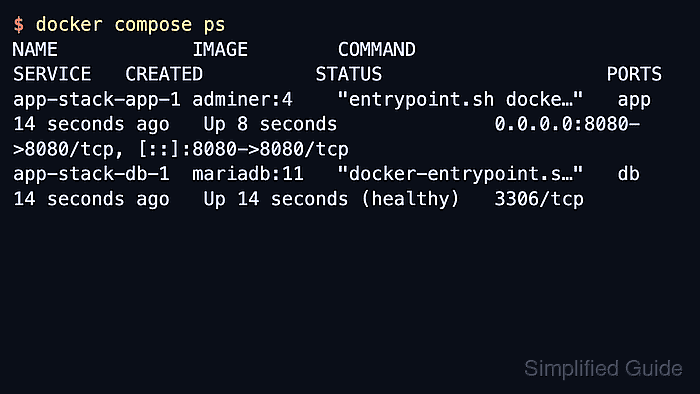
- List the project containers to confirm the service names, state, and published port.
$ docker compose ps
NAME            IMAGE        COMMAND                  SERVICE   CREATED          STATUS                    PORTS
app-stack-app-1 adminer:4    "entrypoint.sh docke…"   app       14 seconds ago   Up 8 seconds              0.0.0.0:8080->8080/tcp, [::]:8080->8080/tcp
app-stack-db-1  mariadb:11   "docker-entrypoint.s…"   db        14 seconds ago   Up 14 seconds (healthy)   3306/tcp
- Request the web service over HTTP to confirm that the published app entry point responds.
$ curl -I -sS http://127.0.0.1:8080
HTTP/1.1 200 OK
Host: 127.0.0.1:8080
Date: Thu, 16 Apr 2026 08:33:49 GMT
Connection: close
X-Powered-By: PHP/8.4.20
Content-Type: text/html; charset=utf-8
Cache-Control: no-cache
X-Frame-Options: deny
##### snipped #####
A successful HTTP response proves that Compose created the network, started the containers, and published the application on the expected host port.