How to test DNS zone transfer exposure with dig
Authoritative DNS servers use zone transfers to replicate every record in a zone to secondary servers. An AXFR test shows whether one authoritative server withholds that data from an ordinary client while still serving an approved transfer source.
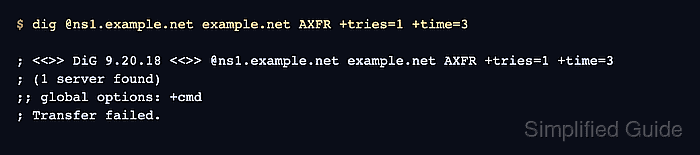
An AXFR request goes directly to the selected authoritative server and uses TCP. Check the server's authoritative SOA answer and its TCP/53 response first so a timeout or routing problem is not mistaken for a transfer-policy decision.
Test only zones you own or have explicit permission to assess. Keep the authoritative transfer policy unchanged while comparing two client sources: Transfer failed. is expected from the excluded source, while returned zone records followed by XFR size prove that the approved source can retrieve the full zone.
Send AXFR requests only to zones you own or are explicitly authorized to assess because a successful response discloses the complete zone.
Steps to test DNS zone transfer exposure with dig:
- Record the authorized zone, authoritative server, excluded source, and approved secondary source for one unchanged transfer policy.
zone: example.net
server: ns1.example.net
excluded source: unapproved workstation
approved source: secondary server
- Confirm that the selected server answers authoritatively for the zone.
$ dig @ns1.example.net example.net SOA +norecurse +noall +comments +answer +stats +nocookie
;; Got answer:
;; ->>HEADER<<- opcode: QUERY, status: NOERROR, id: 12559
;; flags: qr aa; QUERY: 1, ANSWER: 1, AUTHORITY: 1, ADDITIONAL: 2

;; OPT PSEUDOSECTION:
; EDNS: version: 0, flags:; udp: 1232
;; ANSWER SECTION:
example.net.        300 IN SOA ns1.example.net. hostmaster.example.net. 2026071301 3600 900 604800 300

;; Query time: 2 msec
;; SERVER: 192.0.2.53#53(ns1.example.net) (UDP)
;; WHEN: Sun Jul 12 22:40:16 UTC 2026
;; MSG SIZE  rcvd: 121
The aa flag identifies an authoritative answer from the selected server. A response without aa does not establish that server's transfer policy.
Related: How to find authoritative nameservers with dig - Confirm that the same server answers the zone's SOA query over TCP/53.
$ dig @ns1.example.net +tcp example.net SOA +norecurse +noall +comments +answer +stats +nocookie
;; Got answer:
;; ->>HEADER<<- opcode: QUERY, status: NOERROR, id: 23393
;; flags: qr aa; QUERY: 1, ANSWER: 1, AUTHORITY: 1, ADDITIONAL: 2

;; OPT PSEUDOSECTION:
; EDNS: version: 0, flags:; udp: 1232
;; ANSWER SECTION:
example.net.        300 IN SOA ns1.example.net. hostmaster.example.net. 2026071301 3600 900 604800 300

;; Query time: 1 msec
;; SERVER: 192.0.2.53#53(ns1.example.net) (TCP)
;; WHEN: Sun Jul 12 22:40:16 UTC 2026
;; MSG SIZE  rcvd: 121
dig uses TCP for AXFR. A successful TCP SOA response isolates a later transfer failure from basic TCP/53 reachability.
Related: How to query DNS over TCP with dig - Request the zone transfer from the unapproved client source.
$ dig @ns1.example.net example.net AXFR +tries=1 +time=3

; <<>> DiG 9.20.18-1ubuntu2.1-Ubuntu <<>> @ns1.example.net example.net AXFR +tries=1 +time=3
; (1 server found)
;; global options: +cmd
; Transfer failed.
The Transfer failed. response confirms that this server refused the tested source.
- Repeat the zone transfer from an approved secondary server.
$ dig @ns1.example.net example.net AXFR +tries=1 +time=3

; <<>> DiG 9.20.18-1ubuntu2.1-Ubuntu <<>> @ns1.example.net example.net AXFR +tries=1 +time=3
; (1 server found)
;; global options: +cmd
example.net.        300 IN SOA ns1.example.net. hostmaster.example.net. 2026071301 3600 900 604800 300
example.net.        300 IN NS  ns1.example.net.
mail.example.net.   300 IN A   192.0.2.30
ns1.example.net.    300 IN A   192.0.2.53
www.example.net.    300 IN A   192.0.2.20
example.net.        300 IN SOA ns1.example.net. hostmaster.example.net. 2026071301 3600 900 604800 300
;; Query time: 2 msec
;; SERVER: 192.0.2.53#53(ns1.example.net) (TCP)
;; WHEN: Sun Jul 12 22:40:16 UTC 2026
;; XFR size: 6 records (messages 1, bytes 226)
The returned zone records and XFR size line prove that the tested source can retrieve the full zone. Such access outside the approved secondary or authenticated transfer set is an exposure finding.