How to run batch DNS lookups with dig
Repeated DNS checks are easier to compare when the question set stays fixed. A dig batch file keeps the owner names and record types in one reviewable list, so a later run does not quietly omit a lookup or substitute a different type.
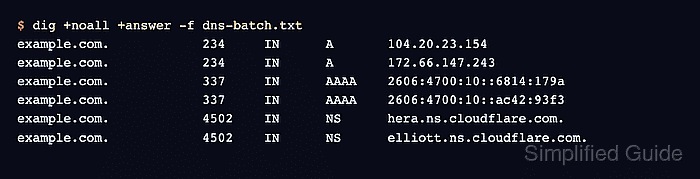
Each non-empty line contains the arguments that would normally follow dig on the command line. The -f option reads those lines in order, which allows one file to request different record types without a shell loop.
The -r option prevents per-user ~/.digrc settings from changing the run. Limiting the display to questions and answers keeps every requested type visible, while TTL values and answer order can still vary as recursive resolver caches refresh.
Steps to run batch DNS lookups with dig:
- Create dns-batch.txt with one DNS question per line.
example.com A
example.com AAAA
example.com NS
Batch lines omit the word dig. Each line starts with the owner name and can then include its record type, class, server, or query-specific options.
- Run the batch file with predictable options to confirm that each submitted question returns an answer.
$ dig -r +noall +question +answer -f dns-batch.txt
;example.com.            IN      A
example.com.             105     IN      A       172.66.147.243
example.com.             105     IN      A       104.20.23.154
;example.com.            IN      AAAA
example.com.             119     IN      AAAA    2606:4700:10::ac42:93f3
example.com.             119     IN      AAAA    2606:4700:10::6814:179a
;example.com.            IN      NS
example.com.             4502    IN      NS      hera.ns.cloudflare.com.
example.com.             4502    IN      NS      elliott.ns.cloudflare.com.
The semicolon-prefixed rows are the submitted questions. Each question has at least one matching answer row in this run.
Related: How to query a specific DNS server with dig
Related: How to query DNS records with dig
Tool: DNS Record Lookup