How to add an APT repository on Debian
Adding an APT repository changes where Debian can install and update packages from, so the trust boundary matters as much as the package name. Use a dedicated signing keyring and a separate source file so the new repository can be audited, disabled, or removed without weakening the rest of the system.
Current Debian systems support deb822 source files under /etc/apt/sources.list.d/. A deb822 file keeps the repository URI, suite, component, architecture, and Signed-By keyring together, which is clearer than adding a one-line entry with a globally trusted key.
Docker's Debian repository is a representative third-party repository for a Debian 13 trixie host because it uses a vendor keyring, a dedicated source file, and a package candidate that APT can verify afterward. Use the vendor URL, suite, component, architecture, and keyring path for the repository being added, and prefer a release codename such as trixie over moving aliases such as stable when the vendor publishes codename-specific packages.
Steps to add an APT repository on Debian:
- Confirm the Debian codename and system architecture.
$ . /etc/os-release
$ echo "$VERSION_CODENAME"
trixie
$ dpkg --print-architecture
arm64
Use the codename and architecture supported by the repository vendor. A mismatched suite or architecture can make apt update fail or hide the expected packages.
- Install tools needed to fetch and verify the repository key.
$ sudo apt update
$ sudo apt install ca-certificates curl
Reading package lists... Done
Building dependency tree... Done
Reading state information... Done
Installing:
  ca-certificates  curl
##### snipped #####
- Create the local APT keyring directory.
$ sudo install -m 0755 -d /etc/apt/keyrings
- Download the repository signing key into its own keyring file.
$ sudo curl -fsSL https://download.docker.com/linux/debian/gpg -o /etc/apt/keyrings/docker.asc
Download signing keys only from the repository owner's official documentation. A key in /etc/apt/keyrings should be referenced by one repository instead of trusted globally.
- Restrict the keyring file so APT can read it.
$ sudo chmod a+r /etc/apt/keyrings/docker.asc
- Create a deb822 source file for the repository.
$ sudoedit /etc/apt/sources.list.d/docker.sources
Types: deb
URIs: https://download.docker.com/linux/debian
Suites: trixie
Components: stable
Architectures: arm64
Signed-By: /etc/apt/keyrings/docker.asc
Keep the source in its own file. Do not add duplicate entries for the same repository in /etc/apt/sources.list and /etc/apt/sources.list.d/.
- Refresh package metadata from the new repository.
$ sudo apt update
Hit:1 http://deb.debian.org/debian stable InRelease
Get:2 https://download.docker.com/linux/debian trixie InRelease [32.5 kB]
Get:3 https://download.docker.com/linux/debian trixie/stable arm64 Packages [37.4 kB]
##### snipped #####
Reading package lists... Done
The update must fetch the new repository metadata without signature, suite, or component errors.
- Confirm that APT can see a package from the added repository.
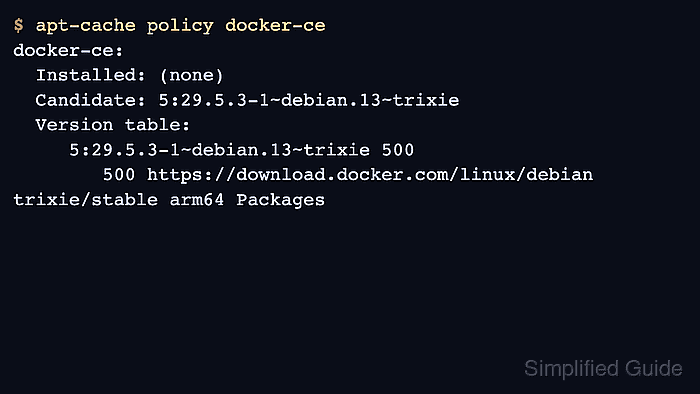
$ apt-cache policy docker-ce
docker-ce:
  Installed: (none)
  Candidate: 5:29.5.3-1~debian.13~trixie
  Version table:
     5:29.5.3-1~debian.13~trixie 500
        500 https://download.docker.com/linux/debian trixie/stable arm64 Packages
The repository is usable when the expected package has a candidate version from the new source. Install the package only after confirming the repository and package policy are correct.