How to check the Debian kernel version
Kernel package updates on Debian do not change the running kernel until the machine boots into the new image. Checking the active release prevents confusing an installed package version with the kernel that is actually handling modules, drivers, and security fixes.
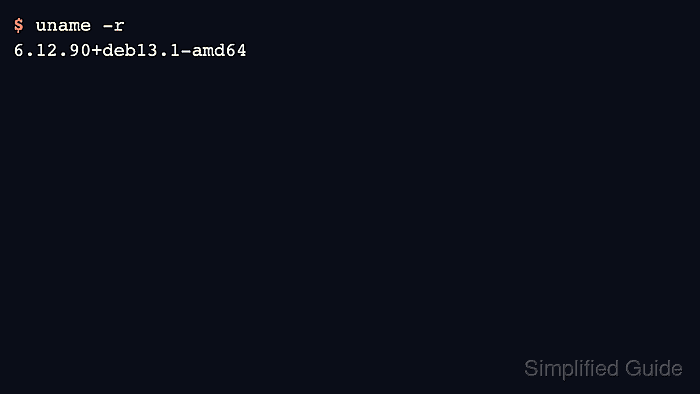
uname -r prints the kernel release from the currently booted kernel. Debian kernel image packages use linux-image-… names, and the running release commonly includes a Debian ABI and flavor suffix such as -amd64, -arm64, -cloud-amd64, or a real-time flavor.
Run the checks on the Debian host that actually boots the kernel. Containers and chroots share the host kernel, so a Debian container can report a LinuxKit, cloud-provider, or other host kernel even though the userspace inside the container is Debian.
Related: Show the kernel version in Linux
Related: Update GRUB on Debian
Steps to check the Debian kernel version:
- Open a terminal on the Debian host.
- Print the running kernel release.
$ uname -r
6.12.90+deb13.1-amd64
Use -r for most package, module, and support checks. Plain uname prints only the kernel name, usually Linux.
- Print the release and machine architecture when packages or modules differ by platform.
$ uname -rm
6.12.90+deb13.1-amd64 x86_64
-m adds the hardware name, such as x86_64 or aarch64. The Debian kernel flavor inside the release string is related, but it is not always identical to the hardware name.
- Check which Debian package owns the booted kernel image.
$ dpkg-query -S "/boot/vmlinuz-$(uname -r)"
linux-image-6.12.90+deb13.1-amd64: /boot/vmlinuz-6.12.90+deb13.1-amd64
A normal Debian kernel package installs a matching image under /boot. If dpkg-query reports no matching path, confirm that the command is not running inside a container or chroot, and check whether the host uses a custom or provider-managed kernel.
- List installed Debian kernel image packages when the booted release needs package context.
$ dpkg-query -W 'linux-image-*'
linux-image-6.12.90+deb13.1-amd64	6.12.90-2
linux-image-amd64	6.12.90-2
The meta package, such as linux-image-amd64 or linux-image-arm64, tracks the latest kernel image for that architecture. If a newer image package is installed but uname -r still shows an older release, reboot during a maintenance window to boot the new kernel.
- Check the Debian userspace release only when the kernel output looks unexpected.
$ cat /etc/os-release
PRETTY_NAME="Debian GNU/Linux 13 (trixie)"
NAME="Debian GNU/Linux"
VERSION_ID="13"
VERSION="13 (trixie)"
VERSION_CODENAME=trixie
ID=debian
/etc/os-release identifies the Debian userspace. It does not prove that the running kernel is a Debian kernel.