How to use HTTP and SOCKS proxies with cURL
Routing a cURL request through a named proxy lets an operator prove which gateway handles an HTTP check, API probe, or DNS-sensitive request. The proxy choice changes what the proxy sees, how the destination hostname is resolved, and whether plain HTTP is relayed or HTTPS is tunneled.
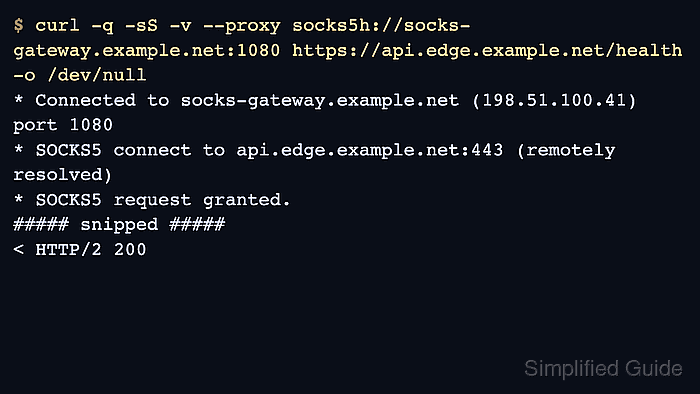
Use --proxy with a proxy URL for one request instead of changing shell-wide proxy variables. A proxy URL with http:// uses an HTTP proxy, https:// talks TLS to the proxy itself, socks5h:// asks the SOCKS proxy to resolve the destination hostname, and socks5:// resolves the destination locally before the SOCKS connection is opened.
Keep the proxy type and the destination URL separate. An HTTPS destination through an HTTP proxy normally uses a CONNECT tunnel, while a plain HTTP destination through an HTTP proxy is relayed with the full target URL in the request line. Put --disable immediately after curl during route tests so a local ~/.curlrc file cannot add another proxy, and use --noproxy or NO_PROXY for destinations that must stay direct.
Steps to use HTTP and SOCKS proxies with cURL:
- Send a plain HTTP request through the HTTP proxy first so the relay-style request line is visible.
$ curl --disable --silent --show-error --verbose --proxy http://proxy.example.net:3128 http://api.example.net/health --output /dev/null
* Established connection to proxy.example.net (198.51.100.24 port 3128)
> GET http://api.example.net/health HTTP/1.1
> Host: api.example.net
> Proxy-Connection: Keep-Alive
< HTTP/1.1 200 OK
< Content-Type: application/json
Plain HTTP over an HTTP proxy sends the full target URL in the request line because the proxy fetches the resource on the client's behalf.
- Send an HTTPS request through the same HTTP proxy and confirm that cURL opens a CONNECT tunnel before the origin request starts.
$ curl --disable --silent --show-error --verbose --proxy http://proxy.example.net:3128 https://api.example.net/health --output /dev/null
* Establish HTTP proxy tunnel to api.example.net:443
> CONNECT api.example.net:443 HTTP/1.1
> Host: api.example.net:443
< HTTP/1.1 200 Connection established
* CONNECT tunnel established, response 200
##### snipped #####
> GET /health HTTP/2
< HTTP/2 200
HTTPS targets already use CONNECT through an HTTP proxy. Related: How to force proxy CONNECT tunneling with cURL
- Use socks5h:// when the SOCKS proxy should resolve the destination hostname.
$ curl --disable --silent --show-error --verbose --proxy socks5h://socks.example.net:1080 http://api.example.net/health --output /dev/null
* Opened SOCKS connection from 192.0.2.40 port 59942 to api.example.net port 80 (via socks.example.net port 1080)
* Established connection to socks.example.net (198.51.100.41 port 1080)
> GET /health HTTP/1.1
> Host: api.example.net
< HTTP/1.1 200 OK
< Content-Type: application/json
Use this form when local DNS must stay out of the path or when the target hostname only resolves from the proxy side.
- Use socks5:// only when local DNS resolution is intended before the SOCKS connection starts.
$ curl --disable --silent --show-error --verbose --proxy socks5://socks.example.net:1080 http://api.example.net/health --output /dev/null
* Host api.example.net:80 was resolved.
* IPv4: 192.0.2.25
* Opened SOCKS connection from 192.0.2.40 port 59946 to api.example.net port 80 (via socks.example.net port 1080)
* Established connection to socks.example.net (198.51.100.41 port 1080)
> GET /health HTTP/1.1
< HTTP/1.1 200 OK
This exposes the destination lookup to the local resolver before cURL opens the SOCKS connection. For legacy proxies, socks4a:// keeps proxy-side DNS and socks4:// keeps local DNS, but prefer SOCKS5 when the proxy supports it.
- Bypass the proxy for one host with --noproxy when the request must go direct without changing the base proxy setting.
$ curl --disable --silent --show-error --verbose --proxy http://proxy.example.net:3128 --noproxy api.example.net http://api.example.net/health --output /dev/null
* Host api.example.net:80 was resolved.
* IPv4: 192.0.2.25
* Established connection to api.example.net (192.0.2.25 port 80)
> GET /health HTTP/1.1
> Host: api.example.net
< HTTP/1.1 200 OK
NO_PROXY uses the same host matching and disables proxy use even when --proxy is set for a matching target. Related: How to use proxy environment variables with cURL