How to use proxy environment variables with cURL
Proxy environment variables let cURL reuse the same outbound proxy across ad hoc requests, shell sessions, and short scripts without repeating --proxy on every command. They are most useful when a terminal session needs to send several requests through the same controlled egress path.
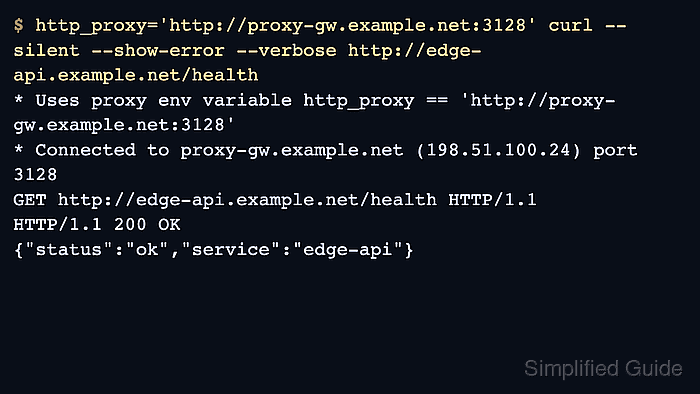
When cURL starts a transfer, it checks proxy variables that match the request scheme. http_proxy handles HTTP URLs, HTTPS_PROXY or https_proxy handles HTTPS URLs, ALL_PROXY provides a fallback when no scheme-specific proxy is set, and NO_PROXY bypasses selected hosts, domains, or IP ranges. The --proxy option overrides the proxy address from the environment, while NO_PROXY still forces matching destinations to go direct.
Because these variables affect every matching cURL request in the current shell, test them with -q -sS -v before depending on them in scripts or shell startup files. Use lowercase http_proxy for HTTP, write NO_PROXY entries deliberately as hostnames, domain suffixes, IP addresses, or CIDR ranges, and note that CIDR matching requires curl 7.86.0 or newer. The proxy and service names below are masked examples that keep the routing pattern realistic without exposing live infrastructure.
Steps to use proxy environment variables with cURL:
- Export the HTTP proxy in the current shell.
$ export http_proxy="http://proxy.example.net:3128"
For HTTP, use lowercase http_proxy. On case-sensitive systems, an uppercase-only HTTP_PROXY export is ignored.
- Run a verbose HTTP request and confirm that cURL announces the proxy variable before it connects.
$ curl -q -sS -v http://api.example.net/health
* Uses proxy env variable http_proxy == 'http://proxy.example.net:3128'
* Established connection to proxy.example.net (198.51.100.24 port 3128)
> GET http://api.example.net/health HTTP/1.1
< HTTP/1.1 200 OK
{"status":"ok","service":"api"}
The first verbose line proves that cURL picked up the proxy from the environment instead of requiring --proxy on the command line. The -q option keeps a local ~/.curlrc file from changing the test route.
- Export HTTPS_PROXY or https_proxy before proxying HTTPS requests.
$ export HTTPS_PROXY="http://proxy.example.net:3128"
HTTPS does not share the lowercase-only exception reserved for http_proxy, so either case works and the lowercase name wins if both are set.
- Set ALL_PROXY only when one fallback proxy should cover schemes without their own proxy variable.
$ export ALL_PROXY="socks5h://socks-gw.example.net:1080"
Scheme-specific variables override ALL_PROXY, and socks5h:// keeps destination DNS resolution on the proxy side.
- Define NO_PROXY for hosts and networks that must stay direct.
$ export NO_PROXY="localhost,127.0.0.1,::1,.svc.example.net,192.0.2.0/24"
Use a leading period when the entry is meant to cover a domain suffix, use a full hostname for one host, and write plain IPv6 literals without brackets.
Entries in NO_PROXY go direct even when --proxy or ALL_PROXY is set.
- Repeat the request against a bypass target and confirm that cURL connects directly.
$ http_proxy="http://proxy.example.net:3128" NO_PROXY="api.example.net,.svc.example.net" curl -q -sS -v http://api.example.net/health
* Uses proxy env variable NO_PROXY == 'api.example.net,.svc.example.net'
* Established connection to api.example.net (192.0.2.24 port 80)
> GET /health HTTP/1.1
< HTTP/1.1 200 OK
{"status":"ok","service":"api"}
The request line switches back to the origin path because the destination is no longer being sent through the proxy hop.
- Unset the proxy variables when the shell should stop routing cURL requests through the proxy.
$ unset http_proxy HTTP_PROXY HTTPS_PROXY https_proxy ALL_PROXY all_proxy NO_PROXY no_proxy
Clearing both uppercase and lowercase names prevents an older shell export from quietly affecting later tests.