How to save cookies from a cURL request
Saving cookies from a cURL response keeps stateful HTTP workflows usable across separate command invocations. Login flows, form submissions, and endpoints that personalize later responses often depend on a session cookie that must survive the first request before the next call can continue in the same context.
When a server replies with Set-Cookie headers, cURL can store those values in a Netscape-format cookie jar with --cookie-jar. That file is written after the transfer finishes, and --cookie can read the same jar later when a follow-up request needs to send the saved cookie back to the server.
Cookie jars are plain-text files that can hold live session identifiers, so keep them in a private path and remove them when the workflow ends. Many cookie-setting endpoints also redirect after authentication or state changes, which is why the example below uses --location while the cookie jar is being created.
Related: How to use cookies in cURL requests
Related: How to create a cookie file for cURL
Steps to save cookies from a cURL request:
- Request an endpoint that sets a cookie and write the returned state to a cookie jar file.
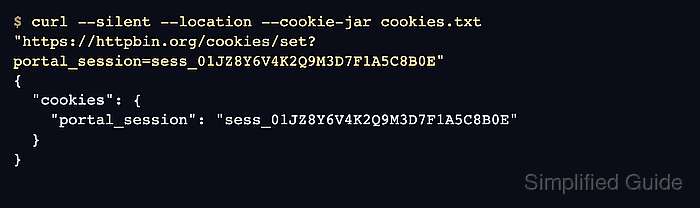
$ curl --silent --location --cookie-jar cookies.txt "https://httpbin.org/cookies/set?portal_session=sess_01JZ8Y6V4K2Q9M3D7F1A5C8B0E"
{
  "cookies": {
    "portal_session": "sess_01JZ8Y6V4K2Q9M3D7F1A5C8B0E"
  }
}
--location follows the redirect from /cookies/set to /cookies, and --cookie-jar writes the jar after the transfer completes.
- Restrict the jar so only the current user can read and update it.
$ chmod 600 cookies.txt
Cookie jars are plain text, so broad file permissions can expose reusable session data to other users or jobs on the same host.
- Read the jar file to confirm that cURL saved the cookie in Netscape format.
$ cat cookies.txt
# Netscape HTTP Cookie File
# https://curl.se/docs/http-cookies.html
# This file was generated by libcurl! Edit at your own risk.

httpbin.org	FALSE	/	FALSE	0	portal_session	sess_01JZ8Y6V4K2Q9M3D7F1A5C8B0E
The cookie row is TAB-separated as domain, include subdomains, path, HTTPS only, expires at, name, and value. An expiry of 0 means the cookie is a session cookie.
- Reuse the saved jar on a follow-up request to confirm that cURL sends the stored cookie back.
$ curl --silent --cookie cookies.txt https://httpbin.org/cookies
{
  "cookies": {
    "portal_session": "sess_01JZ8Y6V4K2Q9M3D7F1A5C8B0E"
  }
}
The echoed value confirms that the jar is readable and that the saved cookie matches the request host and path.
- Remove the jar when the session is no longer needed.
$ rm -f cookies.txt
Short-lived cookie jars reduce accidental reuse and keep stale session data out of later requests.