How to create a cookie file for cURL
Manual cookie files are useful when an HTTP login flow, captured browser request, or repeatable API test already has the cookie values that need to be replayed. Building the jar by hand keeps later requests reproducible without repeating the original sign-in step.
cURL reads cookie files in the legacy Netscape cookie-jar format. Each cookie uses one physical line with seven TAB-separated fields for domain, subdomain matching, path, secure transport, expiry time, name, and value, while lines that start with # are treated as comments except for the special #HttpOnly_ prefix.
A cookie row must end with a newline, and cURL only sends that cookie when the domain, path, protocol, and expiry fields match the target URL. Because these files often hold live session identifiers, keep them private and remove them when the request flow is finished.
Related: How to save cookies from a cURL request
Related: How to use cookies in cURL requests
Steps to create a cookie file for cURL:
- Create the cookie file header in Netscape format.
$ cat > cookies.txt <<'EOF'
# Netscape HTTP Cookie File
# https://curl.se/docs/http-cookies.html
EOF
The header lines are comments for humans; the cookie rows are the lines that cURL parses.
- Append the cookie rows as seven TAB-separated fields for domain, subdomain matching, path, secure transport, expiry time, name, and value.
$ printf '%s\t%s\t%s\t%s\t%s\t%s\t%s\n' \
  'httpbin.org' 'FALSE' '/' 'TRUE' '0' 'session' 'sid_48291' \
  'httpbin.org' 'FALSE' '/' 'TRUE' '0' 'account' 'acct_48291' \
  >> cookies.txt
The format string repeats once for each set of seven values, so the command writes one physical cookie line per cookie. Use 0 in the expiry field for a session cookie that should not be kept beyond the current session.
- Restrict the file so only the current account can read and update the cookie values.
$ chmod 600 cookies.txt
Cookie jars are plain text, so loose permissions expose reusable session data to other local users or automation jobs.
- Inspect the file before using it in a request.
$ cat cookies.txt
# Netscape HTTP Cookie File
# https://curl.se/docs/http-cookies.html
httpbin.org	FALSE	/	TRUE	0	session	sid_48291
httpbin.org	FALSE	/	TRUE	0	account	acct_48291
Keep each cookie on one physical line. Set field two to TRUE only when the cookie must match subdomains, and set field four to FALSE only when the target request is plain HTTP rather than HTTPS.
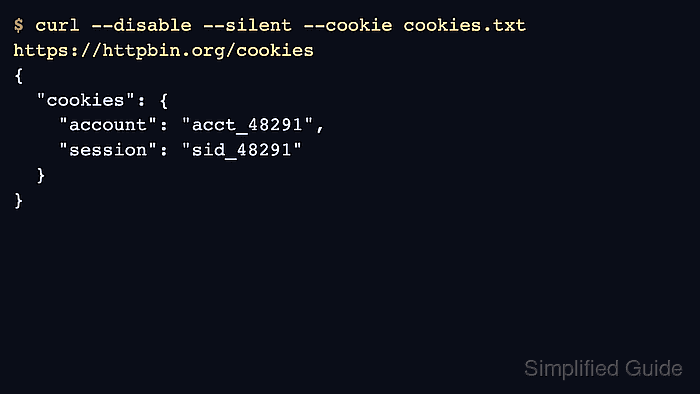
- Send a request with the file and confirm that the server receives both cookies.
$ curl --disable --silent --cookie cookies.txt https://httpbin.org/cookies
{
  "cookies": {
    "account": "acct_48291",
    "session": "sid_48291"
  }
}
--disable prevents local curlrc defaults from changing the example. A response that echoes both names confirms that the domain, path, secure flag, and expiry values match the target request.
- Remove the cookie file when the test session is no longer needed.
$ rm -f cookies.txt
Short-lived jars reduce accidental reuse across unrelated scripts or accounts.