How to load a web font with CSS
Brand typography reaches users only after the browser fetches a font file and matches it to a CSS family name. Loading the font through @font-face keeps that mapping in the stylesheet, so headings or branded text can use the same family name across the site.
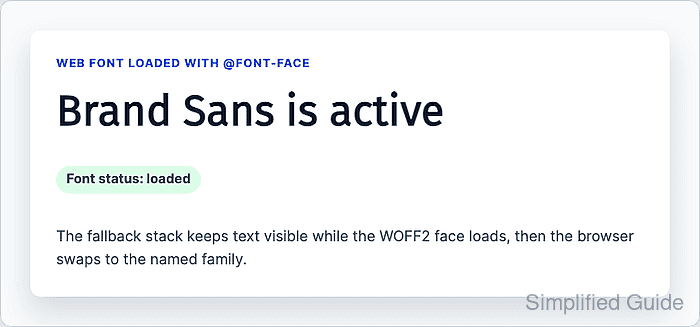
The @font-face rule describes one font face, including the source file, weight, style, and display behavior. The normal page rule still needs a fallback stack, because the browser may render fallback text before the web font finishes downloading or when the font request fails.
Use WOFF2 for the first source when the site controls the font files, and add font-display: swap for text that should stay visible during loading. A similar fallback family, fixed line-height, and browser verification help prevent an attractive font choice from hiding text or causing avoidable layout shifts.
Steps to load a web font with CSS:
- Place the font file in a public asset path.
/assets/fonts/brand-sans.woff2
Serve WOFF2 files with a font MIME type such as font/woff2. If the font is on another hostname, confirm the response allows the page origin to use it.
- Declare the font face near the top of the site stylesheet.
@font-face {
  font-family: "Brand Sans";
  src: url("/assets/fonts/brand-sans.woff2") format("woff2");
  font-weight: 400;
  font-style: normal;
  font-display: swap;
}
font-display: swap keeps fallback text visible while the web font loads, then swaps to the web font when it is ready.
- Add another face only for weights or styles the page actually uses.
@font-face {
  font-family: "Brand Sans";
  src: url("/assets/fonts/brand-sans-700.woff2") format("woff2");
  font-weight: 700;
  font-style: normal;
  font-display: swap;
}
Browsers can synthesize bold or italic styles, but matching each used weight or style to a real font file keeps text metrics and letter shapes closer to the design.
- Apply the font with a fallback stack.
:root {
  --font-brand: "Brand Sans", Inter, system-ui, -apple-system, BlinkMacSystemFont, "Segoe UI", sans-serif;
}

.brand-heading {
  font-family: var(--font-brand);
  line-height: 1.1;
}
The fallback families should have similar width and height to the web font. Keep a defined line-height so a late font swap is less likely to move nearby content.
Related: How to theme a page with CSS custom properties - Check the font request in the browser developer tools.
Open the Network panel, filter by Font, reload the page, and confirm /assets/fonts/brand-sans.woff2 returns a successful response instead of a missing file, blocked request, or wrong content type.
- Verify the loaded face from the browser console.
await document.fonts.ready.then(() => document.fonts.check('1rem "Brand Sans"'));
true
document.fonts.ready waits for used fonts to finish loading. document.fonts.check() should return true after the matching face is loaded and ready for rendering.
- Inspect the loaded font face when the console check is unclear.
Array.from(document.fonts).map(({ family, status, display }) => ({ family, status, display }));
[
  { family: "Brand Sans", status: "loaded", display: "swap" }
]
If the face is missing or stuck at unloaded, check the URL, MIME type, cross-origin response, and whether the text on the page actually uses the family name.