How to set CSS cascade layer order
Large stylesheets become fragile when resets, framework rules, component defaults, utilities, and one-off overrides all compete through selector weight and file order. CSS cascade layers give those rule groups an explicit precedence track, so a project override can beat a component default without inventing heavier selectors.
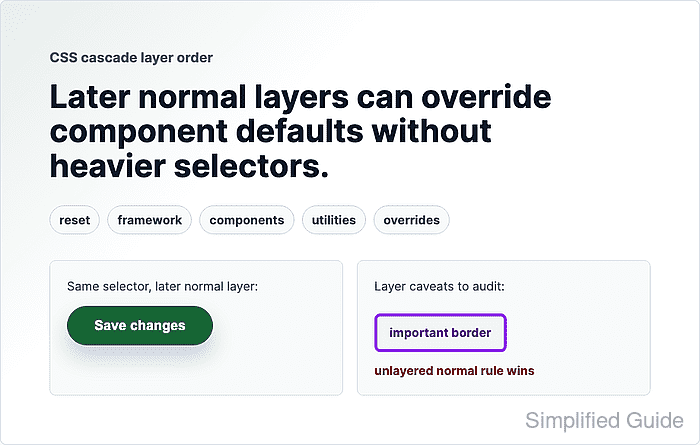
@layer order is fixed by the first ordering statement or first layer definition the browser sees. For normal declarations in different layers from the same origin, the layer stack is evaluated before selector specificity, so a later layer can beat a more specific selector in an earlier layer. Inside one layer, normal cascade rules such as specificity and source order still apply.
Keep routine competing rules inside named layers. Normal unlayered declarations sit above every normal layered declaration from the same origin, so leftover unlayered CSS can bypass the planned stack. Reserve !important for exceptional constraints and audit it separately because important declarations inside layers reverse the normal layer order.
Related: How to debug CSS specificity
Related: How to scope CSS rules to a component
Steps to set CSS cascade layer order:
- Declare the layer stack before writing layered rules.
@layer reset, framework, components, utilities, overrides;
The first statement that names a layer fixes its position. Later blocks can add rules to an existing layer without moving it.
- Put resets and framework defaults in early layers.
@layer reset {
  *,
  *::before,
  *::after {
    box-sizing: border-box;
  }
}

@layer framework {
  .button {
    border: 1px solid #1d4ed8;
    background: #2563eb;
    color: #ffffff;
  }
}
If vendor CSS is imported, use @import url("framework.css") layer(framework); near the top of the stylesheet so the imported rules join the planned layer.
- Put component defaults in a middle layer.
@layer components {
  .button {
    border-radius: 999px;
    padding: 0.9rem 1.35rem;
    font-weight: 700;
  }
}
- Put utilities and application overrides in later layers.
@layer utilities {
  .button {
    min-inline-size: 12rem;
  }
}

@layer overrides {
  .button {
    border-color: #14532d;
    background: #166534;
  }
}
For normal declarations, the later overrides layer wins over the earlier framework layer even though both rules use the same .button selector.
- Move competing unlayered rules into the intended layer.
/* Bypasses the layer stack. */
.button {
  background: #7f1d1d;
}

/* Participates in the planned layer order. */
@layer overrides {
  .button {
    background: #7f1d1d;
  }
}
Normal author declarations outside any layer outrank normal layered declarations. Leave CSS unlayered only when that higher priority is intentional.
- Verify the target element's computed styles in the browser.
background-color: rgb(22, 101, 52)
border-color: rgb(20, 83, 45)
The computed values should match the last-layer overrides rule, not the earlier framework color.
- Audit !important declarations separately when they affect the same property.
@layer reset {
  .button {
    border-width: 4px !important;
  }
}

@layer overrides {
  .button {
    border-width: 1px !important;
  }
}
border-width: 4px
Important declarations in layers reverse normal layer priority, so the earlier reset layer can win over the later overrides layer for an important property. Remove avoidable !important conflicts instead of relying on them for routine overrides.