How to disable Apache directory listing in cPanel
Websites hosted in cPanel show directory contents by default when no DirectoryIndex files like index.html or index.php are present. This is managed by the mod_autoindex module in Apache. Showing directory contents can expose sensitive files, so it is important to disable this feature.
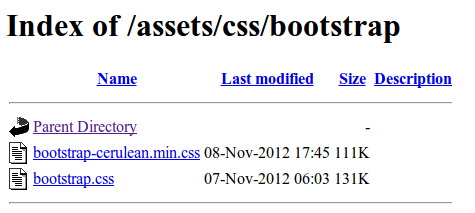
You can prevent Apache from listing directory contents using the Options -Indexes directive in the .htaccess file. Another option is to disable the mod_autoindex module completely. Both approaches stop Apache from displaying a directory index when there is no index file.
In cPanel, the directory listing can be disabled using the Indexes feature. This method simplifies control over directory visibility without manually configuring server files. Disabling directory listing improves security by hiding the file structure of your web application from public access.
Related: How to disable directory listing in Apache
Tool: .htaccess Generator
Steps to disable Apache directory listing in cPanel:
- Log in to your cPanel account.
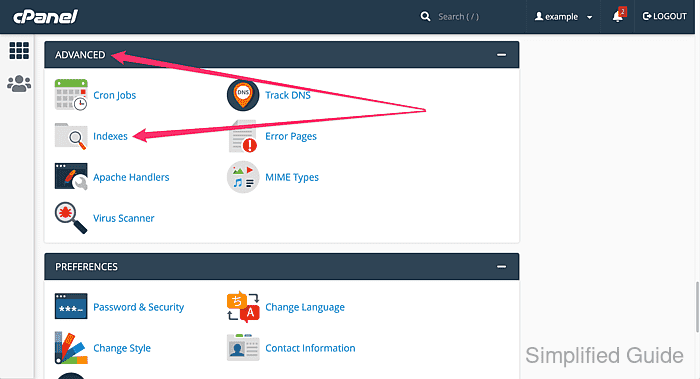
- Go to Advanced section and click on Indexes.
- Select the web directory where you want to disable directory listing.
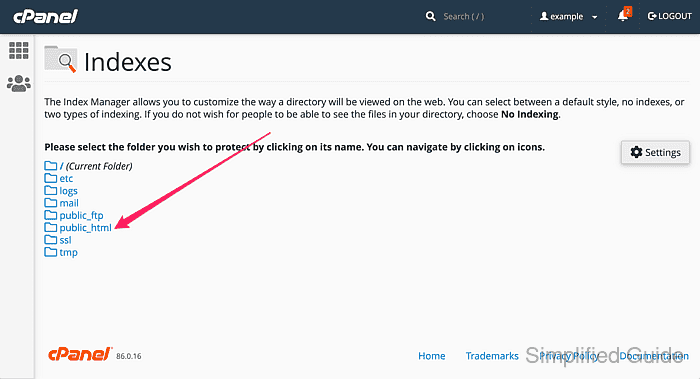
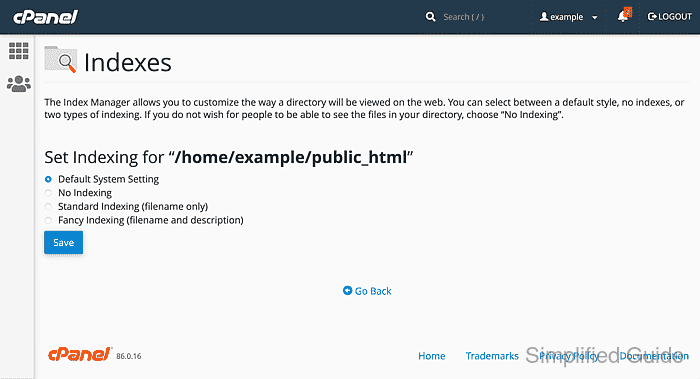
Click on the folder icon to browse the directory and click on the folder name to select the particular directory.
public_html is the root of the web folder. Applying No Indexing to it will affect all subdirectories. Some hosts have www, which is a soft link to public_html, so both refer to the same directory.
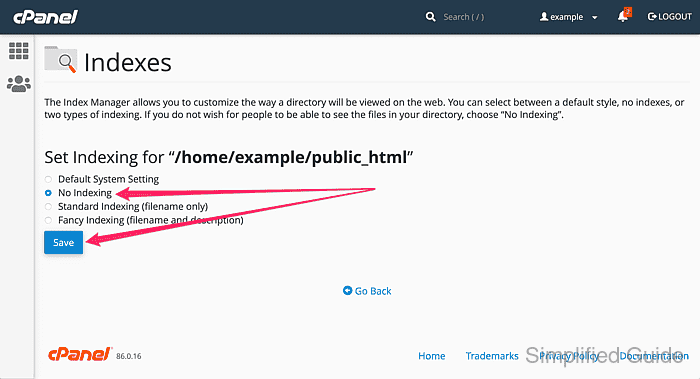
- Choose No Indexing from the options and click on the Save button.
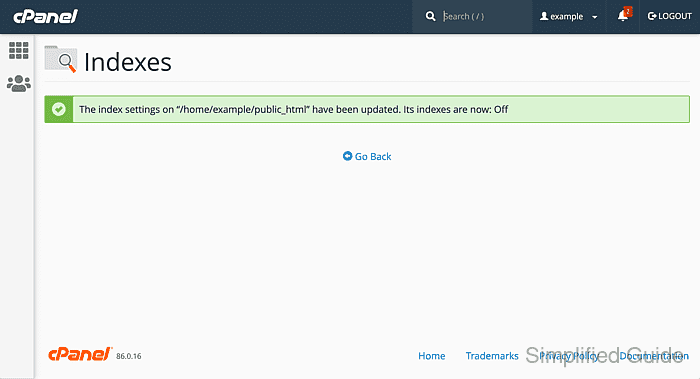
What happens in the background: cPanel appends the following line to the selected directory's .htaccess file.
Options -Indexes
If the .htaccess file doesn't exist, it will be created.
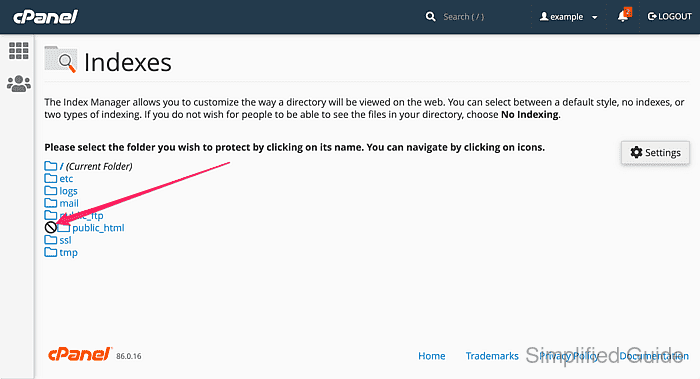
- Go back to the directory list and notice the icon on directories with directory listing disabled.