How to add the Microsoft Learn MCP server to Codex
Codex answers about Azure, .NET, PowerShell, and Microsoft 365 can drift when a session relies only on model context. Adding the Microsoft Learn MCP Server gives Codex a direct streamable HTTP connection to Microsoft's public documentation and code sample tools before the session plans or edits Microsoft-specific work.
Microsoft publishes the Learn endpoint at https://learn.microsoft.com/api/mcp. The server is remote, public, and unauthenticated, so Codex stores only the URL under its MCP configuration and does not need a bearer-token environment variable for this entry.
The endpoint is meant for MCP clients rather than ordinary browser or REST checks. A direct browser request can return 405 Method Not Allowed even when the server works through streamable HTTP, so confirm the saved Codex entry first and then restart the active Codex session before testing a Microsoft Learn prompt.
Related: How to add a URL-based MCP server to Codex
Related: How to get Codex MCP server details
Related: How to list Codex MCP servers
Related: How to remove a Codex MCP server
Steps to add the Microsoft Learn MCP server to Codex:
- Add the official Microsoft Learn MCP Server endpoint to Codex.
$ codex mcp add microsoft-learn --url https://learn.microsoft.com/api/mcp
Added global MCP server 'microsoft-learn'.
The server name can be different, but microsoft-learn keeps the entry easy to recognize in MCP lists and status views.
- Check the saved server details.
$ codex mcp get microsoft-learn
microsoft-learn
  enabled: true
  transport: streamable_http
  url: https://learn.microsoft.com/api/mcp
  bearer_token_env_var: -
  http_headers: -
  env_http_headers: -
  remove: codex mcp remove microsoft-learn
Confirm transport is streamable_http, url is https://learn.microsoft.com/api/mcp, and bearer_token_env_var is blank.
Related: How to get Codex MCP server details - List configured MCP servers and confirm that the Learn entry is enabled.
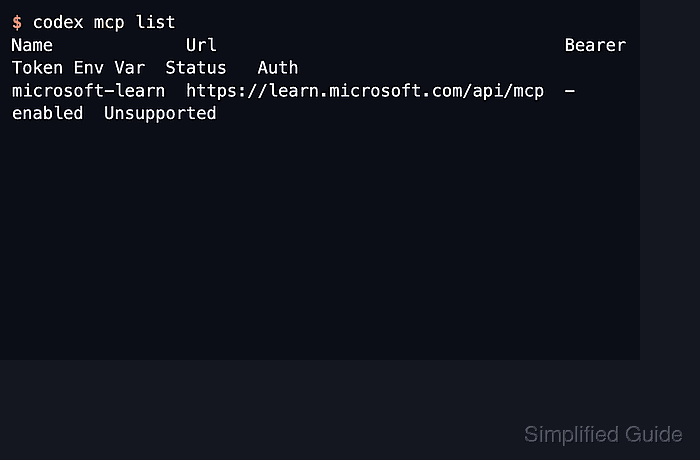
$ codex mcp list
Name             Url                                  Bearer Token Env Var  Status   Auth
microsoft-learn  https://learn.microsoft.com/api/mcp  -                     enabled  Unsupported
Unsupported under Auth is expected for this public endpoint because there is no bearer-token or OAuth login flow.
Related: How to list Codex MCP servers - Start a new Codex session after saving the server.
$ codex
Run /mcp inside the Codex terminal UI to check that microsoft-learn appears in the active session. Restart an already-open CLI or IDE session so it reloads the saved MCP configuration.
- Ask Codex to use the Learn server for a Microsoft documentation lookup.
Use the Microsoft Learn MCP server to find the current Azure CLI command for creating a resource group.
A working session can call Learn tools such as microsoft_docs_search, microsoft_docs_fetch, and microsoft_code_sample_search. Allow the MCP tool call if Codex prompts for approval.