How to add a URL-based MCP server to Codex
When an MCP provider publishes an HTTPS endpoint, Codex should connect to that remote server instead of launching a local command. Saving the endpoint as a URL-based Model Context Protocol server gives new Codex sessions a named streamable HTTP entry they can load with the rest of the MCP configuration.
Codex stores MCP server settings in config.toml under CODEX_HOME, with project-scoped configuration available in trusted projects. The CLI and IDE extension share this configuration, so a server added with codex mcp add <name> --url <url> can be reused from either surface when the same configuration layers are active.
Remote MCP authentication belongs in the server configuration, not inside the endpoint URL. Public endpoints can be saved with only --url, bearer-token endpoints should name an environment variable with --bearer-token-env-var, and OAuth-capable servers may require codex mcp login <server-name> after the URL entry exists.
Related: How to add OpenAI Docs MCP server to Codex
Related: How to get Codex MCP server details
Related: How to list Codex MCP servers
Related: How to remove a Codex MCP server
Steps to add a URL-based MCP server to Codex:
- Add the remote MCP endpoint with a short server name.
$ codex mcp add openai-docs --url https://developers.openai.com/mcp
Added global MCP server 'openai-docs'.
Replace openai-docs with the server name to save in Codex, and replace the URL with the provider's published MCP endpoint. Use a parser first when a copied endpoint includes query text, credentials, or a long path.
Tool: URL ParserDo not append bearer tokens, cookies, one-time credentials, or private query strings to the endpoint URL.
- Use the bearer-token form when the provider requires an authorization token.
$ codex mcp add private-docs --url https://mcp.example.com/mcp --bearer-token-env-var MCP_TOKEN
Added global MCP server 'private-docs'.
Codex stores the environment variable name, not the token value. Export MCP_TOKEN only in the environment that should use this server.
- Inspect the public endpoint entry in JSON.
$ codex mcp get openai-docs --json
{
  "name": "openai-docs",
  "enabled": true,
  "disabled_reason": null,
  "transport": {
    "type": "streamable_http",
    "url": "https://developers.openai.com/mcp",
    "bearer_token_env_var": null,
    "http_headers": null,
    "env_http_headers": null
  },
  "enabled_tools": null,
  "disabled_tools": null,
  "startup_timeout_sec": null,
  "tool_timeout_sec": null
}
Confirm transport.type is streamable_http and transport.url matches the endpoint that should load in Codex.
- Inspect the bearer-token entry when that form was used.
$ codex mcp get private-docs --json
{
  "name": "private-docs",
  "enabled": true,
  "disabled_reason": null,
  "transport": {
    "type": "streamable_http",
    "url": "https://mcp.example.com/mcp",
    "bearer_token_env_var": "MCP_TOKEN",
    "http_headers": null,
    "env_http_headers": null
  },
  "enabled_tools": null,
  "disabled_tools": null,
  "startup_timeout_sec": null,
  "tool_timeout_sec": null
}
The saved entry should show only the variable name in bearer_token_env_var. If a real token appears in the URL or a static header, remove the entry and add it again with an environment variable.
Related: How to remove a Codex MCP server - List configured MCP servers and confirm the URL entry is enabled.
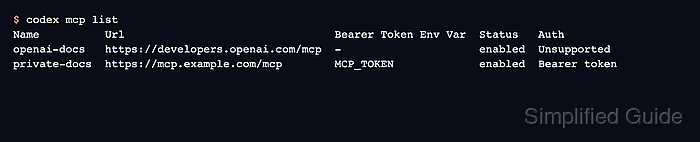
$ codex mcp list
Name          Url                                Bearer Token Env Var  Status   Auth
openai-docs   https://developers.openai.com/mcp  -                     enabled  Unsupported
private-docs  https://mcp.example.com/mcp        MCP_TOKEN             enabled  Bearer token
Unsupported under Auth is expected for public endpoints that do not advertise a separate OAuth login flow. Bearer-token entries should show Bearer token.
- Start a new Codex session before expecting the added server to appear in the tool list.
$ codex
Run /mcp inside the terminal UI and check that the saved server appears. Restart any already-open session if the server was added after that session started. For OAuth-capable servers, run codex mcp login <server-name> only when the provider documents that login flow.