How to remove a Codex MCP server
A stale Model Context Protocol (MCP) server entry can keep an old local launcher or remote endpoint in the configuration that new Codex sessions read at startup. Remove the saved entry when an integration is duplicated, retired, or no longer trusted instead of leaving the name available for future tasks.
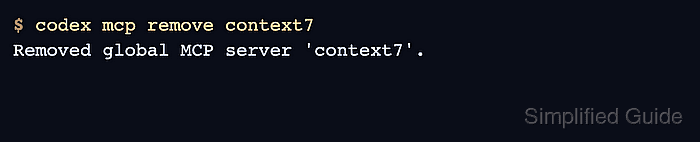
The codex mcp remove <name> command deletes the named global server entry from Codex configuration. Codex stores personal MCP entries in config.toml, which the CLI and IDE extension share, while trusted projects can also define project-scoped entries in .codex/config.toml. A global removal does not delete a project-scoped server with the same name.
Remove the server by its saved name, not by command, URL, or package name. Confirm the name first with codex mcp list or codex mcp get. If the goal is only to stop loading the server temporarily, set the entry to enabled = false in the relevant config layer instead of deleting it and having to add it again later.
Related: How to list Codex MCP servers
Related: How to get Codex MCP server details
Steps to remove a Codex MCP server:
- List the configured MCP servers and note the exact value in the Name column.
$ codex mcp list
Name      Command  Args                      Env  Cwd  Status   Auth
context7  npx      -y @upstash/context7-mcp  -    -    enabled  Unsupported
codex mcp remove accepts the saved server name only. Removing the wrong name deletes that stored entry from the global Codex config.
- Review the stored server definition before deleting it.
$ codex mcp get context7
context7
  enabled: true
  transport: stdio
  command: npx
  args: -y @upstash/context7-mcp
  cwd: -
  env: -
  remove: codex mcp remove context7
The default details view confirms the saved transport and target before deletion. Remote entries show URL fields instead of a local launcher command.
If the goal is only to pause the server, keep the entry in config.toml and set enabled = false instead of removing it.
- Remove the saved MCP server entry.
$ codex mcp remove context7
Removed global MCP server 'context7'.
- Restart any already-open Codex session before relying on the changed MCP tool set.
New sessions read the updated configuration. An already-running TUI or IDE session can keep the tools it initialized at startup.
- Verify that the server no longer appears in the global MCP list.
$ codex mcp list
No MCP servers configured yet. Try `codex mcp add my-tool -- my-command`.
If other servers are still configured, codex mcp list should return the remaining rows without context7. If the removed server still appears, inspect a trusted project's .codex/config.toml for another [mcp_servers.context7] entry.