How to replace a failed Ceph OSD
A failed Ceph OSD removes one storage daemon from the data placement map and can leave placement groups degraded until replicas are rebuilt. Replacing the OSD through cephadm keeps the failed daemon's identity reserved while the bad disk is removed and a new device is prepared on the same host.
The replacement path uses ceph orch osd rm with --replace, which drains and destroys the failed OSD instead of permanently purging the ID. A targeted OSD service spec then claims that destroyed ID for the replacement device so the new daemon returns as the intended OSD number.
Only replace an OSD after confirming the failed ID, host, and backing device from cluster output or hardware records. Keep enough usable replicas and free space for recovery, and wait for backfill or recovery to finish before replacing another OSD.
Related: How to check Ceph cluster health
Related: How to safely remove a Ceph OSD
Related: How to add an OSD device to Ceph
Steps to replace a failed Ceph OSD with cephadm:
- Check the cluster health detail for the failed OSD ID.
$ ceph health detail
HEALTH_WARN 1 osds down; Degraded data redundancy: 128 pgs degraded
[WRN] OSD_DOWN: 1 osds down
    osd.12 (root=default,host=ceph-node2) is down
[WRN] PG_DEGRADED: Degraded data redundancy: 128 pgs degraded
    pg 1.2f is active+undersized+degraded, acting [4,12]
##### snipped #####
Stop if the warning points to several OSDs or a failed host. Replace one known failed disk or OSD at a time unless the cluster has been planned for a wider maintenance event.
- Map the failed OSD to its CRUSH host.
$ ceph osd tree
ID  CLASS  WEIGHT   TYPE NAME             STATUS  REWEIGHT  PRI-AFF
-1         54.00000 root default
-5         18.00000     host ceph-node2
12    hdd   6.00000         osd.12           down   1.00000  1.00000
13    hdd   6.00000         osd.13             up   1.00000  1.00000
14    hdd   6.00000         osd.14             up   1.00000  1.00000
- Refresh the cephadm daemon record for the failed OSD.
$ ceph orch ps --daemon_type osd --daemon_id 12 --refresh
NAME    HOST        PORTS  STATUS         REFRESHED  AGE  MEM USE  MEM LIM  VERSION  IMAGE ID      CONTAINER ID
osd.12  ceph-node2         stopped        8s ago     90d     18.2M        -  20.2.0   1a2b3c4d5e6f  7c8d9e0f1a2b
Use hardware inventory, enclosure LEDs, or out-of-band management to confirm the physical disk before removing the OSD from Ceph.
- Queue the failed OSD for replacement.
$ ceph orch osd rm 12 --replace
Scheduled OSD(s) for removal
Check the OSD ID before pressing Enter. Removing the wrong OSD can force unnecessary recovery and may reduce redundancy while the intended failed OSD is still down.
- Monitor the OSD removal queue until draining finishes.
$ ceph orch osd rm status
OSD_ID  HOST        STATE                    PG_COUNT  REPLACE  FORCE  ZAP
12      ceph-node2  done, waiting for purge  0         True     False  False
The REPLACE value should be True. Without --replace, cephadm treats the operation as a permanent OSD retirement instead of a replacement claim.
- Replace the failed physical disk on the mapped host.
Do not reuse a disk that still contains old Ceph metadata unless the device was intentionally wiped. A stale BlueStore label can block redeployment or attach the wrong media to the cluster.
- Confirm that cephadm sees the new device as available.
$ ceph orch device ls --hostname ceph-node2 --wide --refresh
HOST        PATH      TYPE  DEVICE ID       SIZE   AVAILABLE  REJECT REASONS
ceph-node2  /dev/sdb  hdd   QEMU_HARDDISK   6.0T   Yes
If AVAILABLE is No, read the reject reason before continuing. Common blockers include existing partitions, LVM metadata, mounted filesystems, and devices already claimed by another OSD service.
- Create a targeted OSD service spec for the replacement device.
- osd-replacement.yml
service_type: osd
service_id: osd-replacement-ceph-node2
placement:
  hosts:
    - ceph-node2
spec:
  data_devices:
    paths:
      - /dev/sdb
  osd_id_claims:
    ceph-node2:
      - "12"
Replace ceph-node2, /dev/sdb, and 12 with the host, replacement device, and OSD ID confirmed by ceph health detail and ceph osd tree. If a broad existing OSD spec already manages the replacement device, update and dry-run that spec instead of applying an overlapping one.
- Preview the replacement deployment.
$ ceph orch apply -i osd-replacement.yml --dry-run
WARNING! Dry-Runs are snapshots of a certain point in time and are bound
to the current inventory. The actual deployment may differ if devices change.

OSD_SPEC                       HOST        DATA      DB  WAL
osd-replacement-ceph-node2     ceph-node2  /dev/sdb  -   -
The preview should list only the intended host and replacement device. Stop if additional disks or hosts appear.
- Apply the replacement OSD service spec.
$ ceph orch apply -i osd-replacement.yml
Scheduled osd.osd-replacement-ceph-node2 update
- Verify that the replacement OSD is up and in.
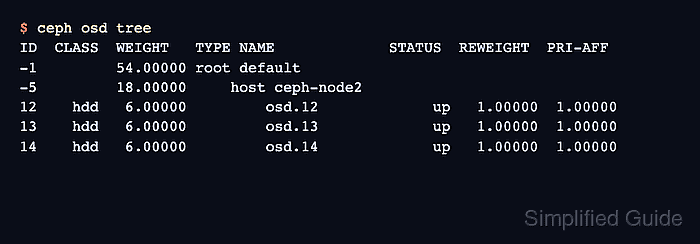
$ ceph osd tree
ID  CLASS  WEIGHT   TYPE NAME             STATUS  REWEIGHT  PRI-AFF
-1         54.00000 root default
-5         18.00000     host ceph-node2
12    hdd   6.00000         osd.12             up   1.00000  1.00000
13    hdd   6.00000         osd.13             up   1.00000  1.00000
14    hdd   6.00000         osd.14             up   1.00000  1.00000
- Confirm that recovery has completed or is progressing normally.
$ ceph -s
  cluster:
    id:     11111111-2222-3333-4444-555555555555
    health: HEALTH_OK

  services:
    osd: 6 osds: 6 up (since 8m), 6 in (since 7m)

  data:
    pgs: 256 active+clean
If health still shows degraded or recovering placement groups, wait for recovery to finish before replacing another OSD unless an incident plan explicitly calls for parallel work.