How to add a host to a Ceph cluster with cephadm
Cephadm expands a Ceph cluster by enrolling Linux servers as orchestrator hosts before monitors, OSDs, gateways, or monitoring daemons are placed on them. Adding a host gives the manager permission to reach the server over SSH, inspect its inventory, and schedule daemons by hostname and label.
Host enrollment is an SSH trust boundary. The cluster public key under /etc/ceph/ceph.pub must be installed for the cephadm SSH user on the new server, and the hostname passed to ceph orch host add must match the remote host's own hostname output.
Start from an administration host that already has Ceph admin credentials, such as ceph-admin. Use an explicit host address instead of relying on one-time DNS resolution, and apply labels at enrollment only when they match the daemon placement or admin-file distribution planned for that server.
Related: How to bootstrap a Ceph cluster with cephadm
Related: How to add an OSD device to Ceph
Steps to add a host to a Ceph cluster with cephadm:
- Check the cluster health before enrolling another server.
$ ceph health detail
HEALTH_OK
Resolve active HEALTH_ERR conditions before adding hosts for normal expansion. A host-add change should not hide an existing monitor, manager, placement group, or OSD problem.
Related: How to check Ceph cluster health - Confirm the new server reports the hostname that Ceph will store.
$ ssh root@ceph-node2 hostname
ceph-node2
Cephadm expects the name passed to ceph orch host add to match the remote host's hostname output. Use the configured cephadm SSH user instead of root when the cluster was bootstrapped with a different --ssh-user.
- Print the cephadm public key fingerprint from the administration host.
$ sudo ssh-keygen -lf /etc/ceph/ceph.pub
256 SHA256:YxY+q3gEbkQ9vLQq0h1qzOaT3c7Lx4M9rG8h6Yp5Z2A ceph-admin (ED25519)
Record the fingerprint before installing the key on a new server so the change ticket identifies the exact public key being trusted.
Tool: Secure Shell (SSH) Key Fingerprint Checker - Copy the cluster public key to the new server.
$ ssh-copy-id -f -i /etc/ceph/ceph.pub root@ceph-node2
/usr/bin/ssh-copy-id: INFO: Source of key(s) to be installed: "/etc/ceph/ceph.pub"
##### snipped #####
Number of key(s) added: 1
The command modifies the target account's authorized_keys file. Use the cluster's configured cephadm SSH user when root SSH is not the managed access path.
- Add the server to the Ceph orchestrator with an explicit address and label.
$ ceph orch host add ceph-node2 192.0.2.22 --labels osd
Added host 'ceph-node2' with addr '192.0.2.22'
The osd label is a placement label, not an automatic OSD deployment. Use --labels _admin only for hosts that should receive ceph.conf and a client.admin keyring under /etc/ceph.
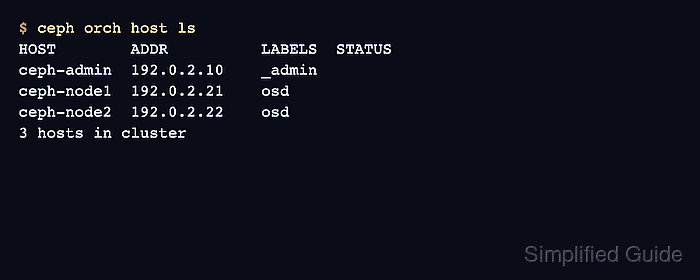
- List orchestrator hosts after the add operation.
$ ceph orch host ls
HOST        ADDR          LABELS  STATUS
ceph-admin  192.0.2.10    _admin
ceph-node1  192.0.2.21    osd
ceph-node2  192.0.2.22    osd
3 hosts in cluster
The new row should show the hostname, address, and labels expected for daemon placement.
- Run the cephadm host check against the enrolled server.
$ ceph cephadm check-host ceph-node2
podman (/usr/bin/podman) is present
systemctl is present
lvcreate is present
Unit chrony.service is enabled and running
Hostname "ceph-node2" matches what is expected.
Host looks OK
The check covers the host requirements cephadm needs before it manages daemons, including a container engine, systemd, time synchronization, and LVM2.
- Check cluster health after enrollment.
$ ceph health detail
HEALTH_OK
A clean result means the host add did not introduce an orchestrator or connectivity warning. If health changes, inspect ceph orch host ls and ceph cephadm check-host ceph-node2 again before placing daemons on the new server.