How to set proxy environment variables in Bash
Proxy environment variables let a Bash session give child commands one outbound proxy policy. They are useful when a terminal must leave through an office gateway, egress proxy, or test relay without adding a proxy option to every curl, wget, or package-manager command.
Bash passes only exported shell values to child processes. Lowercase http_proxy and https_proxy are the proxy names used by common command-line clients such as curl and wget, while no_proxy names hosts or domains that should stay on a direct route when the client supports a bypass list.
A current-shell export fits short tests because it disappears after unset or when the terminal closes. A saved startup-file export belongs in /~/.bashrc only when future interactive Bash sessions should inherit the same proxy, and proxy URLs with reusable credentials belong in restricted secret stores or task-local files rather than shared shell history.
Steps to set Bash proxy environment variables:
- Choose the proxy URL and any destinations that should bypass it.
Use the form http://host:port for an HTTP proxy. Include credentials only when the proxy requires them, such as http://user:password@proxy.example.com:8080, and avoid putting reusable proxy passwords in shared shell history.
- Export the HTTP proxy for commands started from the current Bash shell.
$ export http_proxy="http://proxy.example.com:8080"
Use lowercase http_proxy for HTTP proxy variables. Some clients ignore uppercase HTTP_PROXY for security reasons.
- Export the HTTPS proxy when HTTPS requests should use the same gateway.
$ export https_proxy="http://proxy.example.com:8080"
The proxy URL often still starts with http:// because the client connects to the proxy over HTTP and uses CONNECT for HTTPS destinations.
- Add a bypass list for local and internal destinations.
$ export no_proxy="localhost,127.0.0.1,.example.internal"
Separate entries with commas. A leading dot matches hosts under that domain for tools that implement domain-suffix matching.
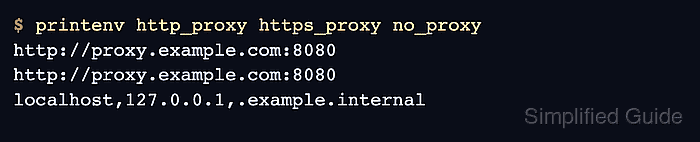
- Verify the exported values in the current shell.
$ printenv http_proxy https_proxy no_proxy
http://proxy.example.com:8080
http://proxy.example.com:8080
localhost,127.0.0.1,.example.internal
- Verify that a child Bash process receives the exported proxy environment.
$ bash -c 'printenv http_proxy https_proxy no_proxy'
http://proxy.example.com:8080
http://proxy.example.com:8080
localhost,127.0.0.1,.example.internal
- Save the exports in /~/.bashrc only when every new interactive Bash terminal should use the same proxy.
export http_proxy="http://proxy.example.com:8080"
export https_proxy="http://proxy.example.com:8080"
export no_proxy="localhost,127.0.0.1,.example.internal"
Skip this step for one-off tests. Login shells may read /~/.bash_profile or /~/.profile instead, depending on how the account starts Bash.
- Reload the startup file in the current terminal.
$ source ~/.bashrc
- Run the command that should inherit the proxy from the same shell.
$ curl --verbose http://example.com
Use the curl or wget proxy guides for client-specific verbose output and bypass behavior. Related: How to use proxy environment variables with cURL
Related: How to use an HTTP proxy with wget
Tool: Proxy Server Checker - Remove current-shell proxy variables when direct access should resume.
$ unset http_proxy https_proxy no_proxy
Remove the same lines from /~/.bashrc if the saved proxy policy is no longer wanted. Also clear uppercase variants such as HTTPS_PROXY or NO_PROXY if older startup files set them.