How to use arrays in Bash
Shell scripts become fragile when a list is stored as one space-separated string, because a filename or label containing spaces can turn into several arguments. Bash arrays preserve each value as a separate element while still allowing the script to append, count, look up, and remove entries.
Indexed arrays use numeric positions beginning at zero and suit ordered values such as file paths or command arguments. Associative arrays use named keys and suit lookups where a label such as db is clearer than a numeric position.
Quoted "${files[@]}" expansion passes each array element as one word, so db backup.log remains a single loop value. Removing an indexed element leaves a gap instead of renumbering the later entries, while "${#files[@]}" reports the number of elements that still exist.
Related: How to use variables in Bash scripts
Related: How to use parameter expansion in Bash
Related: How to loop over files in Bash
Steps to use arrays in Bash:
- Create array-demo.sh with the initial indexed array.
- array-demo.sh
#!/usr/bin/env bash
set -euo pipefail

files=("app.log" "db backup.log")
Parentheses create an indexed array whose first element has index 0.
- Append web.log after the initial files assignment.
- array-demo.sh
files+=("web.log")
The += operator adds an element without replacing the existing values.
- Add the indexed-array reporting block with quoted element expansion after the append line.
- array-demo.sh
printf 'first file: %s\n' "${files[0]}"
printf 'file count: %s\n' "${#files[@]}"

for file in "${files[@]}"; do
    printf 'check <%s>\n' "$file"
done
An unquoted ${files[@]} expansion can split db backup.log and change the arguments received by the loop body or another command.
- Add the associative owner lookup after the indexed-array loop.
- array-demo.sh
declare -A owners=(
    [app]="alice"
    [db]="maria"
)

printf 'db owner: %s\n' "${owners[db]}"
declare -A creates an associative array whose keys are names rather than numeric positions.
- Add the indexed-array removal block with a quoted subscript after the owner lookup.
- array-demo.sh
unset 'files[1]'
printf 'remaining count: %s\n' "${#files[@]}"

for file in "${files[@]}"; do
    printf 'keep <%s>\n' "$file"
done
The quotes prevent pathname expansion from interpreting the brackets before unset receives the subscript. Removing index 1 leaves index 2 unchanged.
- Compare array-demo.sh with the consolidated file.
- array-demo.sh
#!/usr/bin/env bash
set -euo pipefail

files=("app.log" "db backup.log")
files+=("web.log")

printf 'first file: %s\n' "${files[0]}"
printf 'file count: %s\n' "${#files[@]}"

for file in "${files[@]}"; do
    printf 'check <%s>\n' "$file"
done

declare -A owners=(
    [app]="alice"
    [db]="maria"
)

printf 'db owner: %s\n' "${owners[db]}"

unset 'files[1]'
printf 'remaining count: %s\n' "${#files[@]}"

for file in "${files[@]}"; do
    printf 'keep <%s>\n' "$file"
done
- Check array-demo.sh for Bash syntax errors.
$ bash -n array-demo.sh
No output means Bash parsed the file without a syntax error.
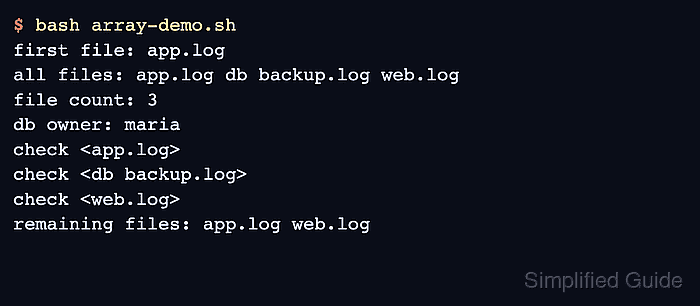
- Run array-demo.sh to confirm that the spaced filename remains intact, the db key resolves, and two indexed elements remain.
$ bash array-demo.sh
first file: app.log
file count: 3
check <app.log>
check <db backup.log>
check <web.log>
db owner: maria
remaining count: 2
keep <app.log>
keep <web.log>