How to generate an AWS CLI input skeleton
Complex AWS CLI service commands become harder to review when nested structures are built by hand at the shell prompt. An input skeleton gives the operator a command-specific template with the API-shaped field names before any request is sent to AWS.
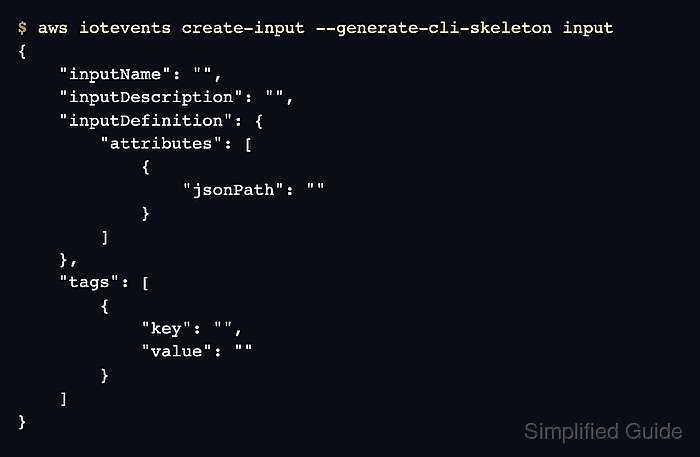
The --generate-cli-skeleton option can print a JSON template for --cli-input-json or a YAML template for --cli-input-yaml. The template is generated locally from the command model, so it can be used before credentials are ready or before a create, update, or delete request is safe to run.
Skeletons belong to the AWS CLI version and service operation that generated them. Regenerate the file after changing the operation or upgrading the CLI, remove fields that should not be sent, and validate the completed file with --generate-cli-skeleton output before removing the local validation option from a command that changes resources.
Steps to generate an AWS CLI input skeleton:
- Generate the JSON skeleton for the service operation.
$ aws iotevents create-input --generate-cli-skeleton input
{
    "inputName": "",
    "inputDescription": "",
    "inputDefinition": {
        "attributes": [
            {
                "jsonPath": ""
            }
        ]
    },
    "tags": [
        {
            "key": "",
            "value": ""
        }
    ]
}
Replace iotevents create-input with the service command being prepared. The input value is the default and prints JSON without making an AWS API call.
- Save the skeleton to a file for editing.
$ aws iotevents create-input --generate-cli-skeleton input > create-input.json
- Fill in the required values and remove fields that should not be sent.
- create-input.json
{
  "inputName": "PressureInput",
  "inputDescription": "Pressure readings from a motor",
  "inputDefinition": {
    "attributes": [
      { "jsonPath": "sensorData.pressure" },
      { "jsonPath": "motorid" }
    ]
  }
}
The file uses API-style keys such as inputName and inputDefinition instead of shell option names. Keep global controls such as --profile, --region, and --output on the command line unless the operation skeleton includes the field.
- Check that the edited JSON still parses.
$ python3 -m json.tool create-input.json
{
    "inputName": "PressureInput",
    "inputDescription": "Pressure readings from a motor",
    "inputDefinition": {
        "attributes": [
            {
                "jsonPath": "sensorData.pressure"
            },
            {
                "jsonPath": "motorid"
            }
        ]
    }
}
Tool: JSON Validator
- Validate the completed input file with AWS CLI without sending the create request.
$ aws iotevents create-input \
  --cli-input-json file://create-input.json \
  --generate-cli-skeleton output \
  --region us-west-2
{
    "inputConfiguration": {
        "inputName": "inputName",
        "inputDescription": "inputDescription",
        "inputArn": "inputArn",
        "creationTime": "1970-01-01T00:00:00",
        "lastUpdateTime": "1970-01-01T00:00:00",
        "status": "status"
    }
}
--generate-cli-skeleton output validates the local inputs and returns sample output. Some regional commands still need --region so the CLI can resolve the command context, even though this validation does not create the resource.
- Generate a YAML skeleton when the command will use --cli-input-yaml.
$ aws iotevents create-input --generate-cli-skeleton yaml-input
inputName: ''  # [REQUIRED] The name you want to give to the input.
inputDescription: '' # A brief description of the input.
inputDefinition: # [REQUIRED] The definition of the input.
  attributes:  # [REQUIRED] The attributes from the JSON payload that are made available by the input.
  - jsonPath: ''  # [REQUIRED] An expression that specifies an attribute-value pair in a JSON structure.
tags: # Metadata that can be used to manage the input.
- key: ''  # [REQUIRED] The tag's key.
  value: '' # [REQUIRED] The tag's value.
Save this output to a .yaml file and pass it with --cli-input-yaml file://create-input.yaml when YAML is easier to review than JSON.