How to find the AWS CLI shared credentials file location
Credential handoffs can fail quietly when an AWS CLI shell reads a different shared credentials file than the operator expects. Resolve the active file path before rotating file-backed access keys, comparing profile sections, or copying credentials between machines.
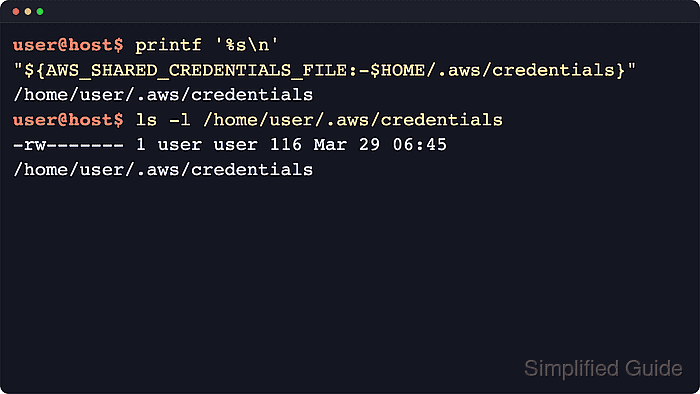
The shared credentials file stores access-key material for profiles that use file-backed credentials. The default location is ~/.aws/credentials on Linux and macOS and %USERPROFILE%\.aws\credentials on Windows.
The AWS_SHARED_CREDENTIALS_FILE environment variable moves that lookup to another local file for the current shell or process. AWS does not provide a named-profile setting or command-line option for this path, so pair the environment check with aws configure list to confirm whether the active keys came from the shared credentials file.
Steps to find the AWS CLI shared credentials file location:
- Print the default shared credentials path for the current home directory.
$ printf '%s\n' "$HOME/.aws/credentials"
/home/user/.aws/credentials
On Windows, the equivalent default path is %USERPROFILE%\.aws\credentials when AWS_SHARED_CREDENTIALS_FILE is not set.
- Check whether AWS_SHARED_CREDENTIALS_FILE is replacing the default path.
$ printenv AWS_SHARED_CREDENTIALS_FILE
/opt/company/aws/credentials
No output means the AWS CLI is still using the home-directory default from the previous step.
- Resolve the active shared credentials file path for the current shell.
$ printf '%s\n' "${AWS_SHARED_CREDENTIALS_FILE:-$HOME/.aws/credentials}"
/opt/company/aws/credentials
If the previous step returned no value, this command prints the default home-directory path instead.
- Confirm that the resolved credentials file exists before opening or editing it.
$ ls -l "${AWS_SHARED_CREDENTIALS_FILE:-$HOME/.aws/credentials}"
-rw------- 1 user user 231 Jun 12 14:16 /opt/company/aws/credentials
No such file or directory means the file has not been created at that path yet or the override points to the wrong file.
- Run aws configure list to confirm that the active keys came from a shared credentials file.
$ aws configure list
NAME       : VALUE                    : TYPE             : LOCATION
profile    : <not set>                : None             : None
access_key : ****************MPLE     : shared-credentials-file :
secret_key : ****************EKEY     : shared-credentials-file :
region     : ap-southeast-1           : config-file      : /home/user/.aws/config
shared-credentials-file in the TYPE column confirms that the access key and secret key came from the shared credentials file. AWS CLI v2 leaves the credentials-file LOCATION field blank, so use the resolved path from the previous step for the file name.
- Repeat the check with --profile when the credentials are in a named profile.
$ aws configure list --profile audit
NAME       : VALUE                    : TYPE             : LOCATION
profile    : audit                    : manual           : --profile
access_key : ****************MPLE     : shared-credentials-file :
secret_key : ****************EKEY     : shared-credentials-file :
region     : us-east-1                : config-file      : /home/user/.aws/config
--profile changes the profile section that the AWS CLI reads, but it does not change the shared credentials file path. The path still comes from AWS_SHARED_CREDENTIALS_FILE or the default home-directory location.