How to export AWS CLI credentials for another tool
Some local tools can use AWS credentials but cannot run the same AWS CLI profile flow that already works in the terminal. Exporting the resolved credentials from AWS CLI gives those tools a short handoff without copying profile files, retyping access keys, or changing the default profile for the whole machine.
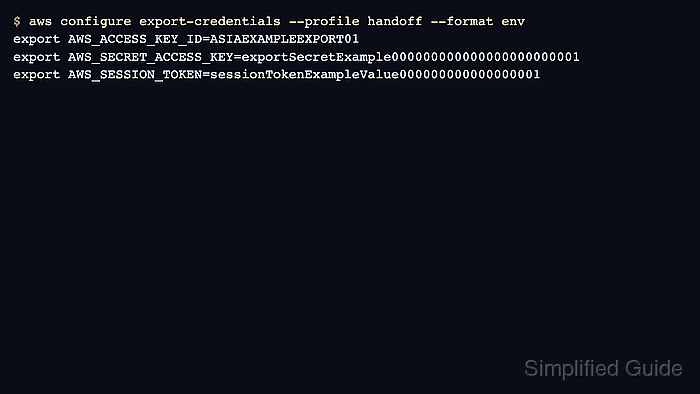
The aws configure export-credentials command uses the normal AWS CLI credential resolution chain for the selected profile and prints the result in a format another process can consume. The default process format matches the JSON expected by credential_process, while env and env-no-export produce shell variable syntax for tools that read AWS_ACCESS_KEY_ID, AWS_SECRET_ACCESS_KEY, and AWS_SESSION_TOKEN.
Exported credentials are still credentials. Keep the output out of shared logs, paste buffers, screenshots, and shell history, and prefer process format for SDK-compatible tools that can refresh credentials by rerunning the command. Use env only for a shell or child process that must inherit the current credential set, then unset the variables when the handoff is finished.
Steps to export AWS CLI credentials for another tool:
- Choose the source profile and the receiving format.
Source profile: handoff
Receiving tool expects: shell environment variables
Export format: env
Use process when the receiving tool supports credential_process JSON. Use env for POSIX shells, env-no-export for env-file style input, powershell for PowerShell, windows-cmd for Command Prompt, and fish for Fish shell.
- Confirm that the source profile resolves credentials without printing the secret values.
$ aws configure list --profile handoff
NAME       : VALUE                    : TYPE             : LOCATION
profile    : handoff                  : manual           : --profile
access_key : ****************RT01     : shared-credentials-file :
secret_key : ****************0001     : shared-credentials-file :
region     : us-east-1                : config-file      : ~/.aws/config
If this check cannot resolve credentials, sign in or fix the source profile before exporting. Related: How to log in to AWS CLI with IAM Identity Center
Related: How to configure AWS CLI on Linux and macOS - Print shell export commands for the profile.
$ aws configure export-credentials \
  --profile handoff \
  --format env
export AWS_ACCESS_KEY_ID=ASIAEXAMPLEEXPORT01
export AWS_SECRET_ACCESS_KEY=exportSecretExample000000000000000000000001
export AWS_SESSION_TOKEN=sessionTokenExampleValue000000000000000001
The command output contains credential material. Do not save the unredacted output in issue trackers, chat messages, terminal recordings, or shared build logs.
- Load the exported values into the current shell when the next command must inherit them.
$ eval "$(aws configure export-credentials --profile handoff --format env)"
Run the printed command by itself first when the profile or shell is unfamiliar. eval executes the generated shell assignments in the current session.
- Verify that the receiving shell now resolves credentials from environment variables.
$ aws configure list
NAME       : VALUE                    : TYPE             : LOCATION
profile    : <not set>                : None             : None
access_key : ****************RT01     : env              :
secret_key : ****************0001     : env              :
region     : <not set>                : None             : None
aws configure list does not display AWS_SESSION_TOKEN, but temporary credentials still need that variable when the source profile returned a session token.
- Print process-format JSON when a tool should call AWS CLI as a credential process.
$ aws configure export-credentials \
  --profile handoff \
  --format process
{
  "Version": 1,
  "AccessKeyId": "ASIAEXAMPLEEXPORT01",
  "SecretAccessKey": "exportSecretExample000000000000000000000001",
  "SessionToken": "sessionTokenExampleValue000000000000000001"
}
A credential_process entry can point directly at aws configure export-credentials --profile handoff --format process so the receiving SDK or tool asks AWS CLI for fresh credentials when needed.
Related: How to configure credential_process in AWS CLI - Clear shell-wide exported credentials after the receiving tool has finished.
$ unset AWS_ACCESS_KEY_ID AWS_SECRET_ACCESS_KEY AWS_SESSION_TOKEN
One-command environment prefixes disappear automatically when the command exits. Use unset for values loaded into the current shell with eval or export.