How to back up a build directory to S3 with AWS CLI sync
Build output is easy to replace until the source repository, dependency cache, or release runner has already moved on. Backing the finished directory up to Amazon S3 with AWS CLI gives each release job a repeatable handoff from local files to a bucket prefix that can be checked and restored before the build host is cleaned.
The aws s3 sync command recursively copies new and changed files between a local path and an S3 URI. For upload backups, the source is the build directory and the destination is a bucket prefix that belongs only to that artifact set, such as s3://build-backups-prod/website/. Keeping that prefix dedicated prevents a backup sync from mixing release files with unrelated objects.
A sync backup is not automatically a historical archive. Without a dated prefix or S3 Versioning, a later upload can replace an older object with the same key, and --delete can remove destination objects that no longer exist locally. Use a dry run first, verify the uploaded prefix from S3, and run one restore test before treating the command as a release step.
Steps to back up a build directory to S3 with AWS CLI sync:
- Choose the build source, destination prefix, and profile that will run the backup.
Local source: ./build
S3 destination: s3://build-backups-prod/website/
CLI profile: build-backup
Use a prefix that belongs only to this build output. A shared prefix makes later verification and restore tests ambiguous.
- Confirm that the profile resolves to the account that owns the backup bucket.
$ aws sts get-caller-identity --profile build-backup --query Account --output text
123456789012
The account number should match the environment that owns build-backups-prod before any files are uploaded.
Related: How to check the current caller identity in AWS CLI - Preview the upload with a dry run.
$ aws s3 sync ./build \
  s3://build-backups-prod/website/ \
  --profile build-backup \
  --dryrun
(dryrun) upload: build/app.js to s3://build-backups-prod/website/app.js
(dryrun) upload: build/index.html to s3://build-backups-prod/website/index.html
(dryrun) upload: build/manifest.json to s3://build-backups-prod/website/manifest.json
--dryrun prints the operations without writing objects, which catches a wrong source path, bucket, prefix, or profile before the backup changes S3.
- Run the sync after the dry run shows only build files.
$ aws s3 sync ./build \
  s3://build-backups-prod/website/ \
  --profile build-backup \
  --no-progress
upload: build/app.js to s3://build-backups-prod/website/app.js
upload: build/manifest.json to s3://build-backups-prod/website/manifest.json
upload: build/index.html to s3://build-backups-prod/website/index.html
Add --delete only when the prefix is supposed to mirror local removals. On an unversioned bucket, a deleted destination object is not recoverable from version history.
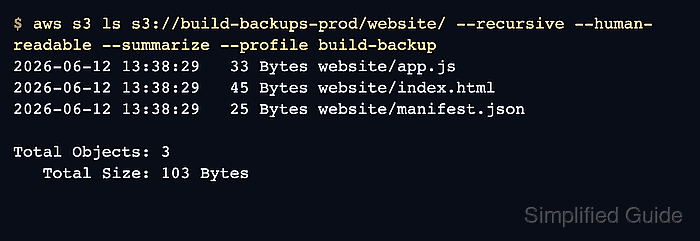
- List the destination prefix from S3.
$ aws s3 ls s3://build-backups-prod/website/ \
  --recursive \
  --human-readable \
  --summarize \
  --profile build-backup
2026-06-12 13:38:29   33 Bytes website/app.js
2026-06-12 13:38:29   45 Bytes website/index.html
2026-06-12 13:38:29   25 Bytes website/manifest.json

Total Objects: 3
   Total Size: 103 Bytes
The object count and key names should match the build files that belong in the backup.
- Run a restore test into an empty local directory.
$ aws s3 sync s3://build-backups-prod/website/ \
  ./restore-test \
  --profile build-backup \
  --no-progress
download: s3://build-backups-prod/website/app.js to restore-test/app.js
download: s3://build-backups-prod/website/index.html to restore-test/index.html
download: s3://build-backups-prod/website/manifest.json to restore-test/manifest.json
Use a new restore directory so old local files cannot hide a missing object in S3.
- Check the restored file names.
$ ls -R restore-test
restore-test:
app.js
index.html
manifest.json
- Remove the restore test directory after the backup has been proven.
$ rm -r restore-test