How to migrate an Appium project to Appium 3
Moving an existing Appium 2 project to Appium 3 is more than changing the global npm package when the project also starts the server with custom flags or depends on extension versions. The migration should leave the same project home, drivers, plugins, and smoke test working on the new major version before the old setup is retired.
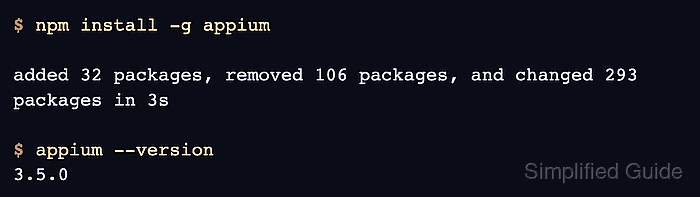
Appium 3 keeps the npm-based installation path, but it raises the runtime floor to recent Node.js and npm versions. Current drivers can also require the Appium 3 server, so the core package update should happen before reinstalling or updating project drivers and plugins in the selected APPIUM_HOME.
Most project edits are around startup flags and old server endpoints. Unscoped --allow-insecure features must receive a driver or wildcard prefix, and session discovery moves from GET /sessions to GET /appium/sessions with *:session_discovery enabled when that endpoint is needed.
Related: How to install Appium
Related: How to update Appium drivers and plugins
Related: How to start the Appium server
Steps to migrate an Appium project to Appium 3:
- Stop any running Appium server for the project.
A running server keeps the driver and plugin code it loaded at startup. Restart it only after the migrated package, extensions, flags, and smoke test are checked.
- Check the active Node.js version.
$ node --version
v22.22.3
Appium 3 requires Node.js in the range ^20.19.0 || ^22.12.0 || >=24.0.0. Upgrade Node.js before touching the project if this command prints an older version.
- Check the active npm version.
$ npm --version
10.9.8
Appium 3 requires npm version 10 or newer. Upgrade npm first if this command prints 9.x or older.
- Set the project Appium home when the suite keeps extensions outside the default directory.
$ export APPIUM_HOME="$PWD/.appium-home/android"
Skip this step when the project intentionally uses ~/.appium. Use the same APPIUM_HOME value for version checks, driver or plugin commands, server startup, and smoke tests.
Related: How to use APPIUM_HOME for Appium extensions - Record the current Appium 2 server version before upgrading.
$ appium --version
2.19.0
Keeping the old version in the migration notes makes it easier to compare failures against the pre-upgrade baseline.
- Install Appium 3 over the existing server package.
$ npm install -g appium

added 32 packages, removed 106 packages, and changed 293 packages in 3s
The official migration path keeps the same npm install method used for Appium 2. Use the package scope and install location that match the existing project environment.
- Confirm that the server package now reports Appium 3.
$ appium --version
3.5.0
- Install or update the driver required by the migrated project after the core package is on Appium 3.
$ appium driver install uiautomator2
- Checking if 'appium-uiautomator2-driver' is compatible
✔ Checking if 'appium-uiautomator2-driver' is compatible
- Installing 'uiautomator2'
✔ Installing 'uiautomator2'
- Validating 'uiautomator2'
✔ Validating 'uiautomator2'
ℹ Driver uiautomator2@7.6.1 successfully installed
- automationName: UiAutomator2
- platformNames: ["Android"]
Replace uiautomator2 with the driver used by the project. When the driver is already installed and needs a major-version jump, update it with a command such as appium driver update uiautomator2 --unsafe after reviewing the driver release notes.
Related: How to update Appium drivers and plugins - Update installed plugins when the project loads Appium plugins.
$ appium plugin update installed
Skip this step when the project does not use plugins. If a plugin update fails, leave the server stopped until the failed row is resolved.
Related: How to install and enable an Appium plugin - Confirm the installed driver versions under the selected APPIUM_HOME.
$ appium driver list --installed --updates
- Listing installed drivers (rerun with --verbose for more info)
✔ Listing installed drivers (rerun with --verbose for more info)
- uiautomator2@7.6.1 [installed (npm)] [Up to date]
The row should show the driver versions that the migrated project is expected to load.
- Search the project for old unscoped insecure-feature flags.
$ grep -R --line-number --fixed-strings -- "--allow-insecure=" .
./config/appium-server.sh:1:appium --address 127.0.0.1 --port 4723 --allow-insecure=adb_shell
Appium 3 requires a scope prefix for each --allow-insecure feature. Use a driver prefix such as uiautomator2:adb_shell for driver features or the wildcard prefix for server-wide features.
- Replace unscoped insecure-feature values in the project startup command.
appium --address 127.0.0.1 --port 4723 --allow-insecure=uiautomator2:adb_shell,*:session_discovery
Keep multiple insecure features in one comma-separated value when a shell script builds one Appium command.
- Search for code that still calls the old session discovery endpoint.
$ grep -R --line-number --fixed-strings "/sessions" .
./tests/session-discovery.js:1:const endpoint = 'http://127.0.0.1:4723/sessions';
Only update code that lists all active sessions. Normal WebDriver paths that create one session or address one existing session are different endpoints and should not be changed just because they contain the singular word session.
- Replace session discovery calls with the Appium 3 endpoint when the project attaches to existing sessions.
const endpoint = 'http://127.0.0.1:4723/appium/sessions';
The server must be started with *:session_discovery for this endpoint to answer.
- Start the migrated Appium 3 server with the project startup flags.
$ appium --address 127.0.0.1 --port 4723 --allow-insecure=uiautomator2:adb_shell,*:session_discovery
Leave this terminal open for the status and session-discovery checks.
Related: How to start the Appium server - Query the status endpoint from another terminal.
$ curl --silent http://127.0.0.1:4723/status {"value":{"ready":true,"message":"The server is ready to accept new connections","build":{"version":"3.5.0"}}} - Check the migrated session discovery endpoint when the project uses attach-to-session workflows.
$ curl --silent http://127.0.0.1:4723/appium/sessions
{"value":[]}
An empty list is expected when the server is running but no sessions are active.
- Run the project's normal smoke test against the same driver, device target, and server flags.
$ npm test -- --grep smoke

> mobile-tests@1.0.0 test
> wdio run ./wdio.conf.js --grep smoke

[0-0] PASSED in Android - tests/smoke/session.spec.js
Spec Files:      1 passed, 1 total
Use the command that already proves the project can create a session and execute one low-risk command. A status endpoint check alone proves only that the server is listening.
- Stop the verification server with Ctrl-C after the smoke test passes.