How to install and enable an Appium plugin
Appium plugins are installed separately from the server package, so a test environment can have a current Appium server and still start without the extension a suite expects. Installing the plugin with the Appium Extension CLI and starting the server with --use-plugins confirms both the saved package and the active server state.
The extension CLI stores managed drivers and plugins in the active APPIUM_HOME directory. If APPIUM_HOME is not set, Appium uses ~/.appium, so project-specific plugin installs should use the same APPIUM_HOME value for install, list, update, and server commands.
The example below uses the official relaxed-caps plugin because it can be installed and loaded without an emulator, simulator, or real device session. Replace relaxed-caps with the plugin required by the project; third-party plugins often need --source=npm and the full npm package name instead of an official short name.
Steps to install and enable an Appium plugin:
- Open a terminal in the project root.
- Confirm that the Appium server CLI is available.
$ appium --version
3.5.0
Install or update Appium before continuing if this command is missing or reports an older major version than the project supports.
Related: How to install Appium - Check the npm version used by the Appium extension CLI.
$ npm --version
11.13.0
Appium 3 requires npm version 10 or newer for extension management. Upgrade npm before installing plugins if this command prints 9.x or older.
- Set the Appium home for this project.
$ export APPIUM_HOME="$PWD/.appium-home/plugins"
Skip this step when plugins should be installed in the default ~/.appium directory. Use the same APPIUM_HOME value for plugin install, list, update, and server commands.
Related: How to use APPIUM_HOME for Appium extensions - Install the official relaxed-caps plugin.
$ appium plugin install relaxed-caps
- Checking if '@appium/relaxed-caps-plugin' is compatible
- Installing 'relaxed-caps'
- Validating 'relaxed-caps'
Plugin relaxed-caps@2.2.3 successfully installed
Use the official plugin key shown by appium plugin list when installing an Appium-maintained plugin. For a third-party npm plugin, use a command such as appium plugin install --source=npm appium-wait-plugin.
- List installed plugins from the selected Appium home.
$ appium plugin list --installed
- Listing installed plugins (rerun with --verbose for more info)
- relaxed-caps@2.2.3 [installed (npm)]
The installed row must appear under the same APPIUM_HOME value that will be used to start the server.
- Start Appium with the plugin enabled.
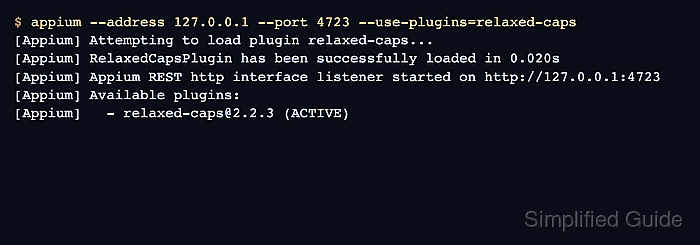
$ appium --address 127.0.0.1 --port 4723 --use-plugins=relaxed-caps
[Appium] Attempting to load plugin relaxed-caps...
[Appium] RelaxedCapsPlugin has been successfully loaded in 0.020s
[Appium] Welcome to Appium v3.5.0
[Appium] Non-default server args:
[Appium] { address: '127.0.0.1', usePlugins: [ 'relaxed-caps' ] }
[Appium] The APPIUM_HOME environment variable: .appium-home/plugins
[Appium] Appium REST http interface listener started on http://127.0.0.1:4723
[Appium] Available plugins:
[Appium]   - relaxed-caps@2.2.3 (ACTIVE)
Leave this terminal open for the status check. The ACTIVE marker confirms the server loaded the plugin during startup.
Related: How to start the Appium server - Query the server status endpoint from another terminal.
$ curl --silent http://127.0.0.1:4723/status
{"value":{"ready":true,"message":"The server is ready to accept new connections","build":{"version":"3.5.0"}}}
A ready status response confirms the server is still accepting connections after loading the plugin. Plugins that add an endpoint or change session behavior still need a project-specific smoke test for that behavior.
- Stop the verification server in the original terminal with Ctrl-C.