How to run parallel Appium sessions
Parallel mobile test runs fail when two Appium sessions compete for the same device or driver-side port. Running the sessions with explicit device IDs and separate UiAutomator2 system ports lets one Appium server keep each Android target isolated while the test runner starts them at the same time.
Appium can manage multiple sessions from a single server process, but each session still needs capabilities that identify one target. For Android UiAutomator2 runs, appium:udid selects the emulator or real device and appium:systemPort gives that session its own connection to the UiAutomator2 server on the device.
Keep the first parallel check on Android until the runner proves concurrent sessions. iOS XCUITest parallel runs need unique appium:wdaLocalPort values instead of appium:systemPort, and webview or video capture adds its own per-session port choices.
Steps to run parallel Appium sessions:
- List the Android targets that will run in parallel.
$ adb devices
List of devices attached
emulator-5554	device
emulator-5556	device
Each session needs a different device or emulator serial. Reusing one udid can make the second session steal focus or fail before the app launches.
- Start one Appium server for both sessions.
$ appium server --address 127.0.0.1 --port 4723
[Appium] Welcome to Appium v3.5.0
[Appium] Attempting to load driver uiautomator2...
[Appium] Appium REST http interface listener started on http://127.0.0.1:4723
Leave this terminal open while the Python runner creates sessions.
Related: How to start the Appium server - Create a Python runner with one capability set per Android target.
$ cat > parallel_sessions.py <<'PY'
from concurrent.futures import ThreadPoolExecutor

from appium import webdriver
from appium.options.android import UiAutomator2Options

SERVER_URL = "http://127.0.0.1:4723"

TARGETS = [
    {
        "name": "emulator-5554",
        "capabilities": {
            "platformName": "Android",
            "appium:automationName": "UiAutomator2",
            "appium:deviceName": "Pixel_7_API_35",
            "appium:udid": "emulator-5554",
            "appium:systemPort": 8201,
            "appium:appPackage": "com.android.settings",
            "appium:appActivity": ".Settings",
            "appium:noReset": True,
        },
    },
    {
        "name": "emulator-5556",
        "capabilities": {
            "platformName": "Android",
            "appium:automationName": "UiAutomator2",
            "appium:deviceName": "Pixel_8_API_35",
            "appium:udid": "emulator-5556",
            "appium:systemPort": 8202,
            "appium:appPackage": "com.android.settings",
            "appium:appActivity": ".Settings",
            "appium:noReset": True,
        },
    },
]


def run_target(target):
    options = UiAutomator2Options().load_capabilities(target["capabilities"])
    driver = webdriver.Remote(SERVER_URL, options=options)
    try:
        session_token = driver.session_id.split("-")[0]
        return (
            f'{target["name"]} session={session_token} '
            f"package={driver.current_package}"
        )
    finally:
        driver.quit()


with ThreadPoolExecutor(max_workers=len(TARGETS)) as pool:
    for result in pool.map(run_target, TARGETS):
        print(result)

print(f"parallel_sessions={len(TARGETS)}")
PY
Replace each appium:udid with a serial from adb devices and keep every appium:systemPort unique. Add unique appium:chromedriverPort values only for webview or Chrome tests, and unique appium:mjpegServerPort values only when video streaming is enabled.
Related: How to configure Appium capabilities - Run the parallel smoke test.
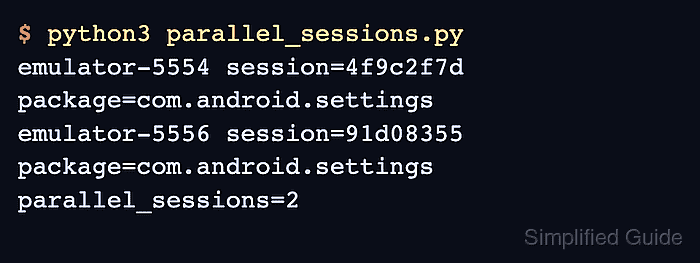
$ python3 parallel_sessions.py
emulator-5554 session=4f9c2f7d package=com.android.settings
emulator-5556 session=91d08355 package=com.android.settings
parallel_sessions=2
The two serials confirm that both Android targets created sessions, and com.android.settings confirms that each target opened the built-in Settings app.
- Remove the temporary runner.
$ rm parallel_sessions.py
- Stop the Appium server with Ctrl-C when no more sessions are running.