How to enable an Appium insecure feature
Appium returns an insecure-feature error when a client asks for a server, driver, or plugin action that could expose host state. Enabling only the named feature lets a trusted local test suite run that action without opening every insecure Appium capability.
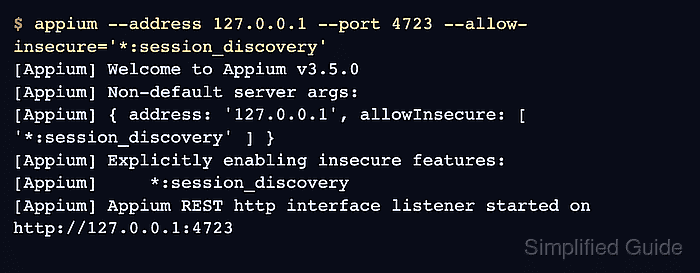
Appium reads insecure-feature policy when the server starts. In Appium 3, each --allow-insecure or --deny-insecure entry needs a scope prefix, such as *:session_discovery for a server-level feature or uiautomator2:adb_shell for an Android driver feature.
Use this setting only on a server you control on loopback or a protected internal network, and prefer the smallest feature list that fixes the failing command. --relaxed-security enables broad access; --deny-insecure wins over both relaxed security and allow rules when the same feature appears in more than one place.
Related: How to install Appium
Related: How to start the Appium server
Related: How to use APPIUM_HOME for Appium extensions
Steps to enable an Appium insecure feature:
- Capture the insecure-feature error from the command that is blocked.
$ curl --silent http://127.0.0.1:4723/appium/sessions
{"value":{"error":"unknown error","message":"Potentially insecure feature 'session_discovery' has not been enabled. If you want to enable this feature and accept the security ramifications, please do so by following the documented instructions at http://appium.io/docs/en/latest/guides/security/","stacktrace":"UnknownError: Potentially insecure feature 'session_discovery' has not been enabled.
##### snipped #####"}}
The example uses the server-level session_discovery feature because it can be tested without a device session. For driver features, use the feature name from the driver or plugin documentation.
- Choose the scoped feature value for the server start command.
Use *:session_discovery for Appium server session discovery, uiautomator2:adb_shell for Android mobile: shell through UiAutomator2, or xcuitest:get_server_logs for XCUITest server-log access. Quote values that start with * so the shell does not treat the wildcard as a filename pattern.
- Stop the current Appium server before changing security flags.
Press Ctrl-C in the terminal that owns the server, or stop the service, job, or CI step that launches Appium.
- Start Appium with an explicit allow rule for the selected feature.
$ appium --address 127.0.0.1 --port 4723 --allow-insecure='*:session_discovery'
[Appium] Welcome to Appium v3.5.0
[Appium] Non-default server args:
[Appium] { address: '127.0.0.1', allowInsecure: [ '*:session_discovery' ] }
[Appium] Explicitly enabling insecure features:
[Appium]     *:session_discovery
[Appium] Appium REST http interface listener started on http://127.0.0.1:4723
Do not combine insecure features with a public Appium listener. Bind to 127.0.0.1 unless a trusted lab network or CI topology requires another address.
Related: How to start the Appium server
- Check that the restarted server is ready.
$ curl --silent http://127.0.0.1:4723/status {"value":{"ready":true,"message":"The server is ready to accept new connections","build":{"version":"3.5.0"}}} - Retest the command that previously failed.
$ curl --silent http://127.0.0.1:4723/appium/sessions
{"value":[]}
An empty value array means the session_discovery endpoint is now allowed and there are no active sessions. For a driver feature such as uiautomator2:adb_shell, rerun the same client command or test case that produced the original insecure-feature error.
- Keep the allow rule in the project server start command only while the feature is required.
Client capabilities cannot enable insecure features after the server starts. Put the allow rule in the Appium service command, CI job, or project-local launch script that owns the server process.