How to run Appium tests in GitHub Actions
Mobile tests that pass on a developer workstation can fail in CI when the runner starts without an emulator, Appium server, Android driver, or test app. A GitHub Actions job makes those pieces repeatable by checking out the project, installing the Node and Appium tooling, starting an Android emulator, and running the same Appium test command on each push or pull request.
The workflow targets an Android emulator on a GitHub hosted Ubuntu runner. It uses actions/setup-node for the project runtime, installs Appium and the UiAutomator2 driver inside the job, grants KVM access before the emulator starts, and runs the test script inside reactivecircus/android-emulator-runner so the emulator exists for the full Appium session.
Keep the first CI job narrow. Use one emulator profile, one npm script, and a test that finishes without manual prompts or local-only files; after the run is passing, expand the workflow with matrices, cloud devices, iOS simulator jobs, or extra artifacts.
Related: How to install Appium
Related: How to run an Appium session on an Android emulator
Steps to run Appium tests in GitHub Actions:
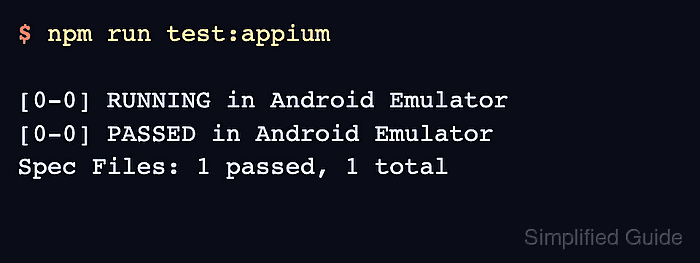
- Confirm that the Appium test command runs without manual prompts.
$ npm run test:appium
[0-0] RUNNING in Android Emulator
[0-0] PASSED in Android Emulator
Spec Files: 1 passed, 1 total
Use the package script that runs the existing Appium suite in CI. The workflow file calls npm run test:appium, so rename either the package script or the workflow command before pushing.
- Create the workflow directory.
$ mkdir -p .github/workflows
- Add the Android Appium workflow file.
- appium-android.yml
name: Appium Android CI

on:
  pull_request:
  push:
    branches: [ main ]
  workflow_dispatch:

jobs:
  appium-android:
    runs-on: ubuntu-latest
    timeout-minutes: 45

    steps:
      - uses: actions/checkout@v6
      - uses: actions/setup-node@v6
        with:
          node-version: 22
          cache: npm
      - run: npm ci
      - run: npm install -g appium
      - run: appium driver install uiautomator2
      - name: Enable KVM permissions
        run: |
          KVM_RULE_FILE=/etc/udev/rules.d/99-kvm4all.rules
          printf '%s%s\n' \
            'KERNEL=="kvm", GROUP="kvm", MODE="0666", ' \
            'OPTIONS+="static_node=kvm"' \
            | sudo tee "$KVM_RULE_FILE"
          sudo udevadm control --reload-rules
          sudo udevadm trigger --name-match=kvm
      - name: Run Appium tests on Android emulator
        uses: >-
          reactivecircus/android-emulator-runner@v2
        with:
          api-level: 35
          target: google_apis
          arch: x86_64
          profile: pixel_6
          script: |
            appium \
              --address 127.0.0.1 \
              --port 4723 \
              --log appium.log &
            APPIUM_PID=$!
            trap 'kill "$APPIUM_PID"' EXIT
            curl \
              --retry 30 \
              --retry-all-errors \
              --retry-delay 1 \
              --fail \
              --silent \
              http://127.0.0.1:4723/status
            npm run test:appium
      - name: Upload Appium log
        if: always()
        uses: actions/upload-artifact@v7
        with:
          name: appium-log
          path: appium.log
          if-no-files-found: ignore
Replace api-level, profile, and the npm script with values that match the app under test. Keep KVM enabled on Linux hosted runners so the emulator can use hardware acceleration.
- Push the branch containing the workflow file to GitHub.
- Check the completed job log.
Run Appium tests on Android emulator
{
  "value": {
    "ready": true,
    "message": "Appium is ready",
    "build": { "version": "3.5.0" }
  }
}

> mobile-tests@1.0.0 test:appium
> wdio run wdio.conf.js

[0-0] RUNNING in Android Emulator
[0-0] PASSED in Android Emulator
Spec Files: 1 passed, 1 total
The status endpoint line proves the Appium server answered before the test command ran. The test runner lines should show the expected Android suite and a passing conclusion.