How to audit Apache access logs for security threats
Reviewing the Apache access log helps separate routine traffic from reconnaissance, brute-force probing, and exploit attempts while the original request details are still available. A focused audit pass shows which clients are active, which paths they target, which status codes they receive, and whether the pattern deserves deeper investigation before a block or incident handoff.
Apache writes request records through mod_log_config. CustomLog chooses the destination file and format, while LogFormat defines fields such as client address, timestamp, request line, final status, byte count, referrer, and user agent. Current Debian and Ubuntu packages still define the default combined access log in the enabled default virtual host.
Accurate interpretation depends on the active log file, proxy chain, and retention window on the host being audited. Rotated logs may hold the earlier part of an incident, compressed files need zgrep or zless, and the first address field may be a reverse proxy rather than the original client unless mod_remoteip or an equivalent trusted-proxy setup rewrites it. Treat pattern matches as leads, then confirm suspicious requests against the matching Apache error-log window, WAF audit log, application log, or change record before declaring an incident.
Steps to audit Apache access logs for security threats:
- Identify the active Apache access-log files before searching blindly.
$ sudo grep -R -nE 'LogFormat|CustomLog' /etc/apache2
/etc/apache2/apache2.conf:212:LogFormat "%v:%p %h %l %u %t \"%r\" %>s %O \"%{Referer}i\" \"%{User-Agent}i\"" vhost_combined
/etc/apache2/apache2.conf:213:LogFormat "%h %l %u %t \"%r\" %>s %O \"%{Referer}i\" \"%{User-Agent}i\"" combined
/etc/apache2/apache2.conf:214:LogFormat "%h %l %u %t \"%r\" %>s %O" common
/etc/apache2/sites-enabled/000-default.conf:21:    CustomLog ${APACHE_LOG_DIR}/access.log combined
/etc/apache2/conf-enabled/other-vhosts-access-log.conf:2:CustomLog ${APACHE_LOG_DIR}/other_vhosts_access.log vhost_combined
On RHEL-family systems, search /etc/httpd/ instead and expect log files such as /var/log/httpd/access_log plus the httpd service name.
Related: Location for Apache configuration
- List the current and rotated copies of the access log so the available audit window is clear.
$ sudo ls -lh /var/log/apache2/access.log*
-rw-r----- 1 root adm  1.4K Jun  6 08:15 /var/log/apache2/access.log
-rw-r----- 1 root root 1.4K Jun  6 08:15 /var/log/apache2/access.log.1
-rw-r----- 1 root root  410 Jun  6 08:15 /var/log/apache2/access.log.1.gz
Use zgrep or zless on compressed rotations so earlier probe traffic is not missed just because it has already been archived.
- Inspect the incident minute to confirm the field order before counting or filtering.
$ sudo grep '09/Apr/2026:04:57' /var/log/apache2/access.log
203.0.113.45 - - [09/Apr/2026:04:57:41 +0000] "PROPFIND / HTTP/1.1" 405 495 "-" "Mozilla/5.0 (X11; Linux x86_64)"
198.51.100.23 - - [09/Apr/2026:04:57:44 +0000] "GET /search?q=%3Cscript%3Ealert(1)%3C%2Fscript%3E HTTP/1.1" 404 432 "-" "curl/8.7.1"
203.0.113.45 - - [09/Apr/2026:04:57:46 +0000] "GET /wp-login.php HTTP/1.1" 404 432 "-" "Mozilla/5.0 (X11; Linux x86_64)"
203.0.113.45 - - [09/Apr/2026:04:57:47 +0000] "GET /.env HTTP/1.1" 404 432 "-" "Mozilla/5.0 (X11; Linux x86_64)"
##### snipped #####
In the packaged combined layout, the request line is quoted, the status code follows it, and the first field is the client address recorded by the current log format. Replace the timestamp with the window under review.
- Count the highest-volume source IP addresses to spot scanners and abusive clients quickly.
$ sudo awk '{print $1}' /var/log/apache2/access.log | sort | uniq -c | sort -nr
      9 203.0.113.45
      2 198.51.100.23
      1 192.0.2.66
If a reverse proxy or load balancer sits in front of Apache, confirm whether this first field is the real client or the proxy address before blocking anything.
- Count HTTP methods so unexpected verbs stand out immediately.
$ sudo awk '{print $6}' /var/log/apache2/access.log | tr -d '"' | sort | uniq -c | sort -nr
     11 GET
      1 PROPFIND
Rare methods such as PROPFIND, PUT, DELETE, TRACE, or CONNECT often come from WebDAV probes, scanners, or misconfigured clients rather than normal browser traffic.
- Review missing-page probes to see which applications or admin paths are being targeted.
$ sudo awk '$9 == 404 {print $7}' /var/log/apache2/access.log | sort | uniq -c | sort -nr
      1 /xmlrpc.php
      1 /wp-login.php
      1 /search?q=%3Cscript%3Ealert(1)%3C%2Fscript%3E
      1 /product?id=1%20union%20select%201,2,3
      1 /phpmyadmin/
      1 /api?cmd=id
      1 /.env
      1 /%2e%2e%2f%2e%2e%2fetc%2fpasswd
Clusters of 404 hits against WordPress, admin panels, framework files, backup files, leaked repository paths, or traversal strings usually indicate reconnaissance rather than routine browsing.
- Review authentication and authorization failures for credential stuffing or permission probing.
$ sudo awk '$9 == 401 || $9 == 403 {print $1, $7, $9}' /var/log/apache2/access.log
203.0.113.45 /admin 401
203.0.113.45 /server-status 403
Large runs of 401 responses against a login path can indicate password spraying, and repeated 403 hits against admin or status URLs usually mean the client is enumerating restricted resources.
- Search for common exploit-target paths and configuration leaks directly in the request line.
$ sudo grep -Ei '"(GET|POST) /(wp-login\.php|xmlrpc\.php|\.env|phpmyadmin|\.git|admin|setup|config)' /var/log/apache2/access.log
203.0.113.45 - - [09/Apr/2026:04:57:46 +0000] "GET /wp-login.php HTTP/1.1" 404 432 "-" "Mozilla/5.0 (X11; Linux x86_64)"
203.0.113.45 - - [09/Apr/2026:04:57:47 +0000] "GET /.env HTTP/1.1" 404 432 "-" "Mozilla/5.0 (X11; Linux x86_64)"
203.0.113.45 - - [09/Apr/2026:04:57:48 +0000] "GET /phpmyadmin/ HTTP/1.1" 404 432 "-" "Mozilla/5.0 (X11; Linux x86_64)"
203.0.113.45 - - [09/Apr/2026:04:57:51 +0000] "GET /xmlrpc.php HTTP/1.1" 404 432 "-" "Mozilla/5.0 (X11; Linux x86_64)"
203.0.113.45 - - [09/Apr/2026:04:57:52 +0000] "GET /admin HTTP/1.1" 401 384 "-" "Mozilla/5.0 (X11; Linux x86_64)"
Any 200 or 206 response for high-risk paths such as /.env or /.git needs immediate investigation because the request may have reached sensitive content instead of a harmless 404.
- Search for encoded payloads that suggest traversal, XSS, SQL injection, or command-injection testing.
$ sudo grep -Ei '(\.\./|%2e%2e%2f|%2fetc%2fpasswd|%3cscript%3e|<script|union%20select|cmd=|exec=)' /var/log/apache2/access.log
198.51.100.23 - - [09/Apr/2026:04:57:44 +0000] "GET /search?q=%3Cscript%3Ealert(1)%3C%2Fscript%3E HTTP/1.1" 404 432 "-" "curl/8.7.1"
203.0.113.45 - - [09/Apr/2026:04:57:49 +0000] "GET /%2e%2e%2f%2e%2e%2fetc%2fpasswd HTTP/1.1" 404 432 "-" "Mozilla/5.0 (X11; Linux x86_64)"
203.0.113.45 - - [09/Apr/2026:04:57:50 +0000] "GET /product?id=1%20union%20select%201,2,3 HTTP/1.1" 404 432 "-" "Mozilla/5.0 (X11; Linux x86_64)"
198.51.100.23 - - [09/Apr/2026:04:57:55 +0000] "GET /api?cmd=id HTTP/1.1" 404 432 "-" "curl/8.7.1"
These patterns are intentionally broad. Tune them for the application on the host so normal search queries or API parameters are not mistaken for exploitation.
- Build a suspect list by counting which IPs hit high-risk paths or payloads most often.
$ sudo grep -Ei '(wp-login\.php|xmlrpc\.php|\.env|phpmyadmin|%2e%2e%2f|%3cscript%3e|union%20select|cmd=|exec=)' /var/log/apache2/access.log | awk '{print $1}' | sort | uniq -c | sort -nr
      6 203.0.113.45
      2 198.51.100.23
This produces a short review list before exporting evidence or adding a temporary block.
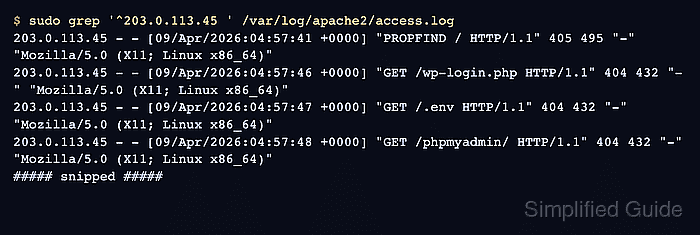
- Pivot into one suspect IP to see the request sequence from that client.
$ sudo grep '^203.0.113.45 ' /var/log/apache2/access.log
203.0.113.45 - - [09/Apr/2026:04:57:41 +0000] "PROPFIND / HTTP/1.1" 405 495 "-" "Mozilla/5.0 (X11; Linux x86_64)"
203.0.113.45 - - [09/Apr/2026:04:57:46 +0000] "GET /wp-login.php HTTP/1.1" 404 432 "-" "Mozilla/5.0 (X11; Linux x86_64)"
203.0.113.45 - - [09/Apr/2026:04:57:47 +0000] "GET /.env HTTP/1.1" 404 432 "-" "Mozilla/5.0 (X11; Linux x86_64)"
203.0.113.45 - - [09/Apr/2026:04:57:48 +0000] "GET /phpmyadmin/ HTTP/1.1" 404 432 "-" "Mozilla/5.0 (X11; Linux x86_64)"
203.0.113.45 - - [09/Apr/2026:04:57:49 +0000] "GET /%2e%2e%2f%2e%2e%2fetc%2fpasswd HTTP/1.1" 404 432 "-" "Mozilla/5.0 (X11; Linux x86_64)"
##### snipped #####
Replace 203.0.113.45 with an address from the suspect list so the review stays focused on one source at a time.
- Correlate suspicious requests with the Apache error log before treating the access-log pattern as a confirmed incident.
$ sudo grep 'Apr 09 04:57' /var/log/apache2/error.log
[Thu Apr 09 04:57:53.521313 2026] [authz_core:error] [pid 14927:tid 14963] [client 203.0.113.45:0] AH01630: client denied by server configuration: /var/www/html/server-status
Matching timestamps, client addresses, and request paths across the access log and error log give stronger evidence than a one-line pattern hit by itself.
Related: How to restrict access by IP in Apache
Related: How to block user agents in Apache