How to view a list of modules in Apache
Listing the modules that Apache has loaded shows which features the server can actually use for request handling, authentication, TLS, URL rewriting, compression, and status reporting. A current module list is often the fastest way to explain why a directive works on one host but fails on another.
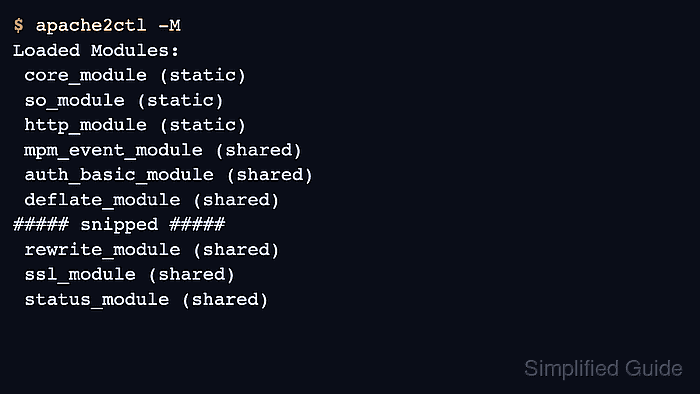
Apache can load modules that are compiled into the httpd binary or shared modules declared with LoadModule in the active configuration. The official httpd options -M and -l dump the loaded and compiled-in module sets, and most Unix platforms expose the same checks through apachectl. On Debian and Ubuntu, apache2ctl and a2query add packaging-aware views of the same configuration tree.
A directory listing under /etc/apache2/mods-available shows what the package installed, not what the running configuration actually loaded. Treat /etc/apache2/mods-enabled and a2query as Debian-family state checks, and use apachectl -M, apache2ctl -M, or httpd -M to confirm the live module set. Because these commands parse the current configuration, startup warnings can appear before the module list and should be reviewed before further changes.
Related: How to locate Apache configuration files
Related: How to enable or disable Apache modules
Related: How to test Apache configuration
Steps to view loaded or available Apache modules:
- Dump the modules that the current Apache configuration loads.
$ apache2ctl -M
Loaded Modules:
 core_module (static)
 so_module (static)
 http_module (static)
 mpm_event_module (shared)
 authn_file_module (shared)
##### snipped #####
 rewrite_module (shared)
 ssl_module (shared)
Use apache2ctl -M on Debian and Ubuntu when that wrapper is the packaged control command, or httpd -M on platforms that expose the server binary directly. Because the command parses the active configuration, startup warnings can appear before Loaded Modules:.
- Filter the loaded module list for one module name.
$ apache2ctl -M | grep -i rewrite
 rewrite_module (shared)
apache2ctl -M reports the loaded symbol as rewrite_module, while Debian-family helper tools usually use the shorter module name rewrite.
- Show only the modules that are compiled into the server binary.
$ apache2ctl -l
Compiled in modules:
  core.c
  mod_so.c
  mod_watchdog.c
  http_core.c
  mod_log_config.c
  mod_logio.c
  mod_version.c
  mod_unixd.c
  mod_systemd.c
The official httpd -l option lists built-in modules only, so shared modules such as mod_rewrite appear in the -M output instead.
- List enabled modules with the Debian and Ubuntu packaging helper.
$ a2query -m
rewrite (enabled by site administrator)
mime (enabled by maintainer script)
autoindex (enabled by maintainer script)
alias (enabled by maintainer script)
##### snipped #####
access_compat (enabled by maintainer script)
deflate (enabled by maintainer script)
a2query -m reports module names as package-managed entries and shows whether they were enabled by the administrator or by the package maintainer scripts.
- List the module definition files that Debian and Ubuntu packages make available to enable.
$ ls /etc/apache2/mods-available
access_compat.load
actions.conf
actions.load
alias.conf
alias.load
##### snipped #####
rewrite.load
ssl.conf
ssl.load
.load files carry the LoadModule declaration, and matching .conf files add module-specific defaults when the module is enabled.
- List the module definition files that are currently enabled on Debian and Ubuntu.
$ ls /etc/apache2/mods-enabled
access_compat.load
alias.conf
alias.load
auth_basic.load
##### snipped #####
rewrite.load
setenvif.conf
setenvif.load
These entries are usually symlinks back to /etc/apache2/mods-available, so the enabled directory shows which packaged module files are active.
- Query the packaged status of one module on Debian and Ubuntu.
$ a2query -m rewrite
rewrite (enabled by site administrator)
a2query reads the local Apache 2 configuration and reports whether the named module is enabled without requiring the full loaded-module dump.
- View the LoadModule line behind an enabled shared module on Debian and Ubuntu.
$ cat /etc/apache2/mods-enabled/rewrite.load
LoadModule rewrite_module /usr/lib/apache2/modules/mod_rewrite.so
Files under /etc/apache2/mods-enabled are usually symlinks, so use the matching file under /etc/apache2/mods-available when an actual configuration change is needed.