How to make Apache listen on a specific IP address
Binding Apache to one local address limits which network path can reach the web server. This is useful for internal applications, reverse-proxy backends, staging sites, and hosts that carry both public and private interfaces.
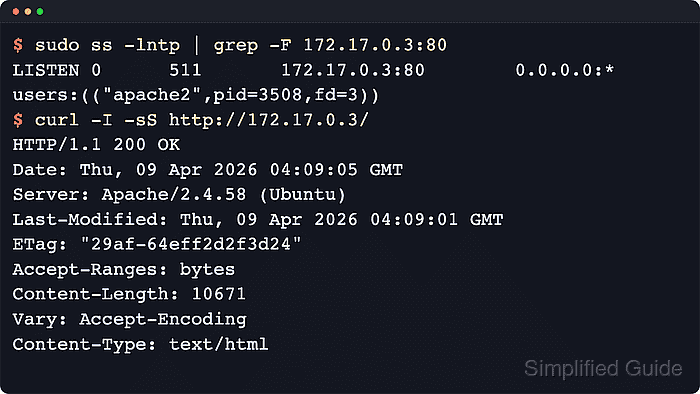
The Listen directive controls which local address and TCP port Apache HTTP Server opens. Listen 80 accepts connections on all interfaces for that port, while Listen 192.0.2.40:80 and Listen [2001:db8::40]:80 restrict the socket to one IPv4 or IPv6 address. Apache binds to IP addresses, not interface names such as eth0, so the correct address must be selected from the target interface first.
Examples below use the Debian and Ubuntu layout with /etc/apache2/ports.conf, the apache2 service name, and apache2ctl for syntax checks. The target address must already exist on the host when Apache starts, and listener changes need a real restart because a graceful reload can keep the old socket bound even when the new Listen line parses cleanly.
Related: How to change the listen port for Apache
Related: How to test Apache configuration
Related: How to manage the Apache web server service
Steps to make Apache listen on a specific IP address:
- Identify the address on the interface that should accept connections.
$ ip -br -4 address
lo               UNKNOWN        127.0.0.1/8
##### snipped #####
eth0             UP             192.0.2.40/24
Use ip -br -6 address for IPv6 listeners. Apache uses the address itself, not the interface name.
- Review the listener lines in the Debian or Ubuntu listener file.
$ sudo grep -n 'Listen' /etc/apache2/ports.conf
5:Listen 80
8:	Listen 443
12:	Listen 443
On RHEL-family systems, the Listen directive is usually in /etc/httpd/conf/httpd.conf or an included file under /etc/httpd/conf.d/.
- Open the file that defines those listeners.
$ sudoedit /etc/apache2/ports.conf
sudoedit keeps the editor running as the unprivileged user while saving the file as root.
- Replace the wildcard listener with the address that should accept HTTP traffic.
Listen 192.0.2.40:80
If HTTPS is enabled on the same address, update the matching Listen 443 line in the same file to Listen 192.0.2.40:443 as well. Use Listen 127.0.0.1:80 for a loopback-only backend, and brackets for IPv6 such as Listen [2001:db8::40]:80.
The address must already exist on the host. Apache cannot bind to an address that is missing at startup, and overlapping Listen lines will prevent the service from starting.
- Review enabled virtual hosts that use the same port.
$ sudo apache2ctl -S
VirtualHost configuration:
*:80                   default.example.net (/etc/apache2/sites-enabled/000-default.conf:1)
ServerRoot: "/etc/apache2"
##### snipped #####
<VirtualHost *:80> still works when this Apache instance listens on only one address for port 80. Use an address-specific block such as <VirtualHost 192.0.2.40:80> only when different virtual hosts must answer on different local addresses.
- Validate the configuration syntax before replacing the live sockets.
$ sudo apache2ctl configtest
Syntax OK
This confirms that the configuration parses, but the actual bind still happens during the restart. Use sudo apachectl -t or sudo httpd -t on platforms that ship those control names instead.
Related: How to test Apache configuration
- Restart the apache2 service so Apache closes the old listener and binds the new address.
$ sudo systemctl restart apache2
Do not rely on reload or apache2ctl graceful for Listen changes. A graceful reload can leave the previous socket bound even when the new Listen directive is valid.
On RHEL-family systems, the unit name is usually httpd.
- Confirm that the service is active after the restart.
$ sudo systemctl is-active apache2
active
If the service does not return active, inspect sudo journalctl --unit=apache2 --no-pager --lines=40 before retrying.
- Confirm that the expected address and port are listening.
$ ss -lnt 'sport = :80'
State  Recv-Q Send-Q Local Address:Port Peer Address:Port
LISTEN 0      511       192.0.2.40:80       0.0.0.0:*
Repeat the check for every active listener that was changed, such as 192.0.2.40:443 for HTTPS.
- Verify that the site responds on the bound address.
$ curl -I -sS http://192.0.2.40/
HTTP/1.1 200 OK
Date: Thu, 09 Apr 2026 04:09:05 GMT
Server: Apache/2.4.58 (Ubuntu)
Last-Modified: Thu, 09 Apr 2026 04:09:01 GMT
ETag: "29af-64eff2d2f3d24"
Accept-Ranges: bytes
Content-Length: 10671
Vary: Accept-Encoding
Content-Type: text/html
If the previous address should stop serving this site, test that old endpoint from another host on the same network path or run the same ss check against it to confirm no listener remains.