How to disable HTTP methods in Apache
Disabling HTTP methods that the site does not use reduces Apache's exposed request surface and stops clients from reaching request paths the application never intended to serve. A tight method allowlist also makes unexpected 405 or 403 responses easier to interpret during security reviews and log analysis.
Apache 2.4 can scope access rules to request verbs inside request-matching sections such as <Location>. A core <LimitExcept> block with Require all denied works on a standard install without loading another module, and Apache treats GET and HEAD as equivalent inside that allowlist.
Pick the allowlist before reloading the vhost. Browsers may need OPTIONS for CORS preflight, APIs may legitimately require PUT, PATCH, or DELETE, and TRACE is not controlled by <LimitExcept>, so keep TraceEnable off as a separate hardening setting and validate the configuration before applying it.
Related: How to test Apache configuration
Related: How to manage the Apache web server service
Steps to disable HTTP methods in Apache:
- Open the Apache virtual host that serves the site.
$ sudo vi /etc/apache2/sites-available/000-default.conf
On Debian and Ubuntu, enabled vhosts are typically linked from /etc/apache2/sites-enabled. If the site also serves HTTPS, update the matching TLS vhost such as /etc/apache2/sites-available/default-ssl.conf as well.
- Inside the active <VirtualHost> block, keep TraceEnable set to off.
<VirtualHost *:80>
    ServerName host.example.net
    DocumentRoot /var/www/html

    TraceEnable off
</VirtualHost>
Do not rely on <LimitExcept> to block TRACE. Apache controls TRACE separately with TraceEnable.
- Add a method allowlist for the URL space the vhost serves.
<VirtualHost *:80>
    ServerName host.example.net
    DocumentRoot /var/www/html

    TraceEnable off

    <Location "/">
        <LimitExcept GET POST>
            Require all denied
        </LimitExcept>
    </Location>
</VirtualHost>
Any method not named inside <LimitExcept> is denied. Add OPTIONS when browser clients need CORS preflight, and keep verbs such as PUT, PATCH, or DELETE only when the application actually uses them.
Method names are case-sensitive. Apache treats GET and HEAD as equivalent here, so allowing GET also keeps HEAD working.
- Save the updated vhost file.
- Test the Apache configuration before reloading it.
$ sudo apache2ctl configtest
Syntax OK
Use sudo apachectl -t or sudo httpd -t on platforms that ship different control wrappers.
Related: How to test Apache configuration
- Reload Apache so the new method rules take effect.
$ sudo systemctl reload apache2
On hosts where systemd is not managing Apache directly, use sudo apache2ctl graceful or the platform-equivalent reload command instead.
- Confirm that Apache is still running after the reload.
$ sudo systemctl is-active apache2
active
If the service does not report active, inspect the journal or error log before retrying the reload.
- Verify that TRACE requests are blocked.
$ curl -sS -D - -o /dev/null -X TRACE -H 'Host: host.example.net' http://127.0.0.1/
HTTP/1.1 405 Method Not Allowed
Date: Sat, 06 Jun 2026 07:58:15 GMT
Server: Apache/2.4.66 (Ubuntu)
Allow:
Content-Length: 344
Content-Type: text/html; charset=iso-8859-1
A 405 Method Not Allowed response here confirms that TraceEnable off is active for the request.
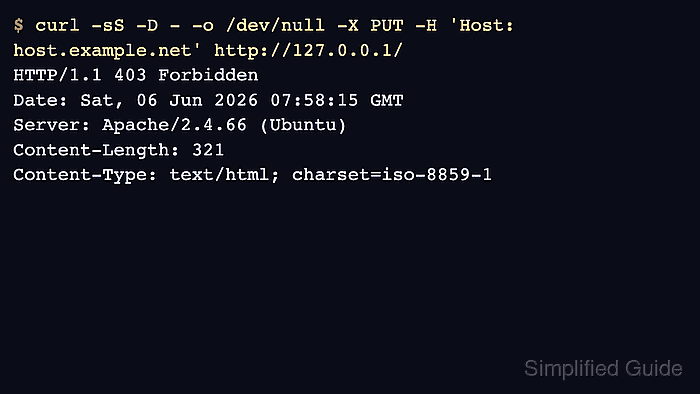
- Verify that a method outside the allowlist is denied.
$ curl -sS -D - -o /dev/null -X PUT -H 'Host: host.example.net' http://127.0.0.1/
HTTP/1.1 403 Forbidden
Date: Sat, 06 Jun 2026 07:58:15 GMT
Server: Apache/2.4.66 (Ubuntu)
Content-Length: 321
Content-Type: text/html; charset=iso-8859-1
If this request must succeed for the application, add that method to the <LimitExcept> list before reloading again.
- Verify that an allowlisted HEAD request still succeeds through the GET allowlist.
$ curl -sSI -H 'Host: host.example.net' http://127.0.0.1/
HTTP/1.1 200 OK
Date: Sat, 06 Jun 2026 07:58:15 GMT
Server: Apache/2.4.66 (Ubuntu)
Last-Modified: Sat, 06 Jun 2026 07:58:14 GMT
ETag: "16-6539123ae7aaa"
Accept-Ranges: bytes
Content-Length: 22
Content-Type: text/html