How to fix "Could not reliably determine the server’s fully qualified domain name" warning in Apache
When Apache starts without a usable global ServerName, it emits the AH00558 fully qualified domain name warning and falls back to a guessed identity for the main server. Fixing that warning keeps syntax checks and reloads readable, and it avoids ambiguity when the server needs to identify itself for redirects or other self-referential URLs.
On Debian and Ubuntu packages, Apache reads the main server configuration from /etc/apache2/apache2.conf, then loads extra snippets from /etc/apache2/conf-enabled/ and site definitions from /etc/apache2/sites-enabled/. If no global ServerName is defined anywhere in that chain, Apache asks the operating system for a hostname and may fall back to reverse lookup or another detected value, which is what triggers AH00558.
The steps below use a dedicated drop-in file under /etc/apache2/conf-available/ so the packaged main file stays untouched. Choose a hostname that should represent the base server and that resolves to this host, or use localhost only for a local-only or simple default-site setup; if any name-based <VirtualHost> block omits its own ServerName, it can inherit the global value and match requests in ways you did not intend.
Steps to fix the Apache fully qualified domain name warning:
- Confirm that Apache is currently reporting the warning.
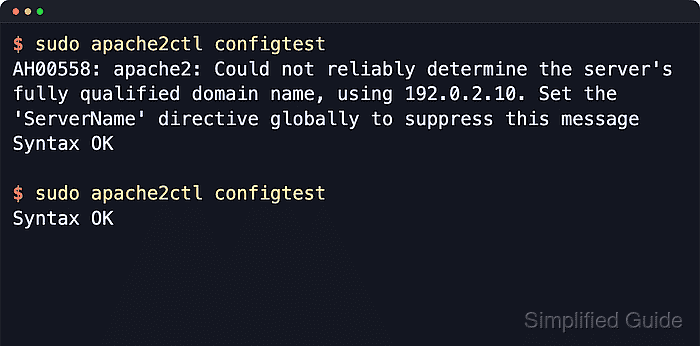
$ sudo apache2ctl configtest
AH00558: apache2: Could not reliably determine the server's fully qualified domain name, using 192.0.2.10. Set the 'ServerName' directive globally to suppress this message
Syntax OK
On systems that ship apachectl or httpd instead, run sudo apachectl -t or sudo httpd -t for the same syntax check.
Related: How to test Apache configuration
- Create a dedicated global ServerName snippet for the main server.
$ printf 'ServerName host.example.net\n' | sudo tee /etc/apache2/conf-available/fqdn.conf >/dev/null
Use the hostname that should represent the base server, not a throwaway value; choose localhost only when the server is meant to answer locally or as a simple default host. When Apache is behind a TLS offloader or reverse proxy and must generate public HTTPS URLs, include the public scheme and port, such as ServerName https://host.example.net:443.
- Enable the new Apache configuration snippet.
$ sudo a2enconf fqdn
Enabling conf fqdn.
To activate the new configuration, you need to run:
  service apache2 reload
a2enconf is the Debian and Ubuntu helper for files under /etc/apache2/conf-available/. On RHEL-style packages, place the same ServerName line in /etc/httpd/conf/httpd.conf or a file under /etc/httpd/conf.d/ instead.
- Re-run the Apache syntax test and confirm that only a clean result remains.
$ sudo apache2ctl configtest
Syntax OK
If you host multiple name-based sites, set an explicit ServerName inside each <VirtualHost> block that should answer a real hostname; otherwise the global name can be inherited by vhosts that omit it.
Related: How to test Apache configuration
- Reload Apache so the running service picks up the new global server name.
$ sudo systemctl reload apache2
Use sudo systemctl reload httpd on RHEL-family systems, or the platform-equivalent graceful reload command when systemd is not managing the service.
- Confirm that Apache stayed active after the reload.
$ sudo systemctl is-active apache2
active
If the service does not return active, inspect the journal or error log before retrying the reload so you do not hide a separate configuration problem behind the original warning.