How to use custom error pages in Apache
Custom error pages in Apache turn missing URLs and server failures into controlled responses that keep visitors inside the site instead of dropping them onto a generic server message. A branded 404 page can send readers back to useful content, and a clear 500 page can explain that the fault is temporary instead of making the whole site look broken.
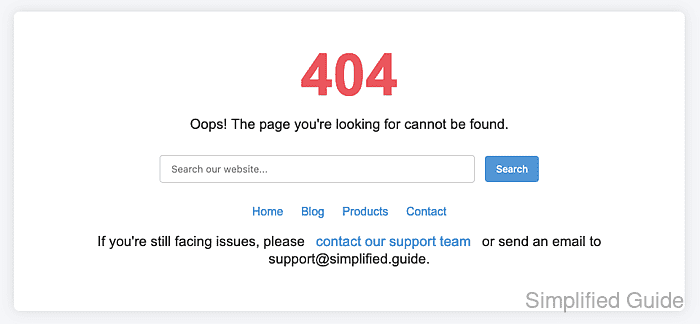
Apache maps these responses with the ErrorDocument directive. The directive can be set in server, VirtualHost, directory, or .htaccess context, but site-wide custom pages are usually easiest to manage in the active VirtualHost. A local URL-path keeps the original HTTP status code while serving your custom content, which is usually what you want for 404, 500, and similar responses.
These commands use a Debian or Ubuntu layout (/etc/apache2/, apache2ctl, apache2). On Red Hat-family systems the same job commonly uses /etc/httpd/, apachectl, and the httpd service. Keep custom error files simple and reachable from the same site so Apache does not recurse into another failure while trying to render the fallback page. If Apache is acting as a reverse proxy, frontend custom pages for backend failures may also require ProxyErrorOverride On.
Related: Location for Apache VirtualHost configuration
Related: How to test Apache configuration
Tool: .htaccess Generator
Steps to configure custom error pages in Apache:
- Open a terminal with an account that can use sudo.
- List the active VirtualHost definitions so you edit the site that is actually serving the request.
$ sudo apache2ctl -S
VirtualHost configuration:
*:80                   localhost (/etc/apache2/sites-enabled/000-default.conf:1)
ServerRoot: "/etc/apache2"
Main DocumentRoot: "/var/www/html"
Main ErrorLog: "/var/log/apache2/error.log"
Mutex default: dir="/run/apache2/" mechanism=default
Mutex watchdog-callback: using_defaults
PidFile: "/run/apache2/apache2.pid"
Define: DUMP_VHOSTS
Define: DUMP_RUN_CFG
User: name="www-data" id=33
Group: name="www-data" id=33
On Debian and Ubuntu, files under /etc/apache2/sites-enabled/ are usually symlinks to the editable definitions in /etc/apache2/sites-available/.
- Create a directory for the custom documents under the site DocumentRoot.
$ sudo install -d -m 0755 /var/www/html/errors
The ErrorDocument value is a local URL-path from the site root, so a file stored at /var/www/html/errors/404.html is referenced as /errors/404.html.
- Create a static 404 page that Apache can serve without application dependencies.
$ sudo tee /var/www/html/errors/404.html >/dev/null <<'EOF'
<!doctype html>
<html lang="en">
<head>
  <meta charset="utf-8">
  <title>404 - Not Found</title>
  <meta name="viewport" content="width=device-width, initial-scale=1">
</head>
<body>
  <h1>404 - Not Found</h1>
  <p>The requested URL was not found on this server.</p>
  <p><a href="/">Back to home</a></p>
</body>
</html>
EOF
- Create a static 500 page for unexpected application or server faults.
$ sudo tee /var/www/html/errors/500.html >/dev/null <<'EOF'
<!doctype html>
<html lang="en">
<head>
  <meta charset="utf-8">
  <title>500 - Server Error</title>
  <meta name="viewport" content="width=device-width, initial-scale=1">
</head>
<body>
  <h1>500 - Server Error</h1>
  <p>A server error occurred while processing the request.</p>
  <p><a href="/">Back to home</a></p>
</body>
</html>
EOF
Use the same pattern for other status codes such as 403, 410, or 503 when the site needs distinct fallback pages.
- Open the active site configuration file.
$ sudo vi /etc/apache2/sites-available/000-default.conf
- Add the ErrorDocument mappings inside the relevant VirtualHost block.
<VirtualHost *:80>
  ServerName host.example.net
  DocumentRoot /var/www/html

  ErrorDocument 404 /errors/404.html
  ErrorDocument 500 /errors/500.html
</VirtualHost>
Use a local URL-path such as /errors/404.html, not a filesystem path such as /var/www/html/errors/404.html. An external URL makes Apache send a client redirect instead of the original error status, and a 401 custom page must stay local so browsers still know to prompt for authentication.
- Save the configuration changes and close the editor.
- Check the configuration syntax before you reload the service.
$ sudo apache2ctl configtest
Syntax OK
Syntax OK confirms that Apache parsed the configuration without errors.
Related: How to test Apache configuration
- Reload the apache2 service.
$ sudo systemctl reload apache2
Use sudo systemctl restart apache2 when a reload fails or a full restart is required.
- Request a missing URL and confirm Apache serves the custom content while keeping the response status at 404.
$ curl --silent --show-error -i http://127.0.0.1/no-such-page
HTTP/1.1 404 Not Found
Date: Sat, 06 Jun 2026 07:52:47 GMT
Server: Apache/2.4.66 (Ubuntu)
Last-Modified: Sat, 06 Jun 2026 07:52:47 GMT
ETag: W/"142-6539110306313"
Accept-Ranges: bytes
Content-Length: 322
Content-Type: text/html

<!doctype html>
<html lang="en">
<head>
  <meta charset="utf-8">
  <title>404 - Not Found</title>
  <meta name="viewport" content="width=device-width, initial-scale=1">
</head>
<body>
  <h1>404 - Not Found</h1>
  <p>The requested URL was not found on this server.</p>
  <p><a href="/">Back to home</a></p>
</body>
</html>
When multiple name-based VirtualHost entries share the same IP and port, repeat the check with a matching header such as curl -i -H 'Host: host.example.net' http://127.0.0.1/no-such-page.
The success state is not only the custom body. The status line should still show 404 Not Found instead of a 3xx redirect.