How to test Apache configuration
Run an Apache configuration test before reloading a changed site, module, or snippet so a typo does not interrupt the running service. The syntax test reads the active configuration tree and reports parser errors while the current worker processes continue serving requests.
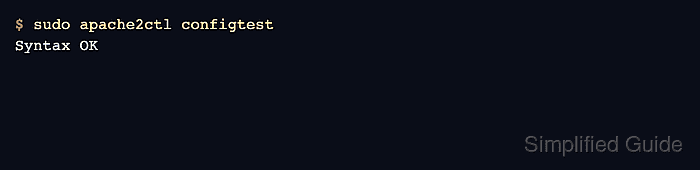
The apache2ctl or apachectl wrapper passes the check to the underlying httpd binary. The configtest command is equivalent to -t, and it exits with Syntax OK on success or a nonzero status plus the first failing file and line on a syntax error.
The examples below use the Debian and Ubuntu layout under /etc/apache2/ and the apache2 systemd unit. Other distributions commonly use apachectl -t or httpd -t, and a clean parse still needs a reload plus a service or HTTP check because the syntax parser does not prove ports, certificates, document roots, or backends are usable at runtime.
Steps to test Apache configuration:
- Open the Apache configuration file or virtual host file that changed.
$ sudo vi /etc/apache2/sites-available/www.example.net.conf
Common Debian and Ubuntu edit locations include /etc/apache2/apache2.conf, /etc/apache2/sites-available/, and /etc/apache2/conf-available/.
- Run the Apache syntax test before applying the change.
$ sudo apache2ctl configtest
AH00526: Syntax error on line 1 of /etc/apache2/conf-enabled/zz-broken.conf:
Invalid command 'ServerNmae', perhaps misspelled or defined by a module not included in the server configuration
apache2ctl configtest and apache2ctl -t run the same parser check. Use sudo apachectl -t or sudo httpd -t on platforms that ship those command names instead.
Related: Apache command names by distribution
- Fix the first reported file and line before checking anything else.
When the output points to a missing module instead of a misspelled directive, enable or install that module first, then run the syntax test again.
- Re-run the syntax test until Apache reports a clean parse.
$ sudo apache2ctl configtest
Syntax OK
A fresh Debian or Ubuntu install can print the AH00558 fully qualified domain name warning and still end with Syntax OK. Add a global ServerName if that warning should be removed.
- Reload Apache to apply the validated configuration without dropping active connections.
$ sudo systemctl reload apache2
Use sudo apache2ctl graceful when systemd is not managing the service. On Red Hat-family systems, the service unit is commonly httpd.
- Confirm that Apache is still active after the reload.
$ sudo systemctl is-active apache2
active
If the service does not return active, inspect the journal or error log before retrying the reload.
- Confirm that the server still answers HTTP requests after the reload.
$ curl -I -sS http://127.0.0.1/
HTTP/1.1 200 OK
Date: Sat, 06 Jun 2026 03:47:16 GMT
Server: Apache/2.4.66 (Ubuntu)
Last-Modified: Sat, 06 Jun 2026 03:47:15 GMT
ETag: "29b0-6538da2170de4"
Accept-Ranges: bytes
Content-Length: 10672
Vary: Accept-Encoding
Content-Type: text/html
Use the site hostname or a Host header that matches the active virtual host when localhost is not served by the configuration being tested.