How to change Apache user and group
Changing the Apache worker account changes which Unix permissions the web server uses when it reads site files, writes uploads or cache data, and connects to local application sockets. Use a dedicated service account for that work instead of widening permissions on the whole document root.
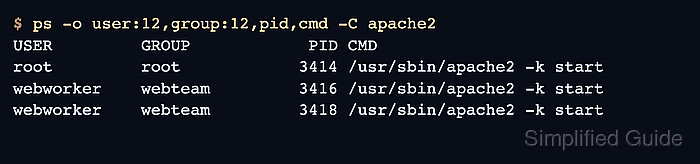
On Unix-family systems, Apache starts with enough privilege to bind its listening ports, then request-handling child processes switch to the configured User and Group. A root parent process in the process list is expected after a successful change; the child processes are the lines that must show the new account and group.
The steps below use the Debian and Ubuntu apache2 package layout, where /etc/apache2/apache2.conf contains User ${APACHE_RUN_USER} and Group ${APACHE_RUN_GROUP} and /etc/apache2/envvars supplies the actual names. The replacement account and group must exist before the restart, and only the content, upload, cache, or socket paths that Apache needs should be changed to match the new identity.
Steps to change Apache user and group:
- Print the active Apache run-time user and group before making changes.
$ sudo apache2ctl -t -D DUMP_RUN_CFG
ServerRoot: "/etc/apache2"
Main DocumentRoot: "/var/www/html"
Main ErrorLog: "/var/log/apache2/error.log"
##### snipped
User: name="www-data" id=33
Group: name="www-data" id=33
On RHEL-family systems, use sudo apachectl -t -D DUMP_RUN_CFG or sudo httpd -t -D DUMP_RUN_CFG when that is the packaged control command.
- Create the dedicated service group and user if they do not already exist.
$ sudo groupadd --system webteam
$ sudo useradd --system --gid webteam --home-dir /nonexistent --shell /usr/sbin/nologin webworker
Use names that match your local account policy. The account should not be a personal login user.
- Confirm that the replacement account and group resolve through the system account database.
$ getent passwd webworker
webworker:x:999:999::/nonexistent:/usr/sbin/nologin

$ getent group webteam
webteam:x:999:
The numeric UID and GID values vary by host; the lookup only needs to return the expected names.
- Open the Debian or Ubuntu Apache environment file.
$ sudoedit /etc/apache2/envvars
sudoedit writes the file as root while using the editor from $EDITOR.
- Set APACHE_RUN_USER and APACHE_RUN_GROUP to the replacement account and group.
- /etc/apache2/envvars
export APACHE_RUN_USER=webworker
export APACHE_RUN_GROUP=webteam
Do not set User or Group to root. The worker account should have only the file and directory access required to serve the site.
On RHEL-family systems, the same setting is usually written directly as User apache and Group apache in /etc/httpd/conf/httpd.conf or an included file instead of through /etc/apache2/envvars.
- Adjust ownership or group access only for paths that the new Apache worker identity must use.
$ sudo chown -R webworker:webteam /srv/www/www.example.net
Do not run a recursive ownership change against /var, /etc, or a shared parent directory. Limit the change to the document root, upload directories, cache directories, and socket directories that belong to the site.
- Test the Apache configuration before restarting the service.
$ sudo apache2ctl configtest
Syntax OK
A warning such as AH00558: Could not reliably determine the server's fully qualified domain name does not usually block the restart when the final line is Syntax OK.
Related: How to test Apache configuration
- Restart the Apache service so the parent process starts new workers with the updated identity.
$ sudo systemctl restart apache2
Use sudo systemctl restart httpd on RHEL-family systems.
- Confirm that systemd reports the service as active after the restart.
$ sudo systemctl is-active apache2
active
- Recheck the loaded Apache run-time configuration.
$ sudo apache2ctl -t -D DUMP_RUN_CFG
AH00558: apache2: Could not reliably determine the server's fully qualified domain name, using 203.0.113.10. Set the 'ServerName' directive globally to suppress this message
ServerRoot: "/etc/apache2"
Main DocumentRoot: "/var/www/html"
Main ErrorLog: "/var/log/apache2/error.log"
##### snipped
User: name="webworker" id=999
Group: name="webteam" id=999
- Verify that the request-handling child processes now run as the new user and group.
$ ps -o user:12,group:12,pid,cmd -C apache2
USER         GROUP            PID CMD
root         root            3414 /usr/sbin/apache2 -k start
webworker    webteam         3416 /usr/sbin/apache2 -k start
webworker    webteam         3418 /usr/sbin/apache2 -k start
The root line is the parent process. The request-handling child processes should show the replacement User and Group values.