How to run the Spark SQL CLI
Spark SQL can run ad hoc SQL from a terminal prompt, which helps data engineers check expressions or small result sets without opening a notebook or writing a PySpark script.
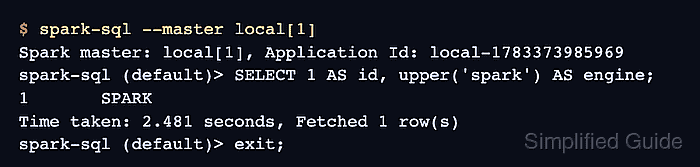
The spark-sql program launches a Spark driver, selects a database, and accepts SQL statements at the spark-sql (<database>)> prompt. A local master such as local[1] keeps the first check on the current machine while still using the same SQL engine.
Spark uses its normal Spark, Hive, and Hadoop configuration files when they are present, so the same CLI can reach configured catalogs and storage paths. JDBC and ODBC clients do not connect to this prompt; use the Spark Thrift Server for those clients.
Steps to run the Spark SQL CLI:
- Start the Spark SQL CLI in local mode.
$ spark-sql --master local[1]
Spark master: local[1], Application Id: local-1783373985969
spark-sql (default)>
Use ./bin/spark-sql from the Spark installation directory when the Spark bin directory is not on PATH. First startup can print metastore setup warnings before the prompt appears.
- Run a SQL statement at the prompt.
spark-sql (default)> SELECT 1 AS id, upper('spark') AS engine; 1 SPARK Time taken: 2.481 seconds, Fetched 1 row(s) - Exit the Spark SQL CLI.
spark-sql (default)> exit;
Use quit; or exit; to close the interactive prompt after the query returns.