Spark SQL can serve JDBC and ODBC clients through the Spark Thrift Server, a HiveServer2-compatible endpoint that runs SQL queries on Spark. Starting the server fits environments where Beeline, BI tools, or application clients need SQL access without embedding Spark code in each client.
The start-thriftserver.sh wrapper launches a Spark application and accepts normal spark-submit options, so the same command shape can target local mode, Standalone, YARN, Kubernetes, or another configured master. The listener uses HiveServer2 properties for its bind host and TCP port.
Run the first check from the Spark installation directory and keep the listener bound to 127.0.0.1 until the local Beeline smoke test passes. Use a cluster master URI and a network-reachable bind host only when remote JDBC or ODBC clients are supposed to connect.
Related: How to install Apache Spark on Ubuntu or Debian
Related: How to run the Spark SQL CLI
Related: How to open the Apache Spark web UI
Steps to start the Spark Thrift JDBC server:
- Change to the Spark installation directory.
$ cd /opt/spark
Use the directory that contains the Spark bin and sbin folders. The official Spark binary distribution includes sbin/start-thriftserver.sh.
- Start the Thrift server in local mode.
$ ./sbin/start-thriftserver.sh \
  --master local[1] \
  --hiveconf hive.server2.thrift.bind.host=127.0.0.1 \
  --hiveconf hive.server2.thrift.port=10000
starting org.apache.spark.sql.hive.thriftserver.HiveThriftServer2, logging to /opt/spark/logs/spark-spark-org.apache.spark.sql.hive.thriftserver.HiveThriftServer2-1-spark-node.out
Replace local[1] with a cluster master such as spark://spark-master.example.com:7077 when the server should submit queries to a Spark cluster.
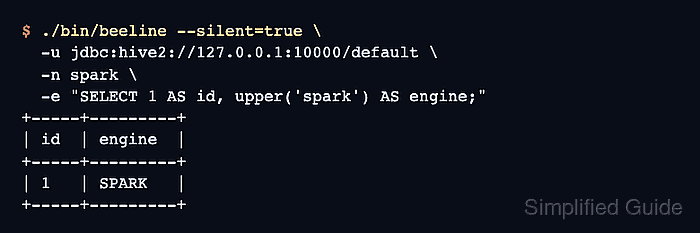
- Connect with Beeline and run a SQL smoke test.
$ ./bin/beeline --silent=true \
  -u jdbc:hive2://127.0.0.1:10000/default \
  -n spark \
  -e "SELECT 1 AS id, upper('spark') AS engine;"
+-----+---------+
| id  | engine  |
+-----+---------+
| 1   | SPARK   |
+-----+---------+
The returned row proves that the JDBC endpoint is listening and that Spark SQL can execute work through the Thrift Server.
- Stop the Thrift server after a local proof run when it should not remain available.
$ ./sbin/stop-thriftserver.sh
stopping org.apache.spark.sql.hive.thriftserver.HiveThriftServer2
Leave the process running only on hosts where the bind address, firewall rules, authentication, and catalog configuration are ready for JDBC or ODBC clients.

Mohd Shakir Zakaria is a cloud architect with deep roots in software development and open-source advocacy. Certified in AWS, Red Hat, VMware, ITIL, and Linux, he specializes in designing and managing robust cloud and on-premises infrastructures.


