How to run Apache Spark shell locally
The Spark shell is the Scala REPL that ships with Apache Spark for trying Dataset, DataFrame, and Spark SQL expressions against a live SparkSession. Running it in local mode is a quick way to prove that the Spark runtime and Java environment can start before a packaged job, notebook, or cluster submission depends on them.
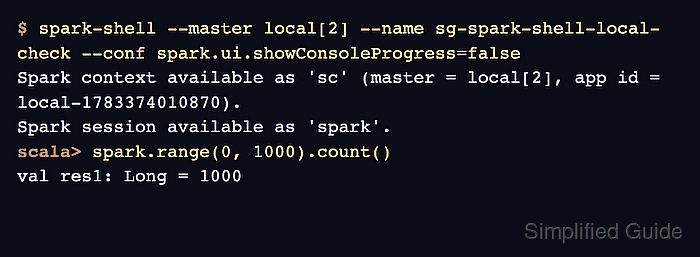
The local[2] master keeps the driver and two worker threads on the same machine. That still creates the normal sc Spark context and spark Spark session, but it avoids YARN, Kubernetes, Standalone, and Spark Connect services while testing the interactive shell.
Use a shell that already has spark-shell on PATH, or run the same command from the bin directory of an unpacked Spark distribution. Startup warnings can vary by Java version and operating system; the local master line, Spark session line, and DataFrame count are the success signals.
Related: How to run PySpark locally
Related: How to create a Spark DataFrame
Steps to run Apache Spark shell locally:
- Choose the local Spark shell values for the check.
Master: local[2]
Application name: sg-spark-shell-local-check
Proof action: spark.range(0, 1000).count()
local[2] runs Spark locally with two worker threads. Use local[*] for quick experiments that should use all available logical cores.
- Start spark-shell in local mode.
$ spark-shell --master local[2] --name sg-spark-shell-local-check --conf spark.ui.showConsoleProgress=false
WARNING: Using incubator modules: jdk.incubator.vector
Using Spark's default log4j profile: org/apache/spark/log4j2-defaults.properties
Setting default log level to "WARN".
##### snipped #####
Spark context Web UI available at http://localhost:4040
Spark context available as 'sc' (master = local[2], app id = local-1783374090219).
Spark session available as 'spark'.

scala>
If spark-shell is not found, install Spark or add the active Spark bin directory to the shell PATH. The Web UI port can move from 4040 to the next free port when another local Spark application is already running.
Related: How to install Apache Spark on Ubuntu or Debian - Reduce log output for the interactive check.
scala> spark.sparkContext.setLogLevel("ERROR") - Check that the shell is using the local master.
scala> spark.sparkContext.master
val res1: String = local[2]
- Run a small DataFrame action through the active SparkSession.
scala> spark.range(0, 1000).count()
val res2: Long = 1000
The count action forces Spark to execute work through the local runtime. A Java startup error points to the local Java installation, while missing Spark classes usually point to the active Spark distribution or shell PATH.
- Exit the Spark shell.
scala> :quit