How to configure Spark defaults
Apache Spark defaults keep repeated application settings in one properties file instead of forcing every spark-submit command, shell session, or small job script to restate them. The file is useful on shared edge nodes, developer workstations, and cluster clients where the same master, application label, SQL tuning value, metrics setting, or console-progress behavior should apply unless a single job overrides it.
Spark reads spark-defaults.conf from its configuration directory. A downloaded Spark distribution normally uses $SPARK_HOME/conf, while SPARK_CONF_DIR can point Spark at another directory such as /etc/spark. Command-line --conf values and --properties-file files override defaults for a specific run, and SparkConf settings in application code can override many runtime controls after the application starts.
Use shared defaults for values that are safe across a group of jobs. Keep job-specific paths, secrets, queue names, and large memory changes out of a host-wide file unless every application that loads that directory should inherit them.
Related: How to submit an Apache Spark job
Related: How to run PySpark locally
Related: How to enable Spark Prometheus metrics
Steps to configure Spark defaults:
- Choose the Spark configuration directory and recurring values.
Spark config directory: /etc/spark
Defaults file: /etc/spark/spark-defaults.conf
Recurring values:
  spark.master                  local[2]
  spark.app.name                sg-spark-defaults
  spark.ui.showConsoleProgress  false
  spark.sql.shuffle.partitions  4
Use the active Spark configuration directory for the host. If Spark already reads $SPARK_HOME/conf, place the file there instead of setting SPARK_CONF_DIR.
- Create the configuration directory.
$ sudo mkdir -p /etc/spark
- Open the defaults file in a text editor.
$ sudoedit /etc/spark/spark-defaults.conf
- Add the recurring Spark properties.
spark.master                  local[2]
spark.app.name                sg-spark-defaults
spark.ui.showConsoleProgress  false
spark.sql.shuffle.partitions  4
Each line uses a Spark property name followed by whitespace and the value. Defaults are the lowest-precedence Spark property layer, so spark-submit options and supported SparkConf settings can still override them.
A shared defaults file affects every Spark application that loads that configuration directory. Do not put credentials, one-off output paths, or experimental memory settings in a host-wide file.
- Save a temporary PySpark check script.
- /tmp/sg-spark-defaults-check.py
from pyspark.sql import SparkSession

spark = SparkSession.builder.getOrCreate()
spark.sparkContext.setLogLevel("ERROR")

print(f"spark.master={spark.sparkContext.master}")
print(f"spark.app.name={spark.sparkContext.appName}")
print(f"spark.sql.shuffle.partitions={spark.conf.get('spark.sql.shuffle.partitions')}")
print(f"spark.ui.showConsoleProgress={spark.sparkContext.getConf().get('spark.ui.showConsoleProgress')}")
print(f"range_count={spark.range(0, 1000).count()}")

spark.stop()
print("spark_stopped=true")
The script does not set master, appName, or spark.sql.shuffle.partitions in code, so the printed values must come from Spark's runtime configuration.
- Run the check through the same configuration directory.
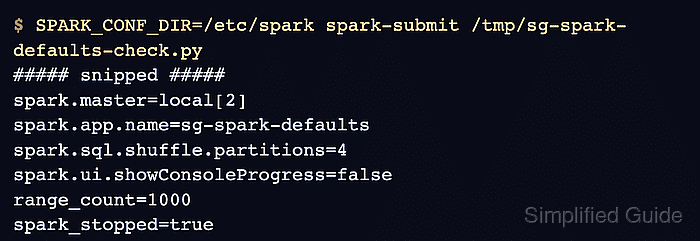
$ SPARK_CONF_DIR=/etc/spark spark-submit /tmp/sg-spark-defaults-check.py
WARNING: Using incubator modules: jdk.incubator.vector
Using Spark's default log4j profile: org/apache/spark/log4j2-defaults.properties
##### snipped #####
spark.master=local[2]
spark.app.name=sg-spark-defaults
spark.sql.shuffle.partitions=4
spark.ui.showConsoleProgress=false
range_count=1000
spark_stopped=true
Omit SPARK_CONF_DIR=/etc/spark when the file is stored in Spark's existing $SPARK_HOME/conf directory. The printed master, app.name, shuffle.partitions, and showConsoleProgress values prove the defaults were loaded.
- Remove the temporary validation script.
$ rm /tmp/sg-spark-defaults-check.py
Keep /etc/spark/spark-defaults.conf in place while those defaults should continue to apply.