How to run PySpark locally
Python applications built with PySpark can execute on one computer with the same driver, task, and lazy-evaluation model used by a larger Spark deployment. A local master is suited to learning the API, developing transformations, and checking application logic before a cluster manager enters the path.
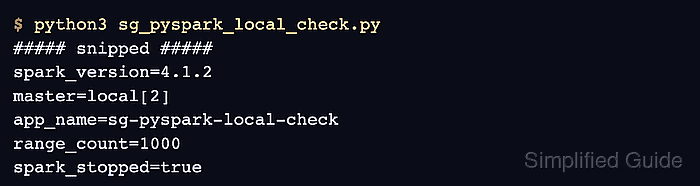
The local[2] master gives the application two worker threads in the driver process. Passing it to spark-submit keeps the deployment choice outside the Python file, so the source can later run under another master without editing its session builder.
Use a Python environment where PySpark and Java are already available. The sample groups three in-memory sales rows by region, then prints the active master, input partition count, and computed totals so the final transcript proves that Spark started locally and executed a DataFrame action.
Related: How to install Apache Spark on Ubuntu or Debian
Related: How to run Apache Spark shell locally
Related: How to create a Spark DataFrame
Steps to run PySpark locally:
- Create pyspark_local.py with the imports and local application session.
- pyspark_local.py
from pyspark.sql import SparkSession
from pyspark.sql import functions as F


spark = (
    SparkSession.builder
    .appName("local-sales-summary")
    .config("spark.ui.showConsoleProgress", "false")
    .getOrCreate()
)
spark.sparkContext.setLogLevel("ERROR")
The spark-submit command supplies the master, while the builder supplies application settings that belong to the source.
- Append the three sales records and their column names.
- pyspark_local.py
sales = spark.createDataFrame(
    [
        ("east", 50),
        ("west", 80),
        ("east", 75),
    ],
    ["region", "amount"],
)
- Append the regional aggregation in deterministic output order.
- pyspark_local.py
totals = (
    sales.groupBy("region")
    .agg(F.sum("amount").alias("total"))
    .orderBy("region")
)
The aggregation is lazy at this point; Spark plans it but does not process the rows until collect() runs.
- Append the runtime checks, result collection, and session shutdown.
- pyspark_local.py
print(f"master={spark.sparkContext.master}")
print(f"input_partitions={sales.rdd.getNumPartitions()}")
for row in totals.collect():
    print(f"{row.region}={row.total}")

spark.stop()
- Confirm the completed file contains every section in dependency order.
- pyspark_local.py
from pyspark.sql import SparkSession
from pyspark.sql import functions as F


spark = (
    SparkSession.builder
    .appName("local-sales-summary")
    .config("spark.ui.showConsoleProgress", "false")
    .getOrCreate()
)
spark.sparkContext.setLogLevel("ERROR")

sales = spark.createDataFrame(
    [
        ("east", 50),
        ("west", 80),
        ("east", 75),
    ],
    ["region", "amount"],
)

totals = (
    sales.groupBy("region")
    .agg(F.sum("amount").alias("total"))
    .orderBy("region")
)

print(f"master={spark.sparkContext.master}")
print(f"input_partitions={sales.rdd.getNumPartitions()}")
for row in totals.collect():
    print(f"{row.region}={row.total}")

spark.stop()
- Run the application with two local worker threads.
$ spark-submit --master local[2] pyspark_local.py
WARNING: Using incubator modules: jdk.incubator.vector
##### snipped #####
master=local[2]
input_partitions=2
east=125
west=80
The master and partition lines confirm the local execution setting. The two totals confirm that collect() triggered the grouped DataFrame computation.