How to read a database table with Spark JDBC
Spark can load relational database rows into a DataFrame through a JDBC driver when a job needs database data beside files, streams, or warehouse tables. The read path fits controlled extracts, reference tables, and validation queries where the source database should remain the system of record.
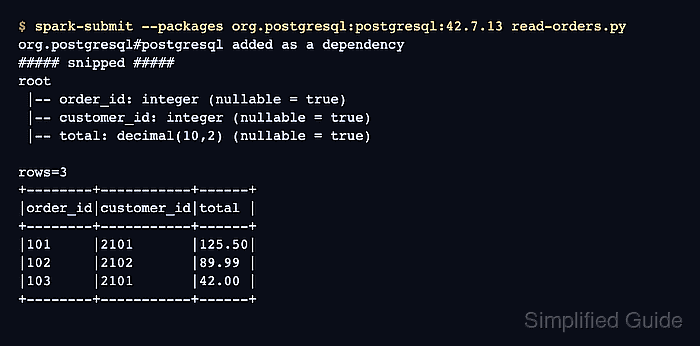
A JDBC read depends on the driver classpath and the connection options passed to DataFrameReader. Spark can read a full table with dbtable or a limited result set with a parenthesized query alias, then return the result as a normal DataFrame for schema checks, filters, joins, and aggregations.
Use a read-only database account and keep credentials outside committed scripts. Start with a small selected query before widening the read, and be conservative with partition options because parallel Spark tasks can create simultaneous work on the source database.
Steps to read a database table with Spark JDBC:
- Collect the JDBC read values.
JDBC URL: jdbc:postgresql://db.example.net:5432/analytics
Read object: (SELECT order_id, customer_id, total FROM public.orders) AS orders
Driver class: org.postgresql.Driver
Driver package: org.postgresql:postgresql:42.7.13
Use a table name such as public.orders for a full table. Use a parenthesized query with an alias when limiting columns or rows; Spark does not allow dbtable and query on the same read.
- Set the JDBC URL for the database.
$ export JDBC_URL='jdbc:postgresql://db.example.net:5432/analytics'
- Set the database user.
$ export JDBC_USER='spark_reader'
- Read the database password without printing it to the terminal.
$ read -rs JDBC_PASSWORD
Use a secret manager, job variable, or scheduler-provided secret in non-interactive jobs. Do not hard-code the password in the Spark script.
- Create the PySpark reader script.
- read-orders.py
import os
from pyspark.sql import SparkSession

spark = SparkSession.builder.appName("sg-jdbc-read").getOrCreate()
spark.sparkContext.setLogLevel("ERROR")

orders = spark.read.jdbc(
    url=os.environ["JDBC_URL"],
    table="(SELECT order_id, customer_id, total FROM public.orders) AS orders",
    properties={
        "user": os.environ["JDBC_USER"],
        "password": os.environ["JDBC_PASSWORD"],
        "driver": "org.postgresql.Driver",
    },
)

orders.printSchema()
print(f"rows={orders.count()}")
orders.orderBy("order_id").show(5, truncate=False)

spark.stop()
The query string is passed as the table argument because Spark accepts any valid FROM clause there, including a parenthesized subquery with an alias.
- Run the Spark job with the PostgreSQL JDBC driver package.
$ spark-submit --packages org.postgresql:postgresql:42.7.13 read-orders.py
org.postgresql#postgresql added as a dependency
##### snipped #####
root
 |-- order_id: integer (nullable = true)
 |-- customer_id: integer (nullable = true)
 |-- total: decimal(10,2) (nullable = true)

rows=3
+--------+-----------+------+
|order_id|customer_id|total |
+--------+-----------+------+
|101     |2101       |125.50|
|102     |2102       |89.99 |
|103     |2101       |42.00 |
+--------+-----------+------+
Replace the package coordinate and driver class for MySQL, SQL Server, Oracle, or another JDBC source. On clusters without Maven access, stage the driver JAR and use --jars instead.
Related: How to add packages to a Spark job - Compare the printed schema, row count, and sample rows with the source query before using the DataFrame downstream.
Large reads can create many database sessions when partition options are added. Keep numPartitions within the connection and query budget that the source database can handle.
- Remove the temporary reader script if it was created only for the check.
$ rm read-orders.py
- Clear the connection variables from the shell session.
$ unset JDBC_PASSWORD JDBC_URL JDBC_USER